• Home
  • News
  • Software
  • Knowledge
  • MMO
  • Tips
  • Security
  • Network
  • Office
AnonyViet - English Version
  • Home
  • News
  • Software
  • Knowledge
  • MMO
  • Tips
  • Security
  • Network
  • Office
No Result
View All Result
  • Home
  • News
  • Software
  • Knowledge
  • MMO
  • Tips
  • Security
  • Network
  • Office
No Result
View All Result
AnonyViet - English Version
No Result
View All Result

Instructions for registering Google AI Pro for 2 years for free until 2028

AnonyViet by AnonyViet
November 21, 2026
in Tips
0

The AI ​​technology race is hotter than ever, and Google AI Pro is one of the most powerful tools today. Instead of paying regular fees, why don’t you try receiving it? Google AI Pro 2 years free Okay AnonyViet Dedicated instructions in this article?

📢 Join the channel Telegram belong to AnonyViet


👉 Go to Telegram AnonyViet

Update new articles, cool tools and IT tips fastest

Instructions for registering Google AI Pro for 2 years for free

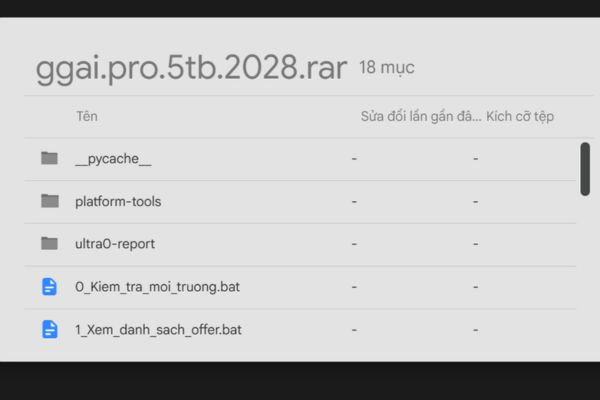
Step 1 . Download the installation file HERE. Once downloaded, right click on the file and select Unzip.
Instructions for registering Google AI Pro for 2 years for free until 2028
Download the installation file

Step 2 . Download and install Antigravity IDE on computer. Then open the app, select Open Folder and point to the unzipped folder.
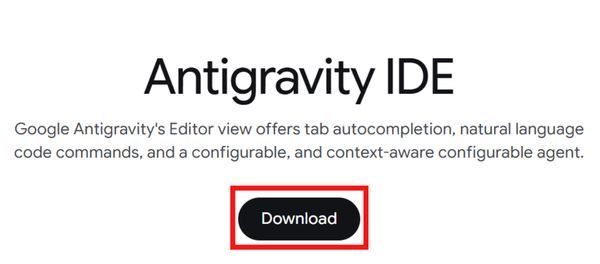
Download and install Antigravity IDE

In Antigravity’s chat box, enter the following prompt:

Please read the documentation in this folder to help me install and register step by step.
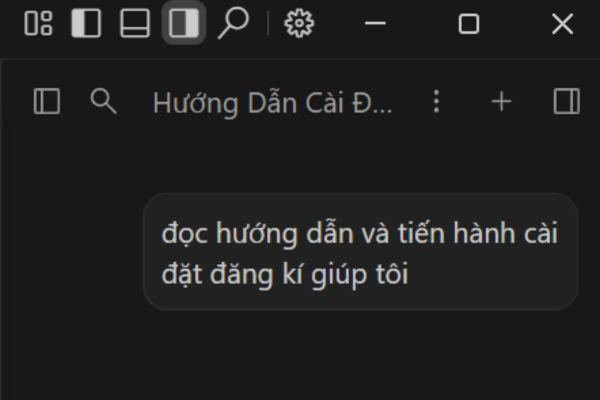
Enter the prompt for Antigravity IDE to help you install

Step 3 . Read the instructions Antigravity gives and follow them one by one. When you get to the MuMu Player setup section, do the following:

  • Double click the file MuMu_6.0.2_12QPUiUC.exe to install MuMu Player.
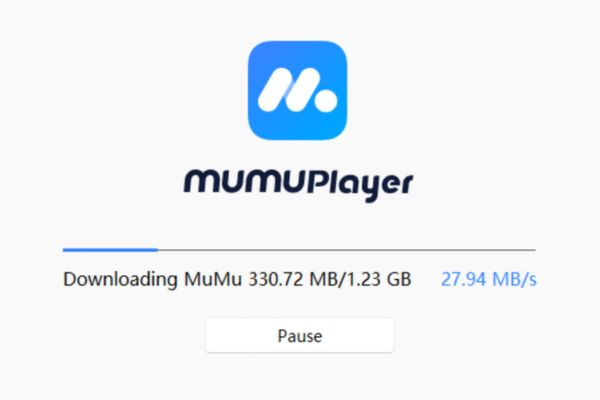
Install MuMu Player
Install MuMu Player
  • Open MuMu, press the three-dot icon and select Devices Settings.
  • Enter Developer Optionsthen turn it on Enable root and ADB Debug.
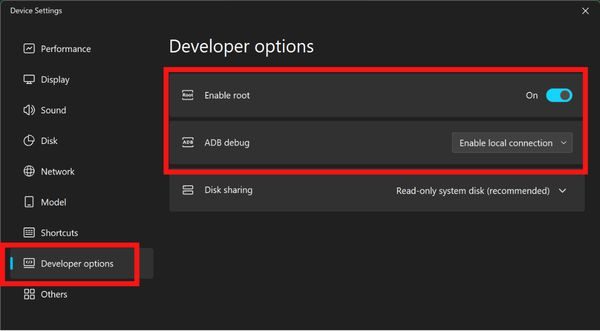
Activate the first 2 lines
  • Restart MuMu to apply the settings. If requested by MuMu turn on VT (virtualization technology), please enable this feature before opening an Android Device.
  • After enabling VT, open an Android device, go to tab Android Devices and choose Play Store.
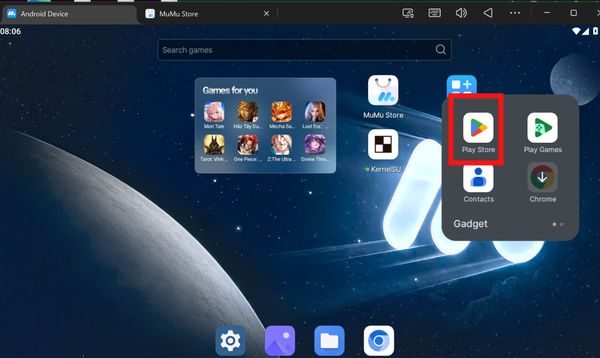
Open Play Store
Open Play Store

Press Sign in then sign in with your Google account.

Make sure that Google account has a card payment method (Visa/Mastercard) and there is currently no Google One plan running, the card has at least 3 USD.
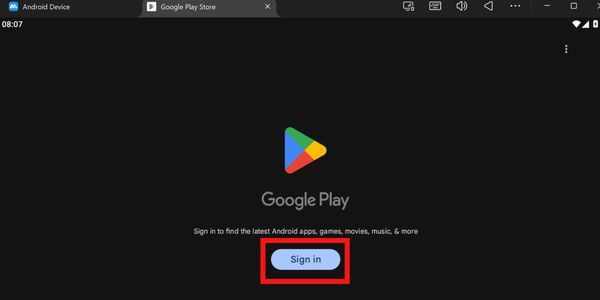
Sign in with the Google account you want to upgrade

Step 4 . After logging in to Google Play on MuMu, return to the chat box in Antigravity IDE and enter “Done” then click Submit when requested.
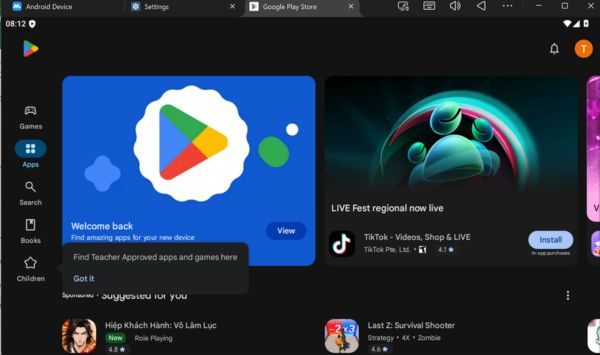
Interface after successful login

Antigravity will continue to operate and open the Google One page on the Play Store. When the page appears, click Install and wait for the application to finish installing.
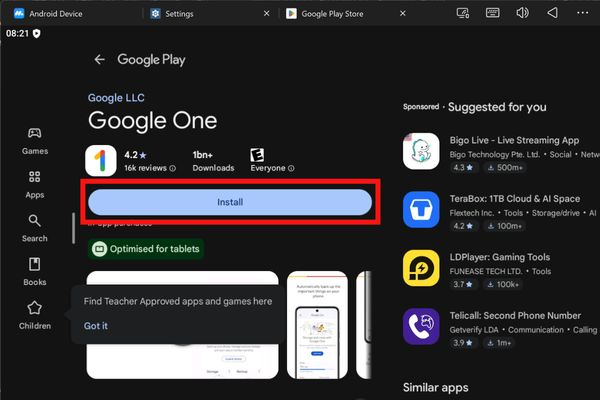
Install Google One
Install Google One

Step 5 . Go back to Antigravity, enter “Google One has been installed” then click Submit.
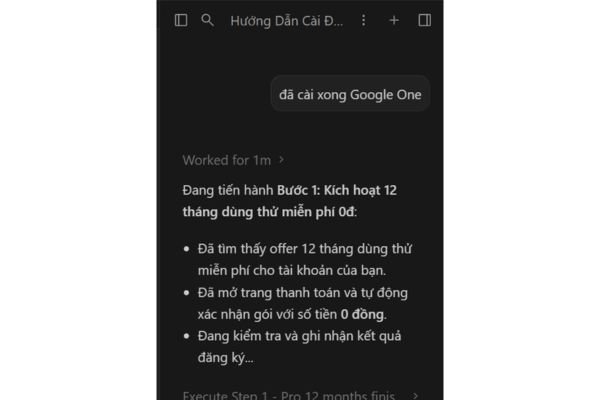
Enter “Google One installed”

If MuMu displays a Google login or verification screen, enter your password on that screen. Once verified, go back to Antigravity and enter “Done” and click Submit for the tool to continue processing 6-month incentives.

If Antigravity reports running out of quota, please change to another Google account to continue using. The account receiving the offer is still the account you logged in to in MuMu.

Step 6 . Wait for Antigravity IDE to report successful registration.
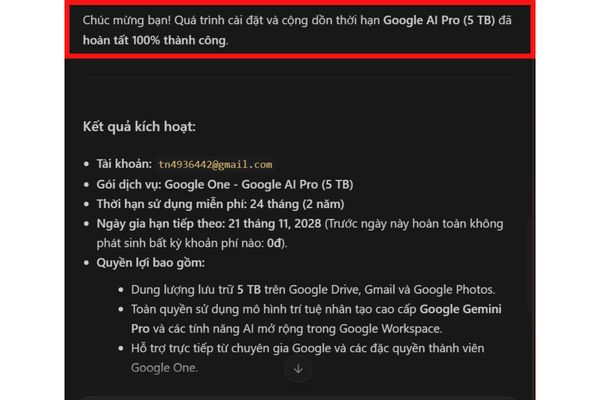
Instructions for successfully registering Google AI Pro for 2 years for free

You can then turn MuMu off and on Subscriptions page on Google Play using the same Google account used to register.

If the time from the registration date to the first payment date is about 2 years, you have successfully activated the offer.
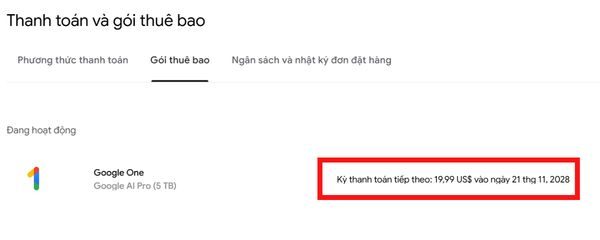
Go to the payment and subscription page to check

Note: After successfully registering, you should not cancel the package, do not delete the payment method, just leave it as is, set a reminder when the deadline is near, then cancel to avoid being scanned.

Conclusion

So I have completed all the instructions on how to register Google AI Pro 2 years free. The steps are really simple and quick, right? Everyone, please take advantage of it early so you don’t miss out on this great offer. Wishing you successful operations!

Frequently asked questions

​1. How do I know if I have successfully registered for Google AI Pro?

Log in to the correct Google account used to register, open the Subscriptions section on Google Play and check the next payment date. Compare this date with the time of registration to confirm whether the package has 2 free years or not.

​2. Is Google AI Pro really free for 2 years?

Doubt. Although Google Play displays a 2-year validity period, Google can review and scan at any time.

​3. When should I cancel my renewal to avoid being charged?

Take notes and set a reminder a few days before your next payment date.

Tags: freeGoogleInstructionsProregisteringyears
Previous Post

SubPeek – Extension to find vietsub on Youtube right on the thumbnail

AnonyViet

AnonyViet

Related Posts

Instructions for registering for free Google AI Ultra + Youtube Premium
Tips

Instructions for registering for free Google AI Ultra + Youtube Premium

November 18, 2026
How to create a virtual Android phone with US IP for free forever
Tips

How to create a virtual Android phone with US IP for free forever

November 17, 2026
Instructions for buying a free .com domain name on Checkdomain
Tips

Instructions for buying a free .com domain name on Checkdomain

November 16, 2026
Test how well ChatGPT understands you with the box
Tips

Test how well ChatGPT understands you with the box

November 15, 2026
Grand Valley – Website to watch trains run, listen to relaxing lofi music
Tips

Grand Valley – Website to watch trains run, listen to relaxing lofi music

November 14, 2026
Instructions on how to turn off the blue dot on the MacBook screen
Tips

Instructions on how to turn off the blue dot on the MacBook screen

November 13, 2026
0 0 votes
Article Rating
Subscribe
Login
Notify of
guest

guest

0 Comments
Oldest
Newest Most Voted

Recent News

Instructions for registering Google AI Pro for 2 years for free until 2028

Instructions for registering Google AI Pro for 2 years for free until 2028

November 21, 2026
SubPeek – Extension to find vietsub on Youtube right on the thumbnail

SubPeek – Extension to find vietsub on Youtube right on the thumbnail

November 19, 2026
Fun Learning for Children: Great app for learning letters and math for grade 1 for children

Fun Learning for Children: Great app for learning letters and math for grade 1 for children

November 18, 2026
Instructions for registering for free Google AI Ultra + Youtube Premium

Instructions for registering for free Google AI Ultra + Youtube Premium

November 18, 2026
Instructions for registering Google AI Pro for 2 years for free until 2028

Instructions for registering Google AI Pro for 2 years for free until 2028

November 21, 2026
SubPeek – Extension to find vietsub on Youtube right on the thumbnail

SubPeek – Extension to find vietsub on Youtube right on the thumbnail

November 19, 2026
Fun Learning for Children: Great app for learning letters and math for grade 1 for children

Fun Learning for Children: Great app for learning letters and math for grade 1 for children

November 18, 2026
AnonyViet - English Version

AnonyViet

AnonyViet is a website share knowledge that you have never learned in school!

We are ready to welcome your comments, as well as your articles sent to AnonyViet.

Follow Us

Contact:

Email: anonyviet.com[@]gmail.com

Main Website: https://anonyviet.com

Recent News

Instructions for registering Google AI Pro for 2 years for free until 2028

Instructions for registering Google AI Pro for 2 years for free until 2028

November 21, 2026
SubPeek – Extension to find vietsub on Youtube right on the thumbnail

SubPeek – Extension to find vietsub on Youtube right on the thumbnail

November 19, 2026
  • Home
  • Home 2
  • Home 3
  • Home 4
  • Home 5
  • Home 6
  • Next Dest Page
  • Sample Page

say88 tỷ lệ kèo nhà cái kèo nhà cái 5 febet

No Result
View All Result
  • Home
  • News
  • Software
  • Knowledge
  • MMO
  • Tips
  • Security
  • Network
  • Office

say88 tỷ lệ kèo nhà cái kèo nhà cái 5 febet

wpDiscuz
0
0
Would love your thoughts, please comment.x
()
x
| Reply