
eTax Mobile is the official electronic tax application of the Tax industry, allowing you to view your tax code, check your tax debt and pay taxes right on your phone. Many of you only remember this application during settlement season. When you open it, you forget your password, don’t know how to log in, or struggle forever to find a place to view your tax code.
📢 Join the channel Telegram belong to AnonyViet
Update new articles, cool tools and IT tips fastest
In this article, I will go from installing, logging in to looking up tax codes, including a quick way to look up without installing an application. Let’s find out with AnonyViet!
What is eTax Mobile?
eTax Mobile is an application released by the tax authority (formerly the General Department of Taxation, now the Tax Department under the Ministry of Finance), available on both the App Store and Google Play, for free download. Application for individuals, business households and businesses.
Things you can do on eTax Mobile include: viewing your tax registration information and tax code, looking up tax obligations (payable, paid, overpaid amounts), paying taxes via affiliated banks, finalizing and requesting personal income tax refund, looking up dependents, and receiving notifications from tax authorities.
According to information announced by the Tax Department in early November 2026, the new upgrade also has an “Overview” screen that collects important information in one place, a virtual assistant that answers tax questions by text or voice, and a warning about temporary exit appearing right on the main page if you owe taxes.
Detailed instructions for installing eTax Mobile
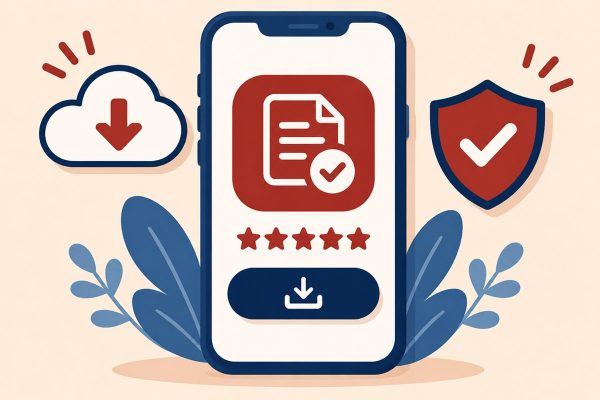
Step 1: Open App Store (iPhone) or Google Play (Android), type “eTax Mobile” in the search box.
Step 2: Choose the correct application called eTax Mobile, the publisher is the tax authority. Do not install applications with similar names or APK files sent via text message, because this is a common trick to impersonate tax authorities.
Step 3: Click “Get” or “Install”, wait for the download to finish and then open the application. When asked, you allow notification to be sent so you don’t miss news from the tax authority.
Log in to eTax Mobile with VNeID
The easiest way today is to log in with an electronic identity account, because you don’t have to remember another password. The condition is that your VNeID account has reached level 2.
Step 1: On the eTax Mobile login screen, select “Log in with electronic identity account”.
Step 2: The application switches to VNeID. Enter your passcode or authenticate your face or fingerprint, then click to confirm information sharing.
Step 3: The phone returns to eTax Mobile and you’re in your tax account.
If you do not have VNeID level 2, you can still log in with your tax code and password of your electronic tax transaction account. This account is registered right in the application or through the National Public Service Portal. Note that from July 1, 2025, the personal identification number (12 numbers on the ID card) will be used as the individual’s tax code, so for most people, the “tax code” box is the ID number.
Look up tax codes on eTax Mobile
Step 1: After logging in, look at the top of the main screen. Your full name and tax code appear right here.
Step 2: If you want to see more details, go to the “Lookup” function group and select the taxpayer information section. You will see the tax code, the tax authority and the status of the tax code.
Step 3: To find out if you owe tax, select “Look up tax obligations”, click search and see the lines of amounts payable, paid, and overpaid.
The names of the items may vary slightly between versions, but are all in the “Lookup” group. Remember to double check each number to be sure.
Quick lookup without the application installed
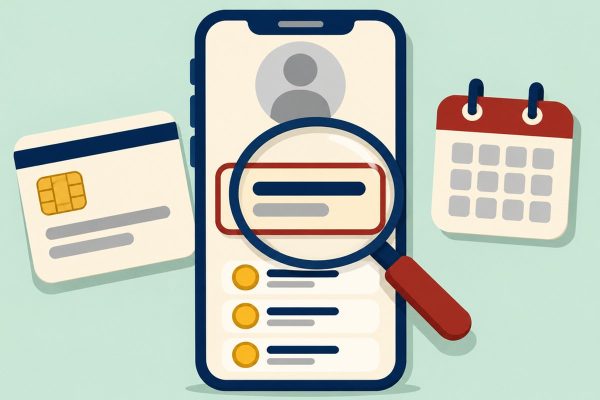
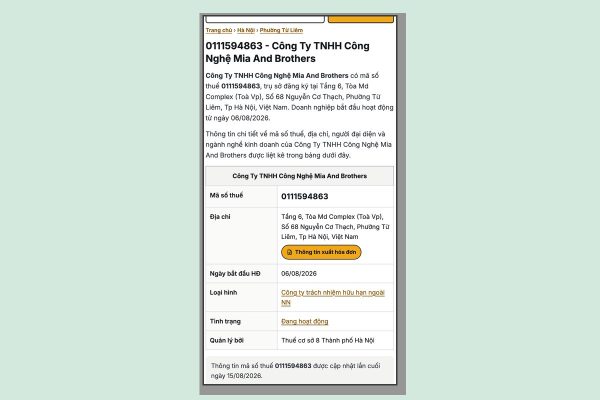
There are times when you just need to know the tax code to fill out a job application or send it to an accountant, or need to see the tax code of a partner company, but don’t want to install or log in anything. Then you can Look up tax code online on the browser: type the company name, director’s name or tax code to get business information.
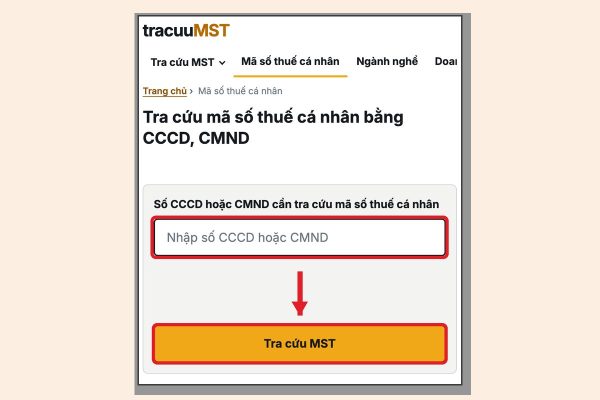
For individuals, p Look up personal tax code online Only one piece of information is required, which is the CCCD number or ID card.
Step 1: Open the lookup page on your phone browser.
Step 2: Enter the 12-digit CCCD number (or 9-digit ID card number if you previously registered for tax with an ID card).
Step 3: Click “Look up tax code” and read the results including the tax code and the managing tax agency.
This method is convenient in that you do not have to log in, and eTax Mobile is strong in that it allows you to view both tax obligations and complete procedures. The most reasonable thing is to use both: quickly look up on the web, and when you need to pay taxes or make a settlement, open the application.
Some small notes
The tax authority does not send a link asking you to install an application or “update your information to receive a tax refund”. If you encounter messages or calls like this, ignore them, and absolutely do not read the OTP code to anyone.
If you previously had two tax codes (one issued by ID card, one by CCCD), check to see if the information has been merged into the identification number. In case the tax registration information does not match the population data, you need to complete procedures to change tax registration information, which can be submitted online.
When the application reports an error when logging in with VNeID, try updating both applications to the latest version and then logging in again. Most errors lie in the old version.
Conclusion
eTax Mobile is a tool that should be available on your device, especially when identification numbers have become tax codes and more and more tax procedures can be done on the phone. Installing from the official app store, logging in with VNeID and getting acquainted with the “Lookup” group is enough for you to see your tax code and tax amount yourself without asking anyone. Wishing you a successful operation!
Frequently Asked Questions (Q&A)
1. Is there a fee to use eTax Mobile?
Are not. The application is free, you only pay money transfer fees (if any) according to the bank’s fee schedule when paying taxes.
2. If I don’t have level 2 VNeID, can I use eTax Mobile?
Okay. You register for an electronic tax transaction account and then log in with your tax code and password. However, you should upgrade VNeID to level 2 because logging in will be much faster later.
3. Searching on the web and on eTax Mobile gives different results, which side should you believe?
The data in eTax Mobile is direct data from the tax authority, so you should take that as the standard. The web lookup pages are suitable for quick viewing. If you see a difference, check again in the application or contact the tax authority.