Extension creates sticky notes is gradually becoming an indispensable tool for those who often work in the browser. Instead of having to open heavy software, you can store ideas immediately with NoteCute. Let’s go together AnonyViet Discover what’s interesting about this utility!
📢 Join the channel Telegram belong to AnonyViet
Update new articles, cool tools and IT tips fastest
These features make this sticky note creation extension score points
It’s no wonder NoteCute is so popular. The author has been very sophisticated in cramming a series of useful features while still keeping it simple and easy to use.
Diverse 4 types of convenient notes
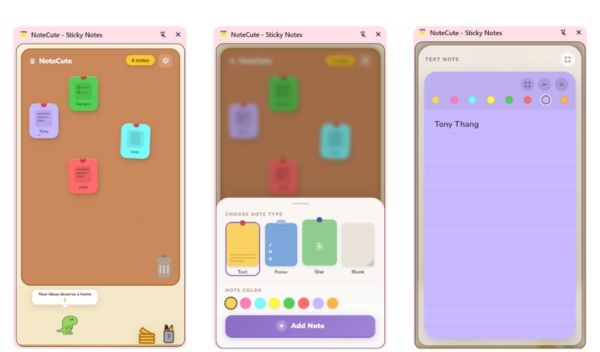
First of all, we must mention the diversity in recording methods. You don’t just simply type, there are up to 4 types of notes to choose from: Text (for regular text), Focus (to-do list format with tick boxes), Star (for especially important ideas) and Blank (a pure white sheet of paper for you to freely create). Thanks to that, all your needs for recording information are fully met.

Free drag and drop and vibrant color palette
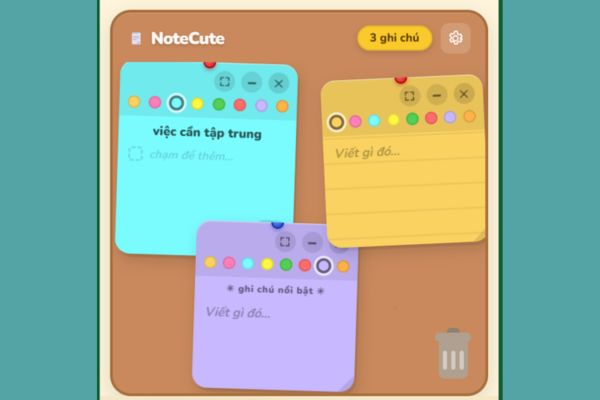
Instead of sticking to one place, you can freely drag and drop these notes to fly around the pin board. To keep your workspace from getting boring, NoteCute provides a color palette that includes: 8 tones vibrant pastels. Whatever color you like, just decorate each note. Therefore, looking at your task board every day, you will feel much more motivated.
Flexible zoom and animated trash
If seen note takes up too much space, you just need to shrink it into a mini card. On the contrary, when you need to write a long paragraph, the full-screen zoom feature will fully support you. When you’re done, just drag the note and drop it into the trash can in the bottom corner. At this time, an extremely vivid trash sucking effect will appear, giving a very good “cleaning” feeling.
Smart floating button, safe storage
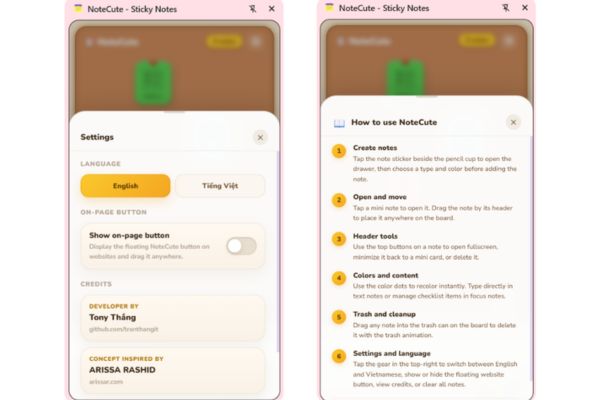
Besides, the utility is also equipped with a floating button (FAB) can be dragged anywhere on any website, helping you quickly open the notepad with just one click. The application supports both English and Vietnamese bilingually so anyone can use it. The big plus point of this sticky note creation extension is that your data is stored extremely sustainably chrome.storageturned off the computer and turned it back on, still intact.
And don’t forget the mascot Rive Animation It’s funny and sometimes random speech bubbles appear, it looks so cute!
Compare NoteCute and traditional notes
To make it easier for you to imagine the convenience, I have made a small comparison table below:
| Criteria | NoteCute on Chrome | Paper Notes/Default Notepad |
| Convenience | Open right on the web browser, with a quick call button. | Have to find pen and paper or open other software. |
| Interface | Vivid pin board, 8 pastel colors, with mascot. | Monotonous, usually just black text on a white background. |
| Features | There is a to-do list, free drag and drop, zoom in/out. | Write only plain text. |
| Storage | Automatically save via chrome.storage, no fear of loss. | It’s easy to lose documents or forget to click Save. |
Instructions for installing and using the sticky note creation extension
To start using the NoteCute sticky note creation extension, you don’t need to be tech-savvy, the operation is extremely simple:
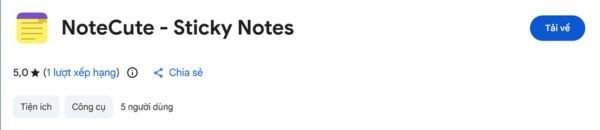
Step 1: You access the extension’s link on the Chrome store HEREthen press the button download and install it into the browser.
Step 2: Click on the extension’s icon (or floating button on the screen), and an empty work panel will appear. You click on the icon yellow note file in the bottom right corner to add a new note.
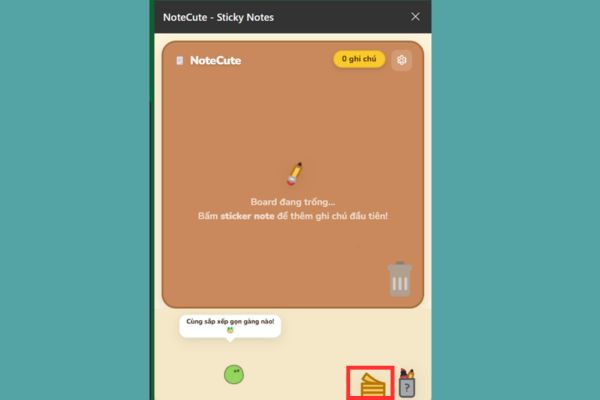
Here, you can freely choose the color, choose the type of note you want, then press the button Add notes.

Step 3: You will now see a note appear on your board. You can click to add information, change color, zoom in or out as you like. After finishing editing, you just need to click on the tick mark (✓) in the corner of the paper to save.
You can make many notes like that, arranging them a bit messy looks extremely cute.
Conclusion
In short, NoteCute is truly one extension to create sticky notes Worth installing today. Beautiful interface, enough features and extremely smooth operation. Hope you have productive and fun working hours with this utility.
Frequently Asked Questions (Q&A)
1. Does NoteCute save data when the browser is turned off?
Yes, all your notes are stored sustainably through the chrome.storage feature, shutting down and reopening is still intact.
2. Does this utility weigh down your computer?
Not at all. NoteCute is written in pure HTML, CSS and JavaScript, does not require construction, so it operates extremely gently and smoothly.
3. How to change the language to Vietnamese?
You just need to click on the settings gear icon in the upper right corner of the screen, then choose to switch between English and Vietnamese and you’re done.