As learning new skills is increasingly linked to videos, digital notes and online applications, a compact tablet like the iPad 11 (A16) WiFi 128GB can become a supporting device worth considering for many common users.
📢 Join the channel Telegram belong to AnonyViet
Update new articles, cool tools and IT tips fastest
Tutoring needs a screen “just big enough”
Phones are convenient for quick viewing, but when learning a foreign language, practicing drawing, watching long lectures or reading PDF documents, the small screen easily makes users’ eyes quickly tired and difficult to concentrate. Laptops are more powerful, but not always convenient to take to a coffee shop, place on a small study table or read on the sofa.
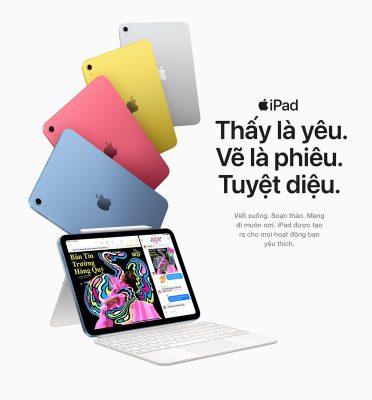
That’s the gap that the iPad 11 (A16) WiFi 128GB can fill: compact enough for flexible use, but with a larger screen than a phone for more comfortable reading, viewing and taking notes. For people who want to study more after work or students who need an additional device for self-study, this is a very real group of needs.
What type of learning is it suitable for?
If your goal is to watch video lectures, learn foreign languages, read ebooks, make flashcards, note down ideas or track documents on Google Docs, Notion, Microsoft Teams, Zoom, iPad 11 (A16) 128GB WiFi meets quite common needs.
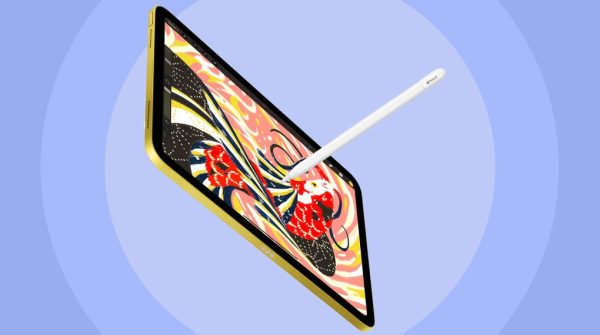
The machine is also suitable for creative learners at an introductory level such as practicing drawing, making slides, light photo editing, creating simple short videos or managing personal social network content. The notable point lies not only in the configuration, but also in the iPadOS application ecosystem, which has many apps optimized for tablet screens.
For users who are familiar with iPhone or MacBook, synchronizing notes, photos, documents and class schedules via iCloud also makes the learning process more seamless. This is a clear advantage if you want to turn your tablet into a “digital notebook” for long-term use, instead of just a screen for watching videos.
Is 128GB enough for private learners?
128GB capacity is an easy starting level for most high school students. You can install learning applications, save PDF documents, download some offline videos, save lecture photos and take notes without worrying too much in the early stages.
However, how you use it will determine whether the capacity is long enough or not. If you regularly download movies, save a lot of 4K videos, play heavy games or create many video projects, the memory will fill up faster. At that time, users should combine cloud storage and clean up unused content.
For those who need a device that balances learning, entertainment and cost, iPad Gen 11 is an easily accessible choice in the Apple ecosystem, especially when the main need has not yet transcended to professional work groups.
When should you consider a higher line?
Not everyone who takes extra classes needs a more expensive device. If you only study online, read documents, take notes, watch videos, practice foreign languages or do basic content, iPad 11 (A16) WiFi 128GB is reasonable enough.
On the contrary, if you study in-depth graphic design, heavy video editing, professional image processing, need a higher quality screen or want to use a tablet as your main work device, consider iPad Pro would be more suitable. The difference now is not only performance, but also screen experience, accessories and the ability to handle heavy tasks for long periods of time.
In other words, iPad 11 (A16) WiFi 128GB is suitable for people who want to start studying seriously, while the higher line is for people who have clearly defined creative work or professional performance.
Where to buy to easily optimize costs?
At Mobile World, iPad 11 (A16) WiFi 128GB is sold with shopping support options such as 0% installment payment, old collection renewal program with 2 million VND subsidy and 12-month “Whatever you get” policy at a system of 2,991 supermarkets, free for the first month. For the group of people who buy for long-term study, these factors make upgrading or buying a new product less stressful than just looking at the price of the device.
Conclude
iPad 11 (A16) WiFi 128GB is not a complete laptop replacement, nor is it designed for all professional tasks. But if your main need is to learn new skills, take notes, watch lectures, read documents and have fun after class, this is a balanced choice.
It is important to determine the correct goals: for high school education and daily self-study, choosing the standard version will be reasonable; If you study in-depth creativity or do heavy work regularly, you should consider a higher line from the beginning.