Create a photo around Vietnam is a great way to show off your travels or simply show your love for your hometown in a new way. With the remarkable development of AI, designing a “tiny planet” photo that integrates famous landmarks has become easier than ever. Join AnonyViet to learn about the extremely simple implementation process right below.
📢 Join the channel Telegram belong to AnonyViet
Update new articles, cool tools and IT tips fastest
What’s hot about the trend of creating photos around Vietnam?
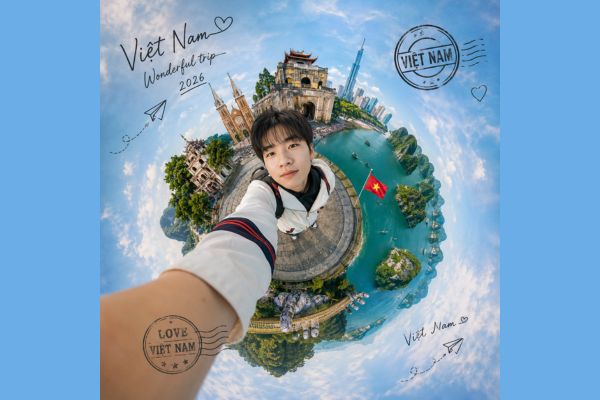
The trend of creating photos around Vietnam in the style of “Tiny Planet” has brought a new breeze to the online community. Instead of the usual flat photos, this effect curls the space, turning the world around you into a pretty little sphere with you as the focal point.
The appeal of this style lies in the combination of fisheye lens photography technique and top-notch image processing capabilities. WHO. You can easily integrate famous landmarks such as Hoan Kiem Lake, Golden Bridge or Ben Thanh Market into the same frame, creating an impressive virtual tour.
Instructions on how to create a round trip photo of Vietnam
To own a photo of a “tiny planet” with a personal touch, you just need to follow these simple steps.
Step 1: Access the interface ChatGPT.
Step 2: Upload a clear headshot of yourself. Be sure to choose photos with good lighting so that the AI can recognize facial features more accurately.
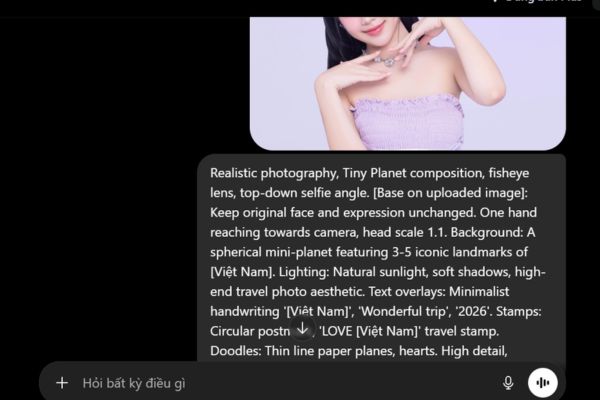
Step 3: Copy the prompt below and paste it into the chat box. You can customize the place name in square brackets to whatever place you like.
Realistic photography, Tiny Planet composition, fisheye lens, top-down selfie angle. [Base on uploaded image]: Keep original face and expression unchanged. One hand reaching towards camera, head scale 1.1. Background: A spherical mini-planet featuring 3-5 iconic landmarks of [Việt Nam]. Lighting: Natural sunlight, soft shadows, high-end travel photo aesthetic. Text overlays: Minimalist handwriting '[Việt Nam]', 'Wonderful trip', '2026'. Stamps: Circular postmark, 'LOVE [Việt Nam]' travel stamp. Doodles: Thin line paper planes, hearts. High detail, realistic imperfections, 8k resolution.
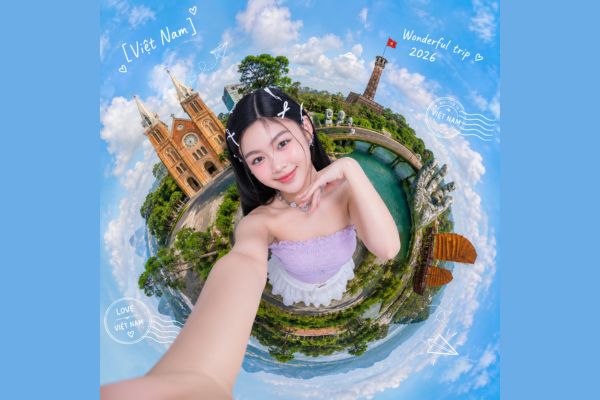
Step 4: Click send and wait a moment. AI will analyze your face and create a 360-degree scene around you with effects like postage stamps, paper airplanes, and extremely artistic handwriting.
Step 5: Download photos and share them on social networks to make your friends admire your ability to create photos of Vietnam.
Conclusion
Hopefully with the detailed instructions above, you can be confident Take a photo around Vietnam to refresh your personal page. Don’t hesitate to experiment with many different places to see the diverse beauty of the country. Hope you have satisfactory works and receive lots of interaction from your friends!
Frequently Asked Questions (Q&A)
1. Does AI retain my real face when creating photos?
AI will simulate facial features based on the photo you provide to create a highly similar character. This helps the photo look more artistic and harmonious with the 3D context.
2. Can I change my address to other countries?
Absolutely! You just need to change the name of the country or city in the prompt (for example, replace “Vietnam” with “Japan”, “Paris”…) AI will automatically update the corresponding iconic landmarks of that place into the photo.
3. Is there a fee to use this tool?
You can create a tour of Vietnam with ChatGPT completely free of charge.