How to choose the right hairstyle using AI is the hottest trend around Tet to avoid risks when going to the salon. Instead of worrying about whether your new hairstyle suits your face, modern technology will help you realistically visualize the results. Let’s explore this little trick with the Google Gemini tool.
📢 Join the channel Telegram belong to AnonyViet
Update new articles, cool tools and IT tips fastest
Why should we use AI for hairstyle advice?
Changing your hairstyle always comes with risks if you don’t foresee the results. According to 2026 beauty technology trends, the application WHO Appearance consultation helps users feel 40% more confident before deciding to change their appearance. Google Gemini with powerful image processing capabilities will help you “try out” new hair at no cost.
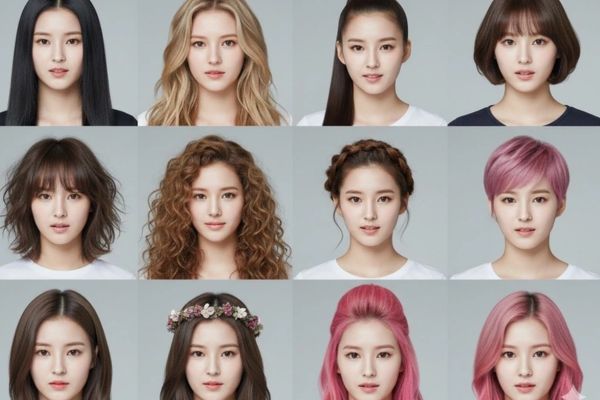
Instructions on how to choose the right hairstyle using AI
To get the most realistic hairstyle demo photos, you need to follow the standardized process below on the Google Gemini tool.
Step 1: Access and prepare
First, visit the website Google Gemini and log in with your Gmail account. At the chat interface, click on the plus sign (+) and select “Upload files“You need to choose a portrait photo taken with a straight face, clear and unobstructed for the AI to best analyze it.
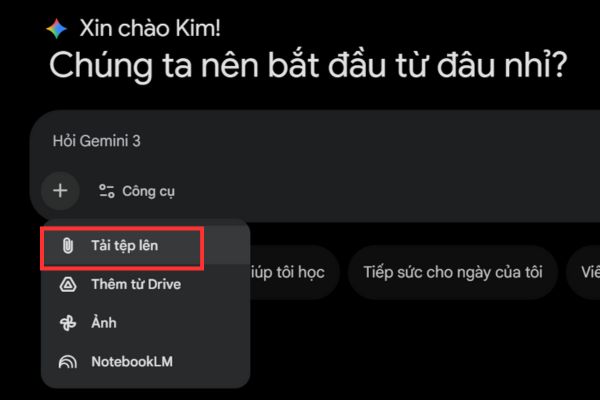
Step 2: Enter basic hair styling commands
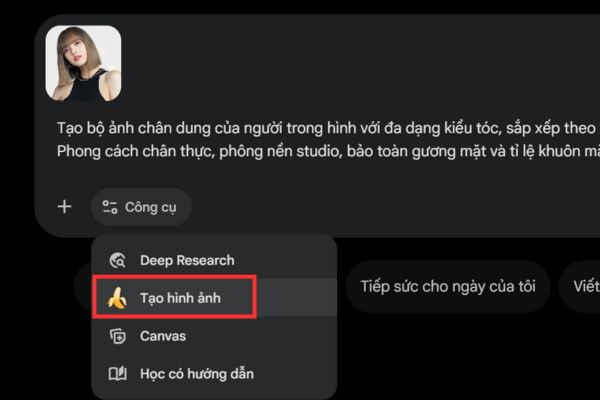
Click on “Tools” below then select “Create photosNext, paste the command below into the chat box and press Enter to execute.
Tạo bộ ảnh chân dung của người trong hình với đa dạng kiểu tóc, sắp xếp theo bố cục lưới 4x3. Phong cách chân thực, phông nền studio, bảo toàn gương mặt và tỉ lệ khuôn mặt.
Gemini will return the result as a grid image of 12 different hairstyles cleverly grafted onto your face.
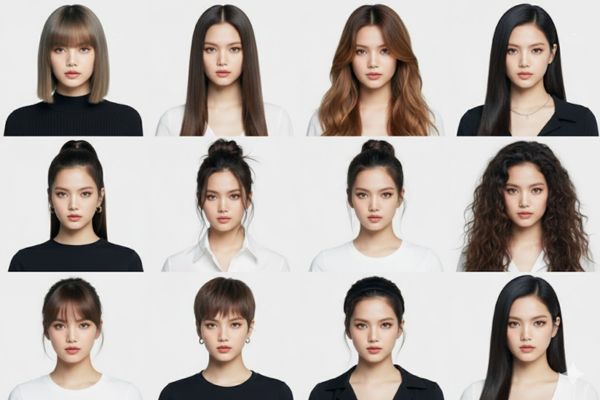
Step 3: Fine-tune the results according to your needs
If the initial results are not satisfactory or are incorrect in gender/color, continue to issue commands to the AI to modify:
- Gender adjustment: “Abandon masculine hairstyles, leaving only feminine hairstyles that best suit your face.”
- Maintain original hair color: “Keep the original hair color intact, only choose the hairstyle that best suits your face.”
- Dye color consultation: “Choose which hair color best suits your face. What color should I dye it?”
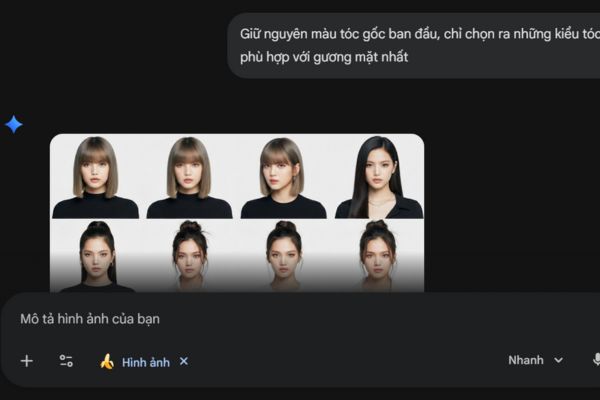
Step 4: Regenerate with more detailed requirements
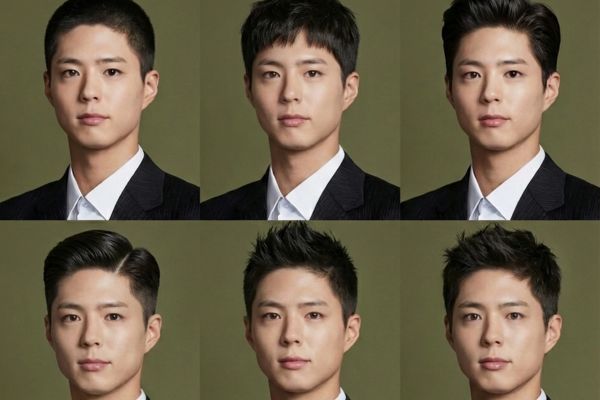
In case you want a specific style (e.g. for men), enter the detailed command at the beginning:
"Tạo ảnh chân dung... (như trên). Chỉ tạo những kiểu tóc nam tính, không dài, không xoăn, không nhuộm và phù hợp với gương mặt nhất".
Important notes about privacy
When using personal images on public AI platforms:
- Your images can be used by the system for training data.
- Consider carefully before uploading sensitive or too private images.
- You should delete chat history or images after you have achieved the desired results if you are concerned about security.
Frequently asked questions when using AI to choose hair
1. Are the results generated by AI 100% similar to reality?
Are not. AI is only for reference in terms of style and harmony with the face. Hair material and actual cutting technique at the salon will determine the final result.
2. Can I use a side profile selfie?
Should be limited. Front-facing photos help AI identify the most accurate facial proportions for accurate hair grafting.
3. Is there a fee for this tool?
Currently, basic features on Google Gemini are free for users with Google accounts.
Conclusion
Hopefully this guide on how to choose the right hairstyle using AI will help you feel more confident when going to the salon. Take advantage of technology to find the most perfect version of yourself in a smart way. Wishing you beautiful, radiant hair for Tet.