How to edit vintage color photos online It’s not as complicated as many people think, you don’t even need to know Photoshop or Lightroom. With just a phone and a familiar application, anyone can make their photos impressive. Let’s discover the secret to creating warm, nostalgic colors right below.
📢 Join the channel Telegram belong to AnonyViet
Update new articles, cool tools and IT tips fastest
The lasting attraction of film color filters
Before going into practice, we need to understand why this style is so popular. Film filters are essentially a recreation of the colors and textures of previous analog cameras.
It artistically recreates “imperfections” such as grain, slightly blue or yellow tones depending on the type of film, and softer contrast than digital images. It is the simplicity, naturalness and sense of nostalgia that are the key factors that help film color maintain its position, despite other photo editing trends constantly changing.

How to edit vintage color photos online
To own photos of this style quickly and most conveniently, we do not necessarily need to download specialized photo editing applications. Below is a simple but surprisingly effective process.
Many people often ignore a very powerful tool right on their phone, which is TikTok. This application is not only for watching videos but also integrates an extremely good set of color correction tools, especially film tones.
No need for elaborate operations, TikTok Provides presets (filters) designed to simulate realistic film quality. These filters often have deep, sad or classic warm tones, helping the photo or video become artistic immediately after application.

Detailed step-by-step operating instructions
To quickly edit color film images, you can follow the following procedure:
Step 1: Open the TikTok app on your phone, make sure you have updated to the latest version to get the full set of filters.
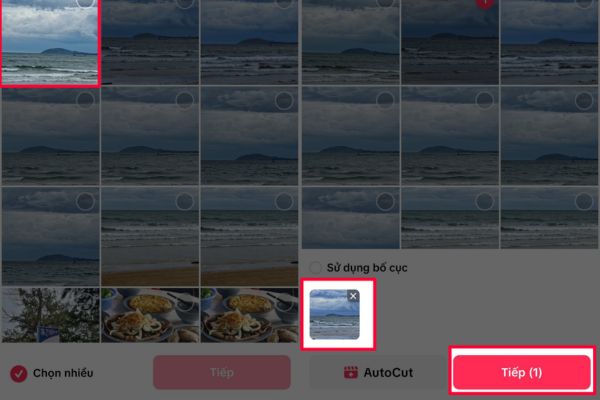
At the main interface, click on the icon plus (+) in the middle of the screen, then select “Upload” to select the photo you want to edit from the photo library.
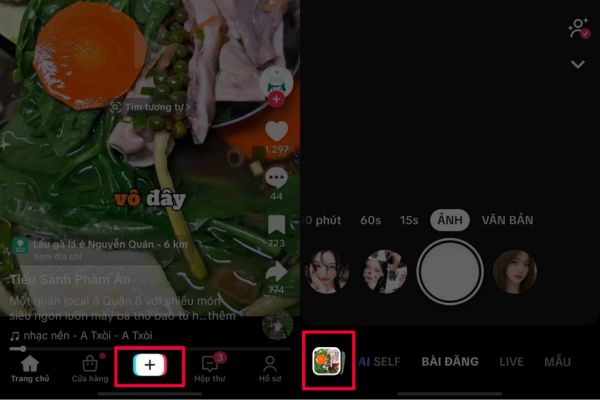
After the photo has been uploaded, press the button “Next” so that the system puts the photo into the main editing interface.
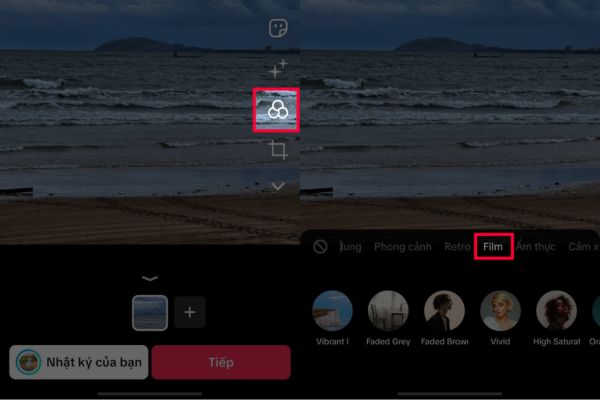
Step 2: You find and select the icon “Filter” (Filters) is located in the toolbar on the right side of the screen, then browse to the tab named “Film” or “Vibe“.
In the list of filters that appears, try applying different color codes and drag the slider to adjust the density to best match the lighting of the original photo.
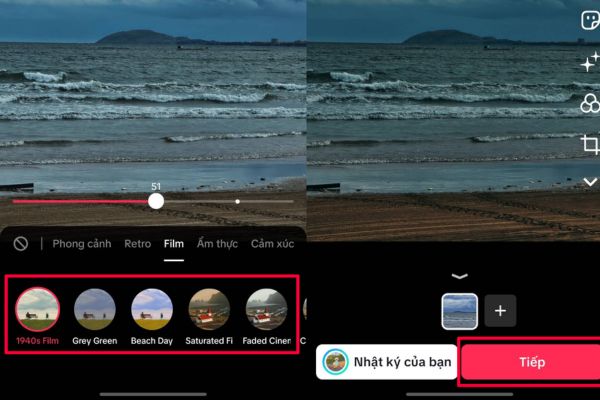
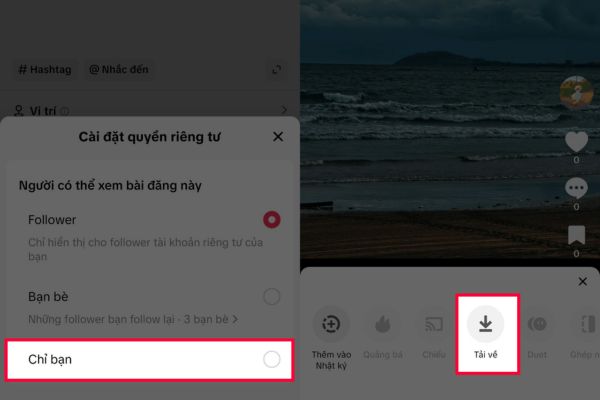
Step 3: The final step, after you are satisfied, click “Next“, select posting mode as “Just me” then post it, then go to your personal page and save the photo to your device and you’re done.
This process helps you get the photo you want without having to have a deep understanding of technical parameters such as saturation, brightness or white balance.
Conclusion
With just a few simple steps on your phone, How to edit vintage color photos online has helped “breathe life” into lifeless digital photos. The combination of modern technology and classic colors always brings interesting visual experiences. Don’t hesitate to share this great tip with your friends so we can take quality photos together!