On February 8, Hieu PC officially launched the extension (extension) Chongluadao’s mission is to protect users from fake, dangerous websites that contain malware and bad content.
| Join the channel Telegram belong to AnonyViet 👉 Link 👈 |
 Known Chongluadaolà A community, non-profit project implemented by HieuPC and some others since January 5 in a Cafe. Thought it was just a small cafe between community lovers, but it was a fateful meeting that decided HieuPC’s first project for the Chongluadao.vn community.
How chongluadao works
Chongluadao utility will warn you every time you access websites that are fraudulent, fake, or harmful to you. Chongluadao There will be 3 levels of warnings for the websites you visit. These warning levels are based on user reviews of those websites. So you can be completely assured about chongluadao’s reputation.
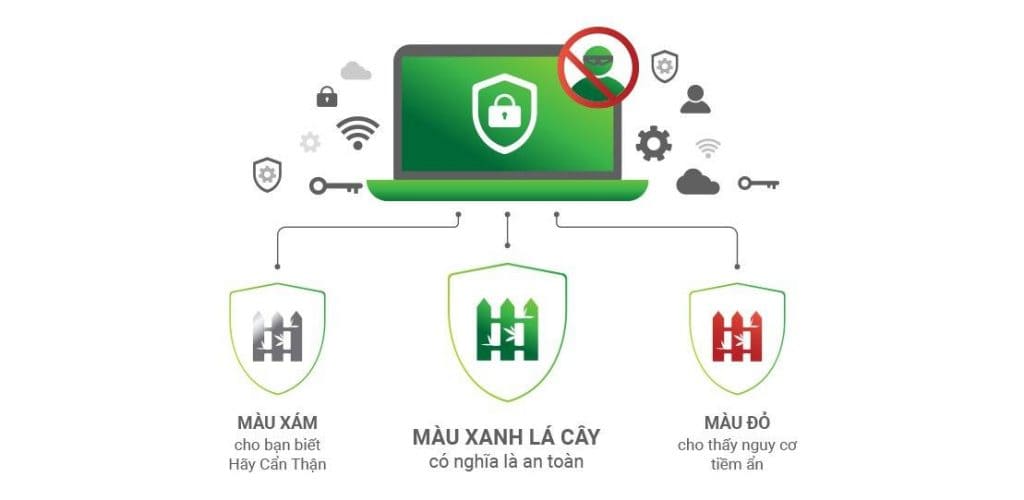
The safety of the website is determined by algorithms combined with user reviews and artificial intelligence. So, don’t worry about being the first person to access a malicious website that has not been rated or has many people giving false reviews. In general, I think the development team also knows the disadvantages of operating based on user reviews, so they also use an algorithm to decide the safety of the Website.
Features
- Display safety level: The utility will display the safety level of the website on the browser’s additional toolbar. With 3 levels: Gray (Caution), Green (Safe), Red (danger).
- Warning screen: If you visit a malicious website, the chongludao utility will display a danger warning screen in your browser and give you two options. One is to continue accessing that website, the other is to return safely.
- Anti-fraud: The utility will warn and detect websites with fraudulent purposes, links or malware before you click on them.
- Check Link: Chongluadao will check the safety level of the (shortened) link before you access it.
- Web blocking: The utility will block websites with poor security levels rated by the community or algorithm. You can also grow this community by reporting websites with dangerous, fraudulent, and fake content on the Chongluadao utility.
Or fill out the Google Form form here. - Real-time protection: Chongluadao will provide you with 2 operating modes: Real-time protection and manual mode. I recommend that you use real-time protection mode because you can safely surf the web without worrying about threats such as fraud or harmful content.
- Content control: Block websites with unhealthy content for children and protect your children from fraudulent websites.
- Evaluation report: You can self-assess the safety and security of a website based on your experience and experience on the Chongluadao utility.
- Free Security: Because this is a non-profit project, this utility is completely free and will be in the future as well. This is only the first phase of the project, so in the future the development team will provide more updates, features, and improve security levels.
Access rights
I’m sure many of you are wondering if this utility sells or steals data on your browser, right? You guys are worrying too much, how can a Vietnamese security and anti-fraud project do such things? Chongluadao has also confirmed that they will have access to the following rights: Tabs, wide server, Context Menu, Web Navigation, Web Requests, Web Request Blocking, and memory.
All data collected, as well as privacy rights, are clearly stated within Chongluadao’s privacy policy. If you don’t believe me, you can read it there. HieuPC has not forgotten the initial core that users care about is security, so it should be transparent and fully declare data information for everyone to see.
Download the Chongluadao utility on Chrome
Currently, the Chongluadao utility only works smoothly on Chrome, Microsoft Edge, Coc Coc, Brave, and Kiwi Browser browsers. Because you are submitting an application for approval to post to the Utility Store of the above browsers, currently you can only download and install it manually.
Step 1: You Download Chongluadao utility.
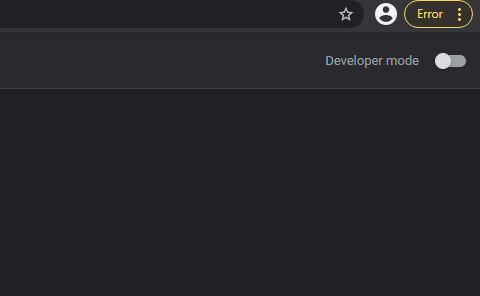
Step 2: Go to Chrome -> select Menu 3 vertical dots in the upper right corner -> Other tools -> Extensions -> enable mode Developer mode in Exension.
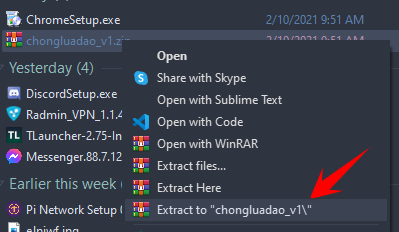
Step 3: Unzip the downloaded utility file.
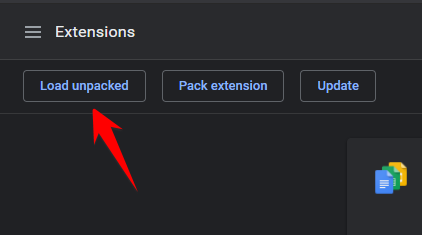
Step 4: Return to the Extension tab, and press Load unpacked.
Step 5: Browse to the chongluadao folder and click Select Folder.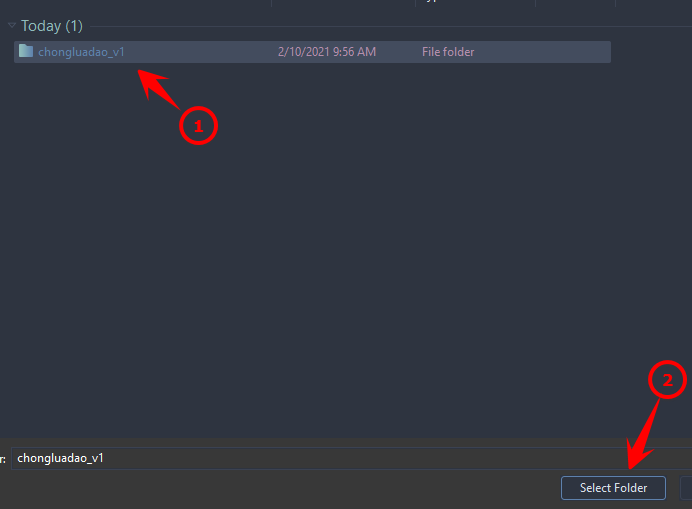
So you have successfully installed chongluadao into Chrome.
How to evaluate Chongludao’s Website – Anti-fraud
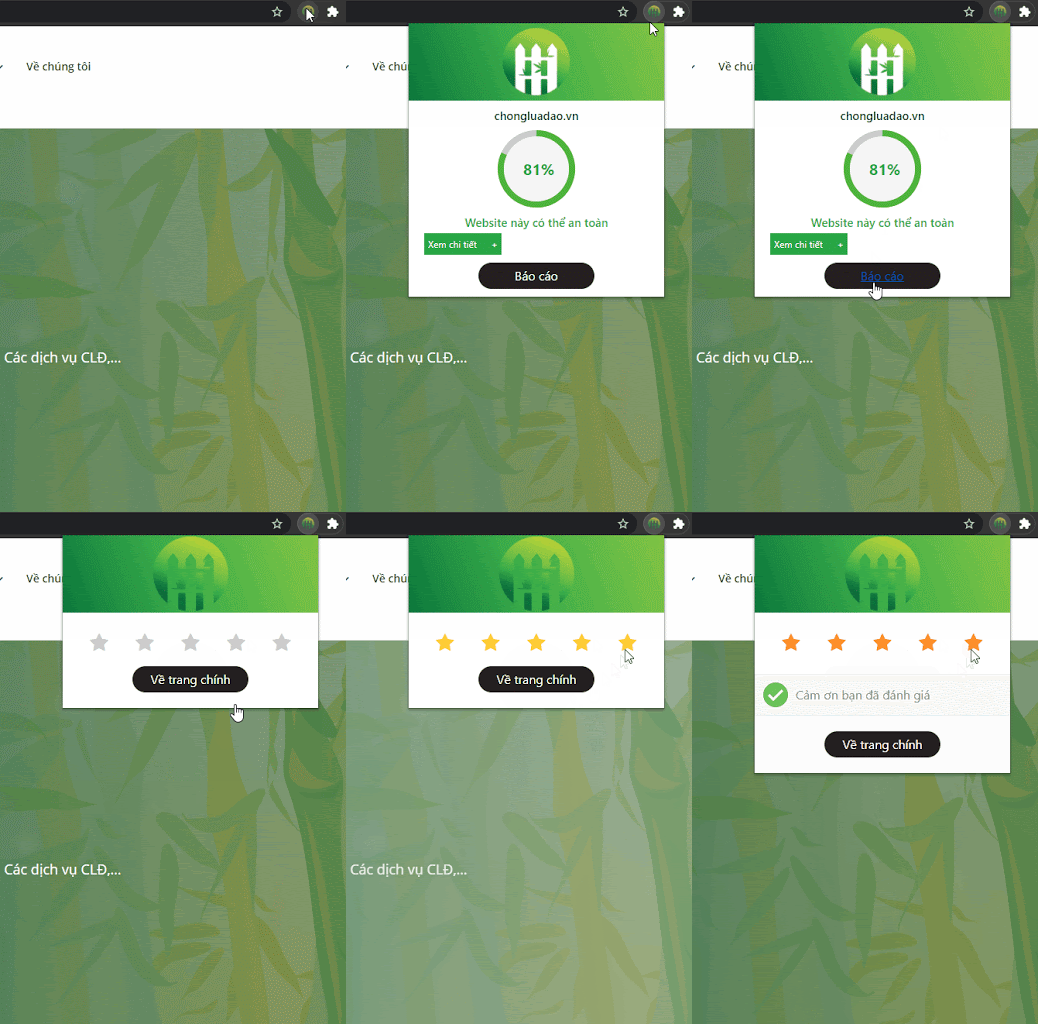
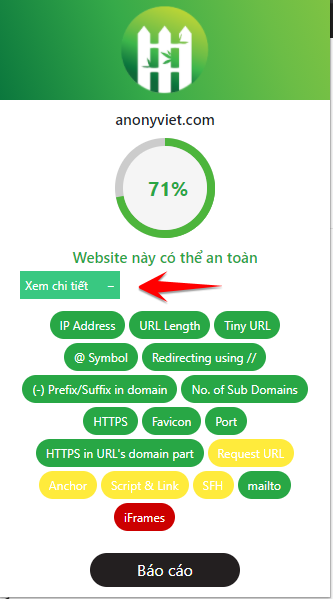
When you visit a certain website, chongluadao will display the safety level of that website. You can also report and rate that website by clicking the chongluadao icon and then clicking Report.
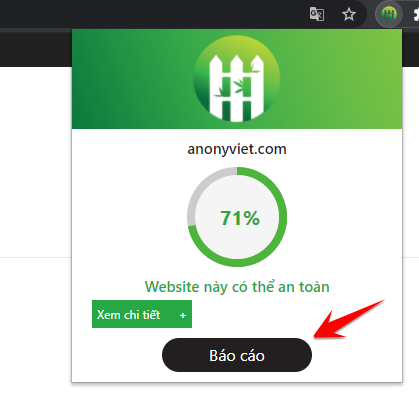
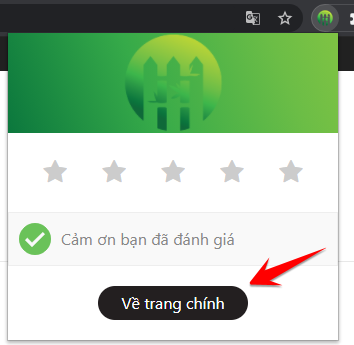
The report is based on the number of stars that users decide to rate for that website. After completing the assessment, you press the button Back to main page to return to the utility’s original page.
You can also view more information and security vulnerabilities of the website by clicking See details.
Because it is still in the censorship period to post to the browser’s utility store, for now, please take the trouble to download and install it manually. It is expected that soon you will be able to download it directly on the browser utility Store.
According to AnonyViet’s assessment, this is a great project serving the community that is very suitable in the current era. The utility will solve the problem that many Vietnamese users are concerned about: security and safety when online. I hope this project will soon complete the next stages to continue contributing to the benefit of the technology-loving community.
Frequently asked questions
How does Chongluadao work?
Chongluadao analyzes the websites you visit and warns about safety levels (Safe, Be Careful, Dangerous) based on community reviews and AI algorithms.
In which browser can I download Chongluadao?
Currently, Chongluadao works best on Chrome, Microsoft Edge, Coc Coc, Brave and Kiwi Browser.
Is Chongluadao free?
It’s completely free and will always be free in the future.