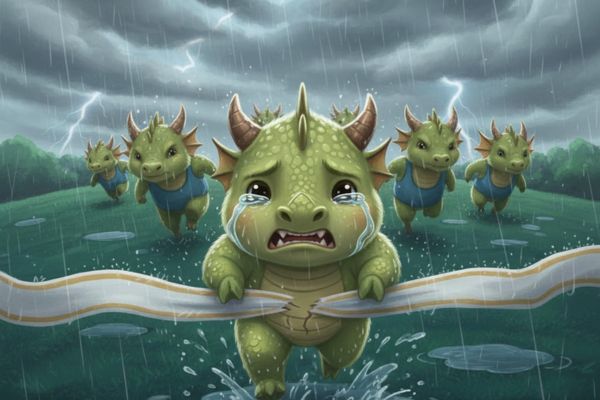
How to create images that run KPIs while crying is the topic most sought after by office workers in recent days to relieve pressure at the end of the year. Not only stopping at the image of a struggling horse, this trend has spread to the entire 12 zodiac animals with extremely vivid and realistic “laughing and crying” expressions. If you want to own an “authentic” photo with a personal touch to keep up with the trend, immediately refer to the instructions below.
| Join the channel Telegram belong to AnonyViet 👉 Link 👈 |
The 12 zodiac animal trend and the story of running a deadline
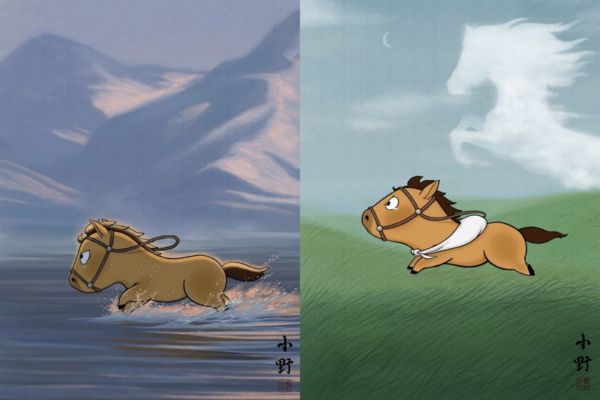
The appeal of these photos lies not only in their humor and wit, but also in their ability to touch the emotional “pain point” of the viewer. Starting from the image of a horse struggling in the middle of a tear-filled racetrack, the online community quickly created countless different versions corresponding to the 12 zodiac animals. Each mascot has a unique expression, but overall they all exude relentless effort.
Whether you have the Cat, Dragon or Monkey as your zodiac sign, all the paintings tell a familiar story: the days of suffocating deadlines and sales pressure that anyone at work has experienced. It is that deep empathy and authenticity that has turned this trend into a place for people to share their feelings in a gentle, artistic and creative way.
How to create images that run KPIs while crying with Gemini
If you want to create a photo of your zodiac animal “overcoming an obstacle”, Gemini AI engine Google will help you do this in a snap.
Step 1: First, users need access Gemini site.
Step 2: In order for AI to understand and correctly draw your zodiac animal, replacing the Vietnamese name with English is required. Below is a conversion table for the names of the 12 zodiac animals for you to easily choose:
- Rat (Mouse): Mouse
- Ox (Buffalo): Ox
- Tiger (Tiger): Tiger
- Mao (Cat/Rabbit): Cat or Rabbit
- Dragon (Dragon): Dragon
- Snake: Snake
- Ngo (Horse): Horse
- Goat: Goat
- Body (Monkey): Monkey
- Rooster (Chicken): Rooster
- Dog (Dog): Dog
- Pig: Pig
Step 3: After choosing the animal keyword, use the description (prompt) below. Note the phrase substitution [TÊN CON VẬT TIẾNG ANH] with the keyword you chose in the step above:
Prompt:
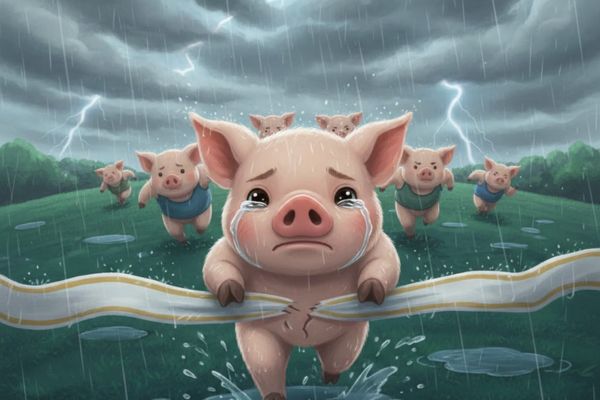
A vividly emotional, highly expressive cartoon scene featuring a small, adorable, teary-eyed [TÊN CON VẬT TIẾNG ANH] pushing through exhaustion as it bursts through the finish-line ribbon under a relentless downpour. The main character stands prominently in the foreground, occupying most of the visual space, sprinting directly toward the viewer. The perspective is shot from a low, worm’s-eye angle to heighten the sense of struggle and determination.

The setting unfolds on a deep green, rain-soaked hillside beneath a sky heavy with smoky, storm-thick clouds. Sheets of rain cascade dramatically across the frame. Behind the central character, several slightly older [TÊN CON VẬT TIẾNG ANH] race intensely uphill, their focused expressions showing fierce concentration as they charge forward into the depth of the scene, angled gently toward the right.

The artwork blends dynamic rain motion, moody lighting, soft textural nuances, and subtle Ukiyo-e inspiration. The overall tone is emotional, atmospheric, and motivating—echoing the cinematic energy of Studio Ghibli compositions while retaining a modern cartoon charm.
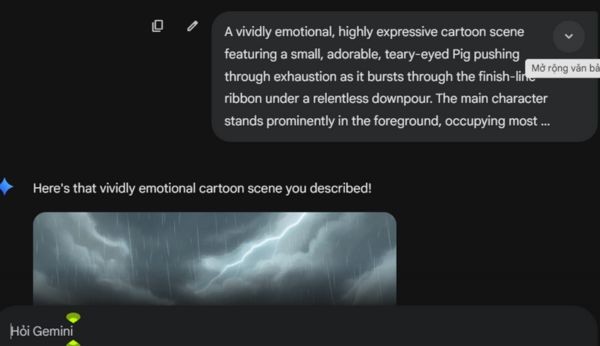
Step 4: Finally, you just need to paste the edited description into Gemini’s command input box and press the create button. In less than a minute, you will receive emotional animated images that accurately depict the “version of you” trying to run KPIs in the pouring rain.
Why is this image so widespread?
It is no coincidence that this trend is causing fever across social networking forums, the reason comes from the resonance of many factors:
- The image truly reflects the confused mood of working people under the pressure of KPIs, deadlines and constant fatigue at the end of the year.
- The design style is highly artistic, with cinematic nuances that blend sadness and cuteness, creating a pleasant feeling for viewers.
- Extremely easy personalization means anyone can create their own avatar without the need for graphics skills.
- The trend creates an open creative space where users can further modify the story, insert dialogue or convey personal meanings.
This is not simply a temporary, fun trend, but also a way for the community to feel understood and shared during a stressful sprint period. No matter how tired you are, as long as you keep walking, that effort is extremely appreciated.
Conclusion
Hopefully with the detailed instructions above, you have mastered it How to create images that run KPIs while crying to share interesting moments with friends and colleagues. This is truly a spiritual medicine that helps relieve stress and fatigue during the last days of the year. Experiment now with your zodiac animal and continue to steadily reach the finish line with the most optimistic spirit.