Keylogger is a dangerous threat in the digital world, silently recording all operations on the keyboard to steal personal information. From passwords, bank accounts to credit card information, nothing is safe if your computer is infected with Keylogger. So how to identify and eliminate them? Anonyviet will guide you How to know the computer is tracked by Keylogger and effective steps.
| Join the channel Telegram belong to Anonyviet 👉 Link 👈 |
What is Keylogger?
Keyloggeralso known as the keyboard recording software, is a tool designed to monitor and save every character you type. There are two main types of keyloggers: software (software) and hardware (hardware). Keylogger software is usually installed via fraud, toxic websites or free software of unknown origin. Meanwhile, hardware keyloggers are physical equipment attached to USB port or keyboard wire, harder to detect.
Cyber criminals use the keylogger to collect sensitive data without leaving clear traces. Therefore, the recognition of a computer being tracked by the keylogger is the first step to protect personal information.

How to know the computer is tracked by Keylogger
Discovering the keylogger is not easy because they operate silently. However, there are some warning signs you should pay attention:
- Computer efficiency abnormally decreased: The computer runs slowly, lag or consumes a lot of resources even though you do not open many applications.
- Strange process appears: Unserved programs or strange names appear in Task Manager (Windows) or Activity Monitor (MacOS).
- Slow feedback keyboard: You feel the delay when typing, especially when entering sensitive information.
- Abnormal network flow: The Internet connection increases sharply whether you don’t download or stream data.
If you notice these signs, immediately take the test steps to determine whether the computer is tracked by the keylogger.
How to check if the computer is tracked by the keylogger
Here are effective methods to detect and remove the keylogger:
1. Check the running process
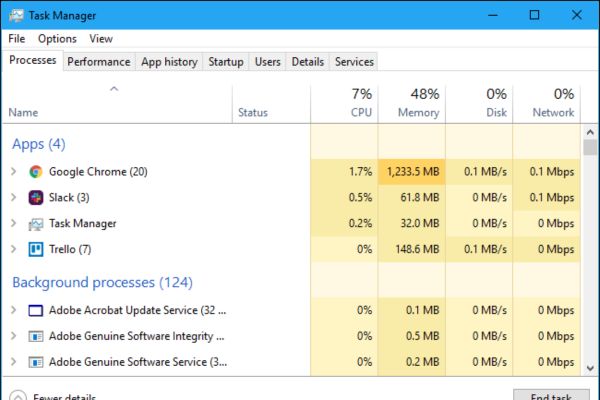
The first step in the way the computer is tracked by the keylogger is to review the active processes. On Windows, open Task Manager (Ctrl + Shift + Esc) and find processes that consume a lot of CPUs or RAM with unfamiliar names. On macOS, use Activity Monitor To perform the same operation.
Some popular keyloggers such as Spyera, Hoverwatch or IKymonitor can disguise under the name of the system process. If suspected, look up the process name on Google. To temporarily disable, right click and choose End Task (Windows) or Force Quit (macOS).
2. Remove suspicious software
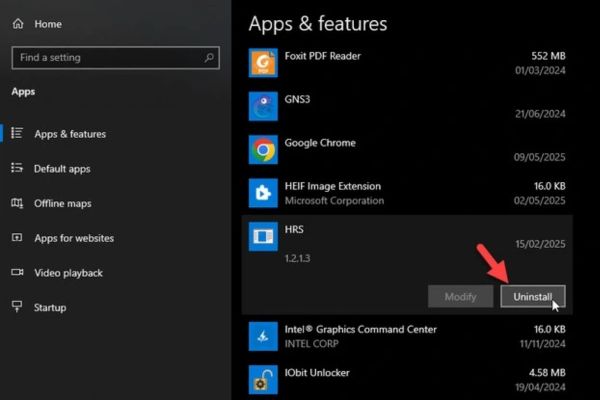
After determining the strange process, remove the related software. On Windows, in Settings> Apps And find the suspect program to uninstall. On macOS, drag the application from the Applications into the trash or use the specialized installation software.
After removing, restarting the computer and checking if the strange process still appears. Do not forget to disable the boot application with the system in Task Manager (Windows) or System Preferences (MacOS).
3. Use antivirus software
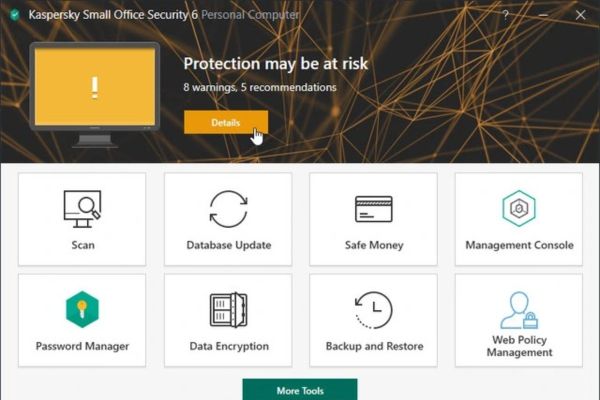
One way to know the computer is effectively monitored by the keylogger is to scan the system with a reputable antivirus software. Microsoft defender On Windows is a reliable free choice. In addition, you can use Malwarebytes or online virus scanning tools to enhance security.
Please scan the entire system, erase the threats detected and restart the machine. If the keylogger still exists, consider finding a technology expert to handle.
4. Check hardware
The hardware keylogger is rare but still exists. Please check the ports USBkeyboard wire or any strange device connected to the computer. If you detect a USB converter or an unknown cable, remove it immediately. To be safe, only use the keyboard and accessories from reputable manufacturers.
5. Re -set the system
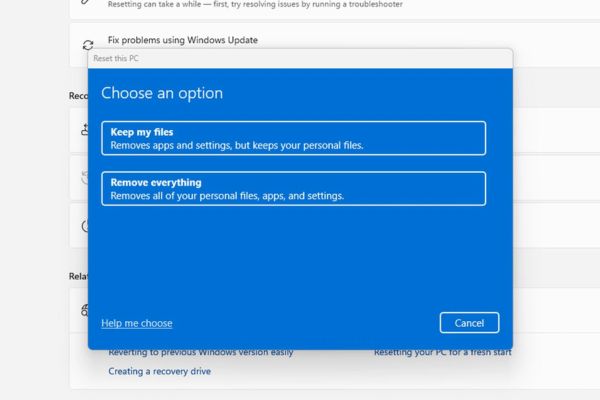
If all the above methods are ineffective, the final solution is to reset the PC. On Windows, in Settings> System> Recovery and choose Reset this PC with options Remove Everything. On macOS, use disk utility to delete the drive and reinstall the operating system.
Before re -resetting, back up the important data and check the cloud storage files or external hard drives to ensure no malicious code.
Preventing keylogger in the future
After removing the keylogger, apply the following measures to protect the computer:
- Update the operating system and software, always install the latest security patch.
- Avoid clicking on strange links, do not open emails or download files from unclear sources.
- Enter your password with a virtual keyboard to avoid software keyloggers.
- Installing firewalls helps block suspicious connections from keylogger.
Conclude
How to know the computer is tracked by Keylogger is an important skill to protect personal information in the digital age. By checking the process, removing strange software, using anti -virus tools, checking hardware and resetting the system if necessary, you can eliminate the keylogger effectively. Maintain security and vigilance to keep your computer safely!