• Home
  • News
  • Software
  • Knowledge
  • MMO
  • Tips
  • Security
  • Network
  • Office
AnonyViet - English Version
  • Home
  • News
  • Software
  • Knowledge
  • MMO
  • Tips
  • Security
  • Network
  • Office
No Result
View All Result
  • Home
  • News
  • Software
  • Knowledge
  • MMO
  • Tips
  • Security
  • Network
  • Office
No Result
View All Result
AnonyViet - English Version
No Result
View All Result

How to create an Apple Beta account to pre-install test iOS versions

AnonyViet by AnonyViet
October 11, 2024
in Tips
0

An Apple Beta account is considered an account participating in Apple's tester program. When you have this account, you will have access to unpublished iOS versions. If you are someone who likes to explore and experience, please register to participate now. Signing up for an Apple Beta Account is completely free.

Join the channel Telegram belong to AnonyViet 👉 Link 👈

How to create an Apple Beta account to pre-install test iOS versions

What is Public Beta?

Before participating in Apple Beta, you should find out what Beta version means?

In the world of software development, beta is the name given to a pre-release version of an application or operating system. Software is considered beta when it is in an advanced stage of development. The basic features are there but the software is not ready for public use yet as there are a number of things that need to be done, such as bug fixes, improving speed and responsiveness, and polishing the product.

Traditionally, beta software is only distributed within the company developing the software or to a testing department. Beta testers work with the software, looking for problems and bugs and reporting them to developers to help improve the product.

A public beta will be a little different. Instead of limiting the group of beta testers to internal employees or small groups, the software is made available to the public for use and testing. This expands the amount of testing that is done, leading to better software.

How to create an Apple Beta account to pre-install test iOS versions

Step 1: Open a browser and visit the website Apple Beta Software Program. You can do this operation on your computer quickly.

Step 2: Select Sign Up

Sign up apple beta software program

Step 3: Sign in with your Apple account

Step 4: Switch IOS tabscroll down to the bottom and click on the line enroll your iOS deviceenroll your iOS device

Step 5: To ensure data safety, you should back up your iPhone using iTunes (not necessary).

Step 6: On your iPhone, use safari to access the page beta.apple.com/profile to download the Beta image to your phone. Your iOS device will notify you when the Profile has been downloaded. Open Settingtouch Profile -> Install (2 times) to install Profiles.

Step 7: Open Settings > General > Software Update to find the latest Beta update for IOS and download it. The download and installation process is similar to normal iPhone Firmware.

Software Update apple beta

Step 8: Wait while your device downloads and installs the update. The iPhone will reboot again to complete the installation.

As of this writing, you can update to IOS 13 beta 3 when you have an Apple Beta account. If you are someone who likes stability, you should wait for the official version of IOS to update. Using the Beta version may cause some instability on the device.

Previous Post

Instructions for changing application icon color on iOS 18

Next Post

PC emulation on iOS is easy with UTM SE

AnonyViet

AnonyViet

Related Posts

How to get 60 days of free web hosting without a card
Tips

How to get 60 days of free web hosting without a card

November 25, 2026
How to cancel Facebook Plus package to avoid automatic renewal
Tips

How to cancel Facebook Plus package to avoid automatic renewal

November 23, 2026
How to unlock iPhone Duo face on iOS 27.3 Beta 2
Tips

How to unlock iPhone Duo face on iOS 27.3 Beta 2

November 23, 2026
Naykia: App saves posts across multiple platforms, keeping the post intact even if the original post is deleted
Tips

Naykia: App saves posts across multiple platforms, keeping the post intact even if the original post is deleted

November 22, 2026
Free CNSF certification exam guide from Red Team Leaders
Tips

Free CNSF certification exam guide from Red Team Leaders

November 21, 2026
Instructions for registering Google AI Pro for 2 years for free until 2028
Tips

Instructions for registering Google AI Pro for 2 years for free until 2028

November 21, 2026
Next Post
PC emulation on iOS is easy with UTM SE

PC emulation on iOS is easy with UTM SE

0 0 votes
Article Rating
Subscribe
Login
Notify of
guest

guest

0 Comments
Oldest
Newest Most Voted

Recent News

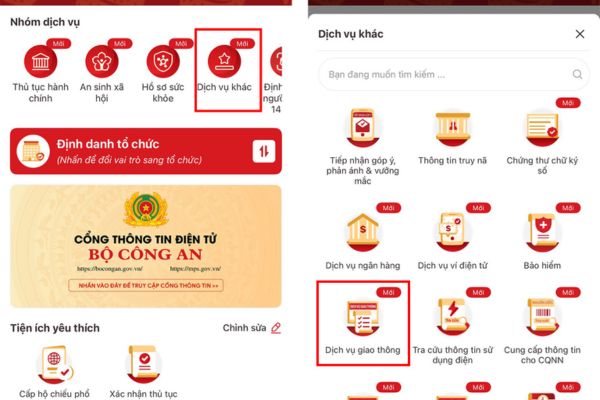
How to book train tickets using VNeID is extremely easy, you should know

How to book train tickets using VNeID is extremely easy, you should know

November 26, 2026
Vietnam static residential proxy: How to choose and use the service

Vietnam static residential proxy: How to choose and use the service

November 26, 2026
Quick review of HONOR X6e camera: Is the 50MP AI sensor enough for daily use?

Quick review of HONOR X6e camera: Is the 50MP AI sensor enough for daily use?

November 26, 2026
How to get 60 days of free web hosting without a card

How to get 60 days of free web hosting without a card

November 25, 2026
How to book train tickets using VNeID is extremely easy, you should know

How to book train tickets using VNeID is extremely easy, you should know

November 26, 2026
Vietnam static residential proxy: How to choose and use the service

Vietnam static residential proxy: How to choose and use the service

November 26, 2026
Quick review of HONOR X6e camera: Is the 50MP AI sensor enough for daily use?

Quick review of HONOR X6e camera: Is the 50MP AI sensor enough for daily use?

November 26, 2026
AnonyViet - English Version

AnonyViet

AnonyViet is a website share knowledge that you have never learned in school!

We are ready to welcome your comments, as well as your articles sent to AnonyViet.

Follow Us

Contact:

Email: anonyviet.com[@]gmail.com

Main Website: https://anonyviet.com

Recent News

How to book train tickets using VNeID is extremely easy, you should know

How to book train tickets using VNeID is extremely easy, you should know

November 26, 2026
Vietnam static residential proxy: How to choose and use the service

Vietnam static residential proxy: How to choose and use the service

November 26, 2026
  • Home
  • Home 2
  • Home 3
  • Home 4
  • Home 5
  • Home 6
  • Next Dest Page
  • Sample Page

say88 tỷ lệ kèo nhà cái kèo nhà cái 5 febet

No Result
View All Result
  • Home
  • News
  • Software
  • Knowledge
  • MMO
  • Tips
  • Security
  • Network
  • Office

say88 tỷ lệ kèo nhà cái kèo nhà cái 5 febet

wpDiscuz
0
0
Would love your thoughts, please comment.x
()
x
| Reply