Today we will not discuss the development of Ubuntu or its variants but will go back to the first version of Ubuntu – Ubuntu 4.10. Students born in 2000 probably do not know much about the first version of Ubuntu 4.10 “Warty Warthog” in the world.
| Join the channel Telegram belong to AnonyViet 👉 Link 👈 |
The first version of Ubuntu was released on October 20, 2004. Since then, it has not only been the favorite distro of Linux beginners, but also the favorite of experts. So now let's start to learn the story of this legend.
Ubuntu 4.10 “Warty Warthog” Review
Before we begin, have you ever wondered, what does Ubuntu mean? And why is Ubuntu called Ubuntu?
The story behind the name Ubuntu
Ubuntu is an ancient African word meaning “humanity towards others”. As the name always reflects its creative ideas and vision, Ubuntu aims to do the same. Another interesting fact is that the founder of Canonical, the maker of Ubuntu, Mark Shuttleworth, is South African. He must love his homeland so much that he wants to bring his homeland’s name to the world.
Version numbers and naming scheme
From the beginning, Ubuntu was one of the few Linux distributions that named every version based on a pre-determined scheme. This made it easier to identify releases and name them.
For example, version numbers are determined using the year and month of release. Code names are based on adjectives and animals that share the same first letter. Thus, the first version of Ubuntu was named Ubuntu 4.10 Warty Warthog.
It was decided that Ubuntu would follow an alphabetical naming scheme. Starting with Ubuntu 5.10 Breezy Badger, followed by Ubuntu 6.04 Dapper Drake, Canonical decided to go with alphabetical codenames.
System requirements for Ubuntu 4.10
With such low system requirements, you can simulate about 10 virtual machines running Ubuntu 4.10 to play.
- Intel x86, amd64, or PPC.
- 32MB RAM.
- 110MB memory.
Install Ubuntu
Finding a sixteen year old ISO file is not difficult, all thanks to Ubuntu having archived all ISO files since its first release.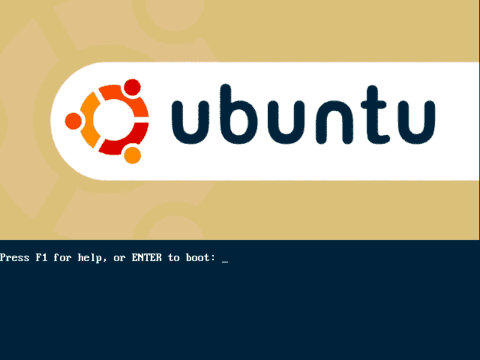
The coolest thing I found out is that you can get a free Ubuntu CD sent to your home. This is called Shiplt. Shiplt played a huge role in popularizing Ubuntu as a popular choice among young people in the early days.
Although they no longer provide Shiplt, you can easily download the ISO file from the Ubuntu website. The Ubuntu 4.10 image file comes in two formats: CD installer for Intel x86, amd64, and PowerPC, Intel x86 Live CD.
If you also want to download and try Ubuntu 4.10 right now, check out the full list of available ISO files here.
Installation is fairly simple, quick and smooth with limited installation options. However, Ubuntu 4.10 does not have the Ubiquity installer, which makes installing Ubuntu much simpler than other versions.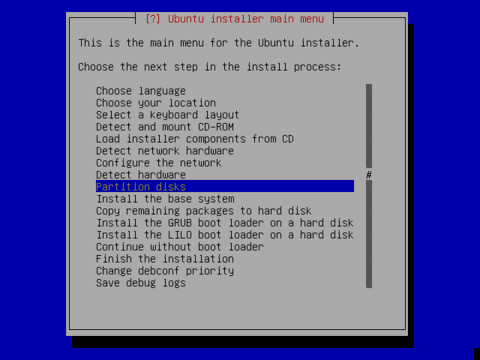
Features of Warthy Warthog
Debian is one of the oldest, most powerful and stable Linux distributions but it is still difficult for users to configure. Therefore, Ubuntu was developed from Debian to provide the most user-friendly Linux operating system. This is why Ubuntu is an indispensable choice for Linux beginners.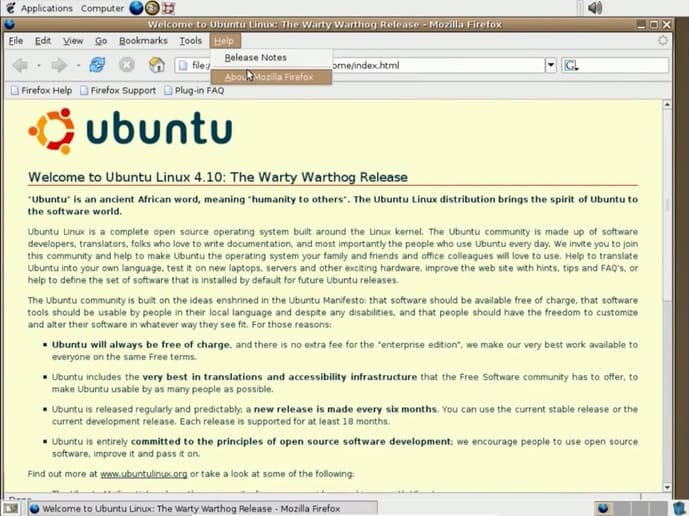
Another feature that made Ubuntu 4.10's interface appealing was Gnome. At the time, Ubuntu was the first Linux distribution to ship with Gnome 2.8.
Then, even now, Ubuntu still keeps up with the development of Gnome and releases new versions of Ubuntu with the latest Gnome. Ubuntu also develops its own environment called Unity, but it is no longer the default DE (Desktop Environment).
Gnome 2.8 looks like a lightweight version of Xfce. I still prefer Gnome because it has Activities and is more intuitive than Xfce.
Applications contains software with different subcategories, for example: Accessories, Games, Graphics, Internet, Multimedia and OpenOffice. Almost all software like GIMP or Rythmbox continues to be integrated into current Ubuntu, except for the OpenOffice suite which has been replaced by LibreOffice.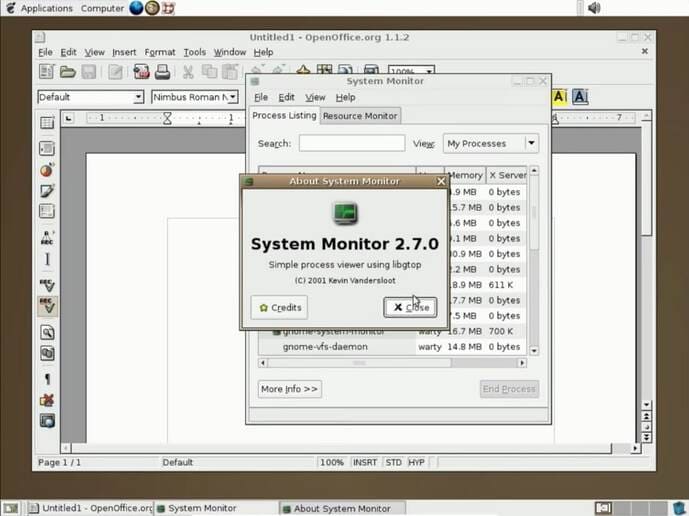
The system contains the essential software like disks, search for files, and desktop preferences. Of course, it has been improved in the current version of Gnome 3.36. And don't forget the power of the Tweak tool.
Other key features of Ubuntu 4.10:
- Firefox Web Browser 0.9
- GNOME 2.8
- GIMP 2.0.2
- Rythmombox 0.8.5
- Evolution 2.0 and OpenOffice 1.1.2
- Security updates with 18-month support plan
- XFree86 4.3 supports system enhancements
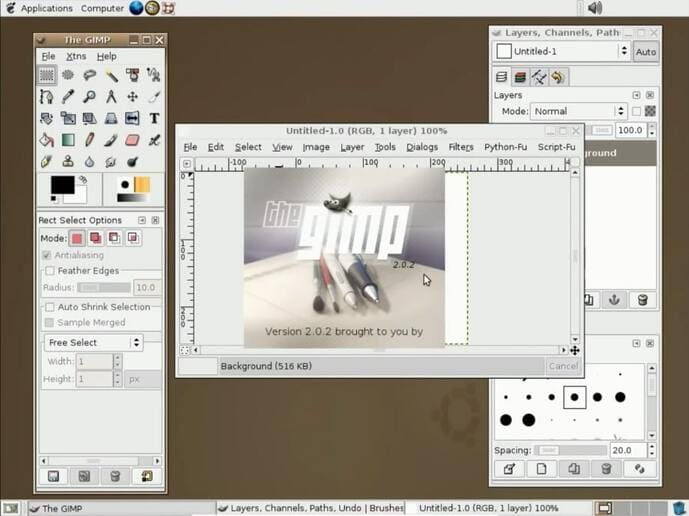
Finally, we have some good looking themes. We can even install themes from external sources.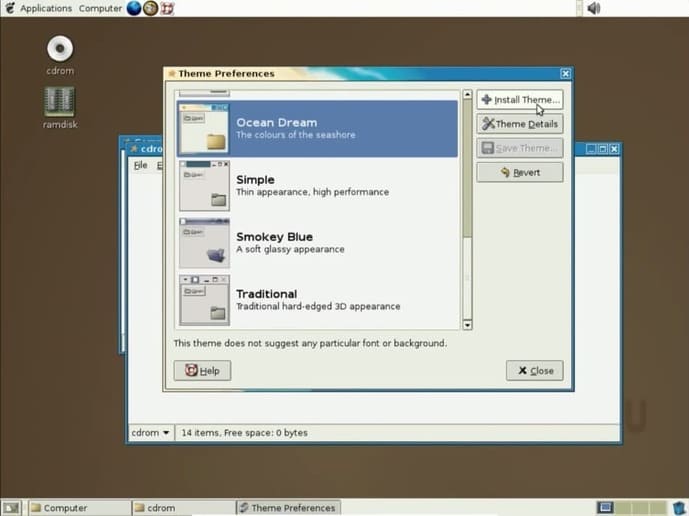 The first version of Ubuntu changed the Linux distribution scenario. Regular users could now install GUI-based Linux as well.
And you, what was the first version of Ubuntu that you tried and experienced. You can also see other articles about Ubuntu here.