• Home
  • News
  • Software
  • Knowledge
  • MMO
  • Tips
  • Security
  • Network
  • Office
AnonyViet - English Version
  • Home
  • News
  • Software
  • Knowledge
  • MMO
  • Tips
  • Security
  • Network
  • Office
No Result
View All Result
  • Home
  • News
  • Software
  • Knowledge
  • MMO
  • Tips
  • Security
  • Network
  • Office
No Result
View All Result
AnonyViet - English Version
No Result
View All Result

Delta – Game Emulator – App emulates Nintendo Games on iPhone

AnonyViet by AnonyViet
April 27, 2024
in Software
0

Way Nintendo emulator on iPhone has now become simpler and more convenient than ever with the launch of Delta – Game Emulator. This application not only brings a classic Nintendo gaming experience but also supports a variety of systems from NES, SNES to N64 and Nintendo DS, opening up a world of entertainment right in the palm of your hand.

Join the channel Telegram belong to AnonyViet 👉 Link 👈

Introducing Delta – Game Emulator

Delta – Game Emulator is an application that emulates Nintendo games for iPhone and iPad. Delta's highlight is its compatibility with a wider range of game systems, including NES, SNES, and N64, while the previous GBA4iOS version only supported Game Boy Advance emulation. Delta also offers multi-player play, allowing up to four people to participate in supported games.
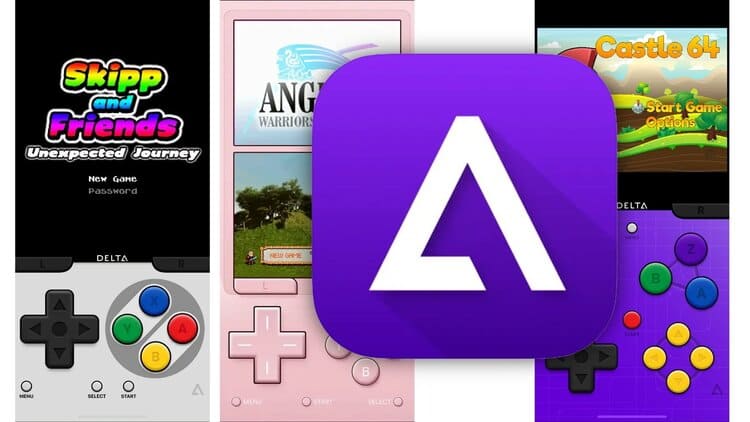
Nintendo emulator on iPhone
Delta application – Game Emulator
  • Device requirements: iOS, iPadOS from version 14.0 or higher, or macOS from version 11.0 or higher.
  • Supports games from: NES, SNES, N64, Game Boy, GBA, and Nintendo DS.
  • Compatible with controllers from Nintendo Switch, Joy-Con, PS4 and PS5 controllers, Xbox controllers, as well as bluetooth keyboards and mice.
  • Provides cheat code support for game systems: NES, SNES, N64, GBC, GBA, and DS.

How to emulate Nintendo on iPhone through Delta

Step 1: Download the Delta – Game Emulator application by following the link HERE
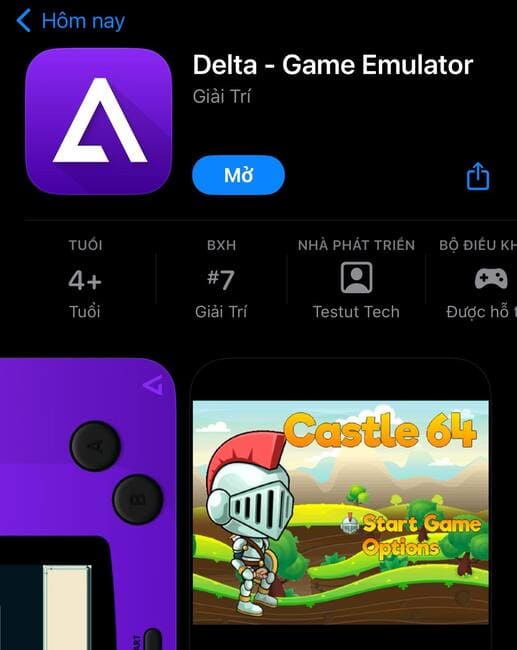
Nintendo emulator on iPhone
Download the Delta – Game Emulator application

Step 2: Visit the page AFTER to find the game you love

Step 3: Click 'Save Game'
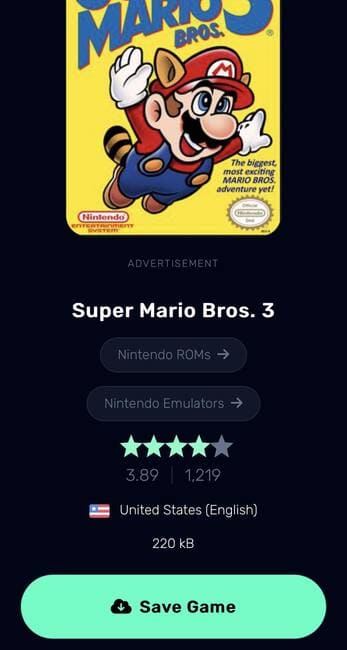
Nintendo emulator on iPhone
Click 'Save Game'

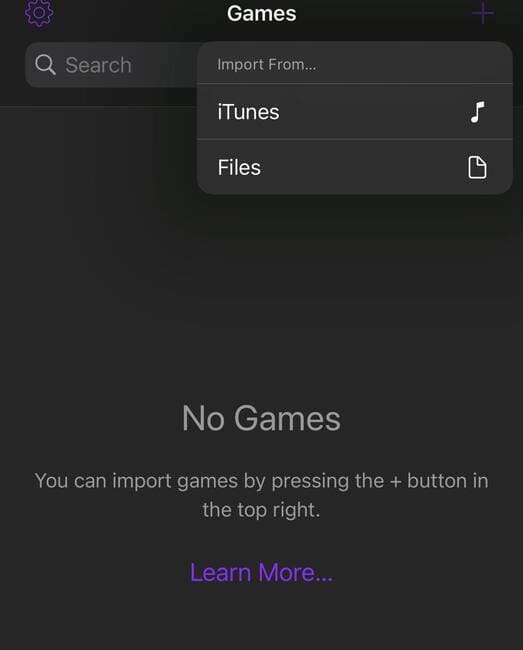
Step 4: Open the Delta app > Click on the + icon in the corner of the screen
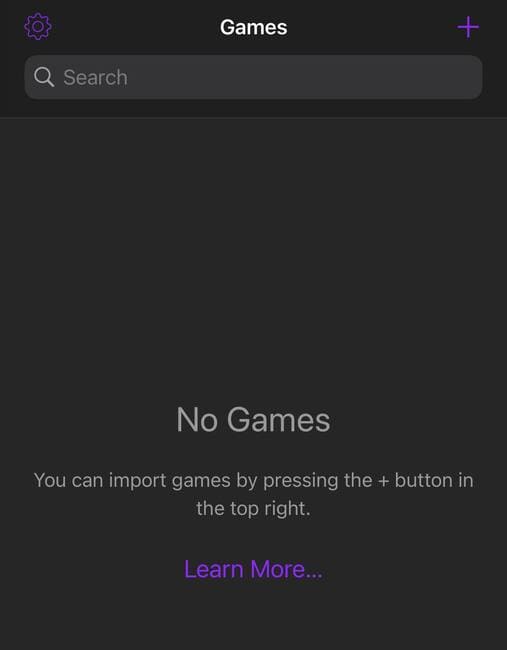
Nintendo emulator on iPhone
Click the + icon

Step 5: Select 'Files'

Nintendo emulator on iPhone
Select 'Files'

Step 6: Browse to find the game file you downloaded, you can type the name in the search bar to find it quickly.
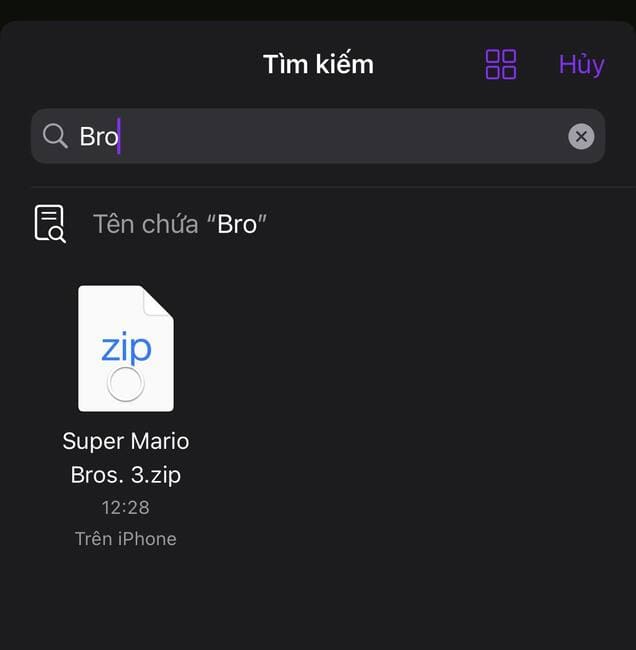
Nintendo emulator on iPhone
Browse for game files

Step 7: Click on the game file > Click 'Open'
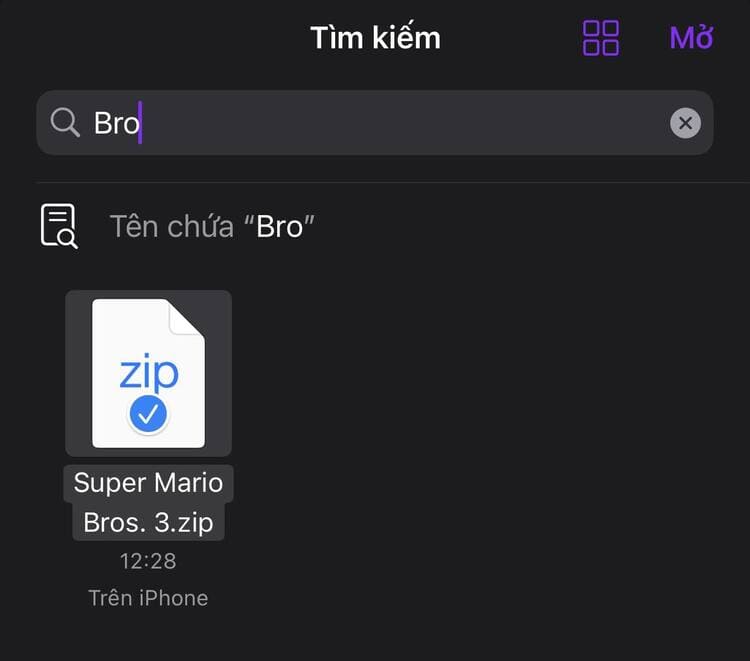
Nintendo emulator on iPhone
Press 'Open'

Step 8: Select the game name as shown
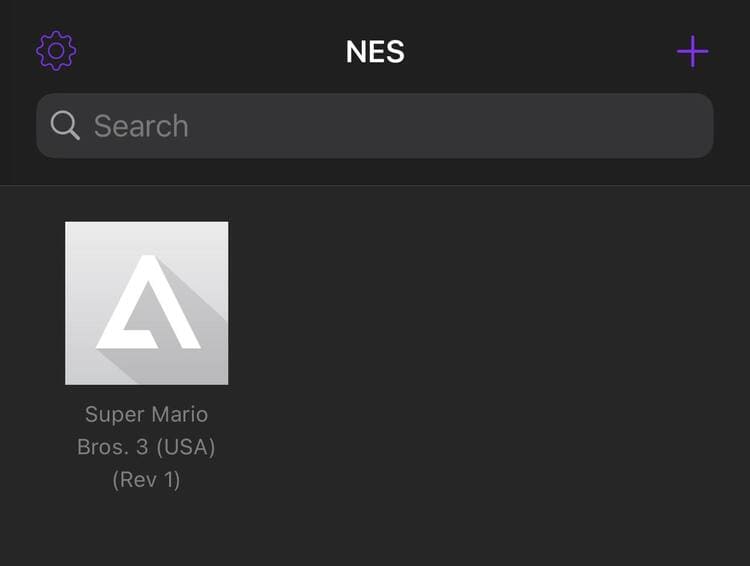
Nintendo emulator on iPhone
Select the game name

It is done! You can now play Nintendo games right on the screen Iphone it's mine!

Nintendo emulator on iPhone
Emulate Nintendo on iPhone

Epilogue

With Delta, work Nintendo emulator on iPhone is no longer a challenge. From loading the ROM, connecting the controller, to entering the cheat code, everything is done smoothly and conveniently. Download Delta today and start your journey back to your childhood with classic games right on your iOS device!
The article scored: 5/5 – (100 votes)

Tags: AppDeltaemulatesemulatorGamegamesiPhoneNINTENDO
Previous Post

How to receive 800K from VIB bank very easily using MyVIB 2.0

Next Post

5 utilities you need to have when investing in Virtual Currency

AnonyViet

AnonyViet

Related Posts

Besides the 7500 mAh battery and 6.9 inch screen, what else does the POCO C95 Pro 4G have to make it a secondary device worth buying?
Software

Besides the 7500 mAh battery and 6.9 inch screen, what else does the POCO C95 Pro 4G have to make it a secondary device worth buying?

November 5, 2026
App fixes printer errors automatically, effective immediately with 1 click
Software

App fixes printer errors automatically, effective immediately with 1 click

November 5, 2026
What to do when your company opening information is stolen?
Software

What to do when your company opening information is stolen?

November 4, 2026
Experience Galaxy Tab S12 Ultra: Price of 40 million is a worthy investment to replace a laptop
Software

Experience Galaxy Tab S12 Ultra: Price of 40 million is a worthy investment to replace a laptop

November 2, 2026
Receive Driver Booster 14 license key immediately for free for 6 months
Software

Receive Driver Booster 14 license key immediately for free for 6 months

November 1, 2026
Online pagoda game: Experience practice and relieve stress at home
Software

Online pagoda game: Experience practice and relieve stress at home

November 1, 2026
Next Post
5 utilities you need to have when investing in Virtual Currency

5 utilities you need to have when investing in Virtual Currency

0 0 votes
Article Rating
Subscribe
Login
Notify of
guest

guest

0 Comments
Oldest
Newest Most Voted

Recent News

Besides the 7500 mAh battery and 6.9 inch screen, what else does the POCO C95 Pro 4G have to make it a secondary device worth buying?

Besides the 7500 mAh battery and 6.9 inch screen, what else does the POCO C95 Pro 4G have to make it a secondary device worth buying?

November 5, 2026
App fixes printer errors automatically, effective immediately with 1 click

App fixes printer errors automatically, effective immediately with 1 click

November 5, 2026
What to do when your company opening information is stolen?

What to do when your company opening information is stolen?

November 4, 2026
How to get 0 in Docker credits to run AI Agent for free

How to get $250 in Docker credits to run AI Agent for free

November 3, 2026
Besides the 7500 mAh battery and 6.9 inch screen, what else does the POCO C95 Pro 4G have to make it a secondary device worth buying?

Besides the 7500 mAh battery and 6.9 inch screen, what else does the POCO C95 Pro 4G have to make it a secondary device worth buying?

November 5, 2026
App fixes printer errors automatically, effective immediately with 1 click

App fixes printer errors automatically, effective immediately with 1 click

November 5, 2026
What to do when your company opening information is stolen?

What to do when your company opening information is stolen?

November 4, 2026
AnonyViet - English Version

AnonyViet

AnonyViet is a website share knowledge that you have never learned in school!

We are ready to welcome your comments, as well as your articles sent to AnonyViet.

Follow Us

Contact:

Email: anonyviet.com[@]gmail.com

Main Website: https://anonyviet.com

Recent News

Besides the 7500 mAh battery and 6.9 inch screen, what else does the POCO C95 Pro 4G have to make it a secondary device worth buying?

Besides the 7500 mAh battery and 6.9 inch screen, what else does the POCO C95 Pro 4G have to make it a secondary device worth buying?

November 5, 2026
App fixes printer errors automatically, effective immediately with 1 click

App fixes printer errors automatically, effective immediately with 1 click

November 5, 2026
  • Home
  • Home 2
  • Home 3
  • Home 4
  • Home 5
  • Home 6
  • Next Dest Page
  • Sample Page

say88 tỷ lệ kèo nhà cái kèo nhà cái 5 febet

No Result
View All Result
  • Home
  • News
  • Software
  • Knowledge
  • MMO
  • Tips
  • Security
  • Network
  • Office

say88 tỷ lệ kèo nhà cái kèo nhà cái 5 febet

wpDiscuz
0
0
Would love your thoughts, please comment.x
()
x
| Reply