• Home
  • News
  • Software
  • Knowledge
  • MMO
  • Tips
  • Security
  • Network
  • Office
AnonyViet - English Version
  • Home
  • News
  • Software
  • Knowledge
  • MMO
  • Tips
  • Security
  • Network
  • Office
No Result
View All Result
  • Home
  • News
  • Software
  • Knowledge
  • MMO
  • Tips
  • Security
  • Network
  • Office
No Result
View All Result
AnonyViet - English Version
No Result
View All Result

Instructions for making Live Photos with fingerprints on Facebook

AnonyViet by AnonyViet
January 6, 2024
in Tips
0

Live Photo, also known as moving photo (fingerprint photo), is becoming a very HOT trend on Facebook. The photo will stand still and only move when the user holds their hand at the fingerprint position on the photo. This is a pretty hot trick and is of great interest to online shops in promoting their products.

Join the channel Telegram belong to AnonyViet 👉 Link 👈

Today I will show you how to make a fingerprint photo (Live Photo) like that!! In this tutorial, I will guide you through how to do it on the operating system iOS belong to Apple. First, before starting, please prepare the following 3 important software:

PicsArt

Instructions for making Live Photo with fingerprint on Facebook 28

Download for iOS

intoLive

Instructions for making Live Photo with fingerprint on Facebook 29

Download for iOS

Quik

Instructions for making Live Photo with fingerprint on Facebook 30

Download for iOS

Instructions for making Live Photo fingerprint images

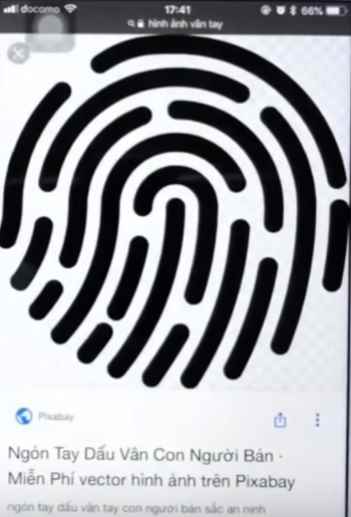
Please install all 3 applications mentioned above on your device. Then go to Google Search and search for keywords fingerprint image and choose a fingerprint image without background that you like.
Instructions for making Live Photo with fingerprint on Facebook 31

The goal is to match your fingerprint to your Live Photo.

Next, open the application PicsArt Up to combine photos.
The process of creating an account and logging in is quite easy so I will skip it.

Instructions for making Live Photo with fingerprint on Facebook 32

Click the plus sign at the bottom of the application to add a new photo. Scroll down and find the section Blueprint -> Create new.

Instructions for making Live Photo with fingerprint on Facebook 33

Then click on the side arrow mark upper left corner.

Instructions for making Live Photo with fingerprint on Facebook 34

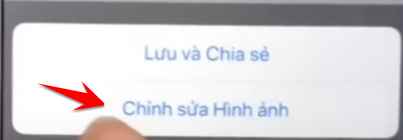
Next select mode Edit image.

Instructions for making Live Photo with fingerprint on Facebook 35

Drag the toolbar below and select the section Add photos.

Instructions for making Live Photo with fingerprint on Facebook 36

Select the stamp image Fingerprint downloaded earlier and added it then adjusted it properly.

Instructions for making Live Photos with fingerprints on Facebook

You can also add text if you want. When done, choose Apply -> Next -> Save.

After saving, go back and select Drawing -> Create new to take another photo.

You will create an additional photo with arbitrary content. Here I will be a picture Hello Everyone Please !!

Instructions for making Live Photo with fingerprint on Facebook 37

Use Quik

Instructions for making Live Photo with fingerprint on Facebook 30

After creating 2 photos, I will open Quik software to make animations. Below the Quik software there is also one plus and click on it to add a photo.

Instructions for making Live Photo with fingerprint on Facebook 39

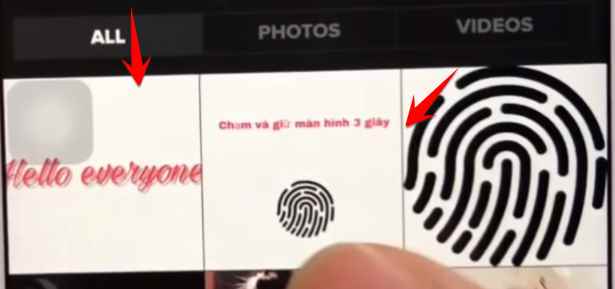
I will choose a total of 5 pictures, of which 2 are the pictures I just designed in the step above.
Click Add to stay upper right corner to add photos.
Instructions for making Live Photo with fingerprint on Facebook 40

After adding, you will see a video displayed, click on the icon pen.
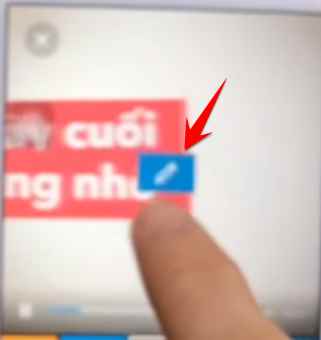
Instructions for making Live Photo with fingerprint on Facebook 41

Delete unnecessary paragraphs and images, leaving only the 2 images you designed in the step above.

Next drag the toolbar below and select the focus function

Instructions for making Live Photo with fingerprint on Facebook 42

And hold the screen for about 3 seconds to let it focus on your photo.

Instructions for making Live Photo with fingerprint on Facebook 43

Do the same with photo 1 and photo 2. Then press OK.

Instructions for making Live Photo with fingerprint on Facebook 44

Continue to click on the settings icon in the toolbar below.

Instructions for making Live Photo with fingerprint on Facebook 45

Adjust clip time to remaining 6s.

Instructions for making Live Photo with fingerprint on Facebook 46

You can further customize effects, music or images as you like. Finally, press Save -> Photo Library.

Instructions for making Live Photo with fingerprint on Facebook 47

Use intoLive

Instructions for making Live Photo with fingerprint on Facebook 29

We will use this software to complete the final step for the Live Photo fingerprint image.

Open the intoLive application and select the medium Clip Edit with Quik in the step above.
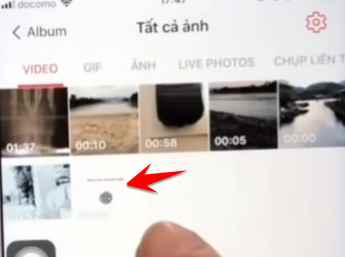
Instructions for making Live Photo with fingerprint on Facebook 49

After adding the video, you just need to press Perform that's it.
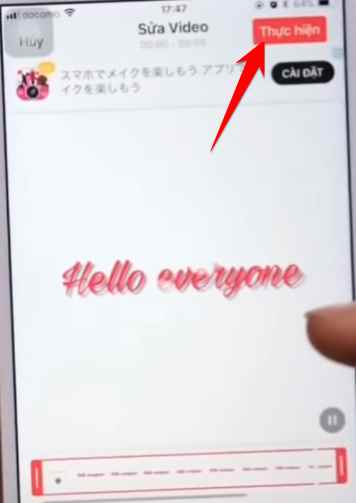
Instructions for making Live Photo with fingerprint on Facebook 50

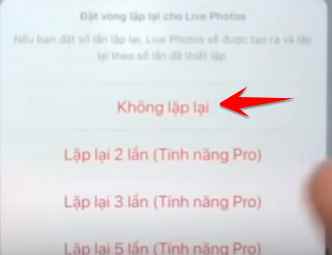
Select no repeat.

Instructions for making Live Photo with fingerprint on Facebook 51

Select Save Live Photo to save the animated photo.

Instructions for making Live Photo with fingerprint on Facebook 52

That's it, you can post the saved Live Photo to Facebook to enjoy and share the results.

The article scored: 5/5 – (100 votes)

Previous Post

How to transfer registered Youtube channels to a new account quickly and easily

Next Post

Copy content in locked Google Sheet file: Simple but effective method

AnonyViet

AnonyViet

Related Posts

How to add sliders to Facebook Stories to easily rewind videos
Tips

How to add sliders to Facebook Stories to easily rewind videos

April 21, 2026
How to change the default font on Windows 10
Tips

How to change the default font on Windows 10

April 13, 2026
5 tips for using a Browser to replace an App (helps save RAM, time and money)
Tips

5 tips for using a Browser to replace an App (helps save RAM, time and money)

April 13, 2026
How to make funny MeMe photos without Photoshop within 10 seconds
Tips

How to make funny MeMe photos without Photoshop within 10 seconds

April 11, 2026
How to quickly design your own Logo without Photoshop
Tips

How to quickly design your own Logo without Photoshop

April 10, 2026
How to convert Website into App on Windows
Tips

How to convert Website into App on Windows

April 9, 2026
Next Post
Copy content in locked Google Sheet file: Simple but effective method

Copy content in locked Google Sheet file: Simple but effective method

0 0 votes
Article Rating
Subscribe
Login
Notify of
guest

guest

0 Comments
Oldest
Newest Most Voted
Inline Feedbacks
View all comments

Recent News

Top 5+ utilities to install for Gmail to speed up work processing

Top 5+ utilities to install for Gmail to speed up work processing

April 22, 2026
Decoding the problem of 4GB RAM and processing performance

Decoding the problem of 4GB RAM and processing performance

April 21, 2026
How to add sliders to Facebook Stories to easily rewind videos

How to add sliders to Facebook Stories to easily rewind videos

April 21, 2026
Reputable LG repair service in Hanoi & Ho Chi Minh City with LGservicecenter

Reputable LG repair service in Hanoi & Ho Chi Minh City with LGservicecenter

April 21, 2026
Top 5+ utilities to install for Gmail to speed up work processing

Top 5+ utilities to install for Gmail to speed up work processing

April 22, 2026
Decoding the problem of 4GB RAM and processing performance

Decoding the problem of 4GB RAM and processing performance

April 21, 2026
How to add sliders to Facebook Stories to easily rewind videos

How to add sliders to Facebook Stories to easily rewind videos

April 21, 2026
AnonyViet - English Version

AnonyViet

AnonyViet is a website share knowledge that you have never learned in school!

We are ready to welcome your comments, as well as your articles sent to AnonyViet.

Follow Us

Contact:

Email: anonyviet.com[@]gmail.com

Main Website: https://anonyviet.com

Recent News

Top 5+ utilities to install for Gmail to speed up work processing

Top 5+ utilities to install for Gmail to speed up work processing

April 22, 2026
Decoding the problem of 4GB RAM and processing performance

Decoding the problem of 4GB RAM and processing performance

April 21, 2026
No Result
View All Result
  • Home
  • News
  • Software
  • Knowledge
  • MMO
  • Tips
  • Security
  • Network
  • Office

wpDiscuz
0
0
Would love your thoughts, please comment.x
()
x
| Reply