• Home
  • News
  • Software
  • Knowledge
  • MMO
  • Tips
  • Security
  • Network
  • Office
AnonyViet - English Version
  • Home
  • News
  • Software
  • Knowledge
  • MMO
  • Tips
  • Security
  • Network
  • Office
No Result
View All Result
  • Home
  • News
  • Software
  • Knowledge
  • MMO
  • Tips
  • Security
  • Network
  • Office
No Result
View All Result
AnonyViet - English Version
No Result
View All Result

How to create a QuillBot Premium account completely free

AnonyViet by AnonyViet
January 6, 2024
in Tips
0

Quillbot Premium is an online writing tool that helps you rewrite, check grammar, check plagiarism, write with AI, summarize and generate citations for English texts. However, to use QuillBot Premium, you need to pay a monthly, annual or semi-annual fee. This can make many people hesitant, especially those who don't have a credit card or don't want to spend money on an online service. So is there any way to own QuillBot Premium for free? The answer is yes, and in this article, AnonyViet will show you how to do that.

Join the channel Telegram belong to AnonyViet 👉 Link 👈

What is QuillBot Premium?

QuillBot Premium is a tool that helps users check and correct grammar errors, as well as search for appropriate words to make their writing more complete and smooth. In addition, Quillbot is also an extremely effective “AI Paraphrasing Tool”.

QuillBot can create a new document with the same content as the original text by changing expressions, synonyms, antonyms, etc. This tool is also very useful for detecting and preventing plagiarism. literature.
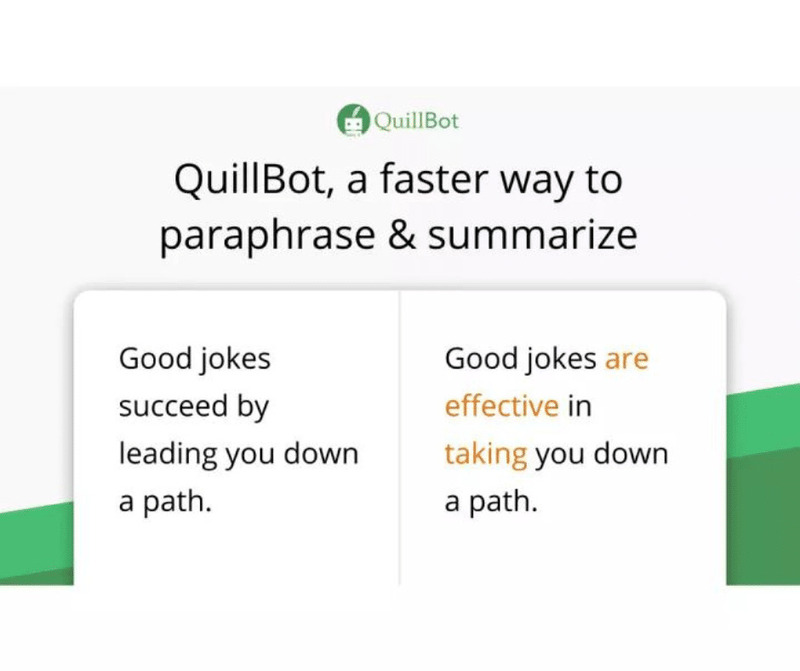
QuillBot Premium
QuillBot Premium – Tool to support effective English writing

Quillbot Premium features

When you use your account Quillbot Premium, you will experience many superior features in editing text content better than ever. Premium features on Quillbot Premium accounts include:

Web-based: Quillbot Premium is a web-based tool. You can access it on a variety of devices and anywhere as long as you have an Internet connection.

Quill mode: It provides you many quill tools with great quilling functionality. These tools will help your text become more attractive to readers.

Extensions & Add-ons: Google chrome, Microsoft Word extensions are provided when you have a Quillbot Premium account.

Word Flipper: The tool allows you to use synonyms in your content to replace existing words in your text.

Citation Generator: This is a feature that helps you cite content sources you use for your documents, essays or reports to create bibliographies and reference lists.

Co-writer: This is considered a “comprehensive” toolkit that includes all of QuillBot's announced features, plus some content-specific features such as research, data analysis, text customization,…

Quillbot API: Quillbot Premium also provides an API. If you want to apply its functionality to your applications, you can do so using its API.
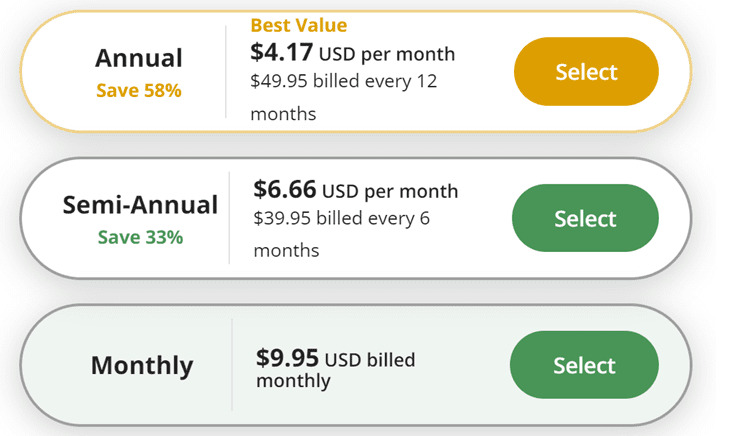
QuillBot Premium
QuillBot Premium paid plans

Differences between Quillbot and Quillbot Premium

Some limitations that can be noticed in the Free version are the limit on the number of words. However, you can split sentences into smaller pieces to fix this problem, but it will take a lot of time.

In addition, the inconvenience of the free version is that ads often appear. Because this is a free version, these things cannot be avoided.

If to compare using the free version and the Premium version. In my opinion, you should choose Quillbot Premium because this version gives you great experiences when using it.

How to create a free QuillBot Premium account

Step 1: Install the TemperMonkey extension HERE

QuillBot Premium
Install the TemperMonkey extension

Step 2: Visit the page THIS > Click 'Install this script' > Click 'Install'
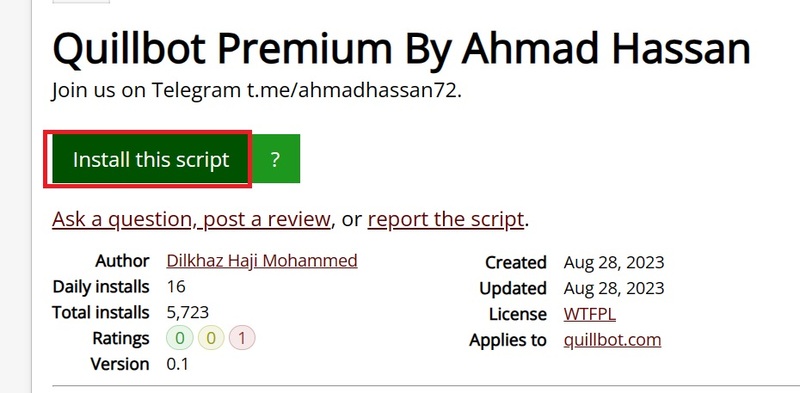
QuillBot Premium
Click 'Install this script'

Step 3: Enter QuillBot home page

Step 4: Create an account or quickly log in with a Google account

Step 5: Reload the page and you now have QuillBot Premium in your browser.

To check, you can click on the avatar image in the right corner of the screen > Select 'Account details'
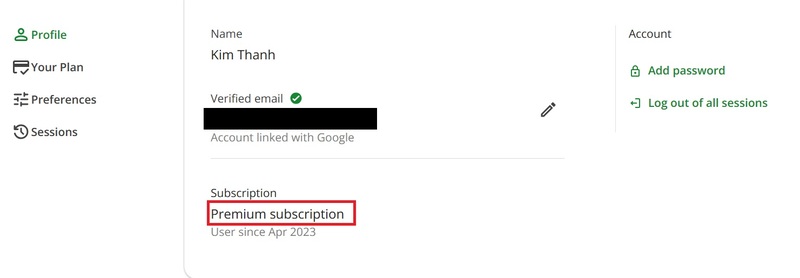
QuillBot Premium
Click on avatar > Select 'Account details'

Epilogue

Hopefully this article has provided you with useful information on how to own one QuillBot Premium free of charge. Try QuillBot Premium today and feel the difference in your English writing. Good luck!


The article scored: 5/5 – (100 votes)

Tags: accountcompletelycreatefreePremiumQuillBot
Previous Post

The Sticky Password Premium password management application is free for $30

Next Post

How to transfer registered Youtube channels to a new account quickly and easily

AnonyViet

AnonyViet

Related Posts

How to add sliders to Facebook Stories to easily rewind videos
Tips

How to add sliders to Facebook Stories to easily rewind videos

April 21, 2026
How to change the default font on Windows 10
Tips

How to change the default font on Windows 10

April 13, 2026
5 tips for using a Browser to replace an App (helps save RAM, time and money)
Tips

5 tips for using a Browser to replace an App (helps save RAM, time and money)

April 13, 2026
How to make funny MeMe photos without Photoshop within 10 seconds
Tips

How to make funny MeMe photos without Photoshop within 10 seconds

April 11, 2026
How to quickly design your own Logo without Photoshop
Tips

How to quickly design your own Logo without Photoshop

April 10, 2026
How to convert Website into App on Windows
Tips

How to convert Website into App on Windows

April 9, 2026
Next Post
How to transfer registered Youtube channels to a new account quickly and easily

How to transfer registered Youtube channels to a new account quickly and easily

0 0 votes
Article Rating
Subscribe
Login
Notify of
guest

guest

0 Comments
Oldest
Newest Most Voted
Inline Feedbacks
View all comments

Recent News

Tips for pinning the step counter to the iPhone screen to monitor your health

Tips for pinning the step counter to the iPhone screen to monitor your health

April 28, 2026
How to turn off password suggestions on iPhone: Prevent Safari from auto-filling passwords

How to turn off password suggestions on iPhone: Prevent Safari from auto-filling passwords

April 27, 2026
Instructions for looking up prescriptions on VNeID instead of paper medical books

Instructions for looking up prescriptions on VNeID instead of paper medical books

April 26, 2026
Tips to completely turn off CAPTCHA codes on iPhone and Mac are super simple

Tips to completely turn off CAPTCHA codes on iPhone and Mac are super simple

April 25, 2026
Tips for pinning the step counter to the iPhone screen to monitor your health

Tips for pinning the step counter to the iPhone screen to monitor your health

April 28, 2026
How to turn off password suggestions on iPhone: Prevent Safari from auto-filling passwords

How to turn off password suggestions on iPhone: Prevent Safari from auto-filling passwords

April 27, 2026
Instructions for looking up prescriptions on VNeID instead of paper medical books

Instructions for looking up prescriptions on VNeID instead of paper medical books

April 26, 2026
AnonyViet - English Version

AnonyViet

AnonyViet is a website share knowledge that you have never learned in school!

We are ready to welcome your comments, as well as your articles sent to AnonyViet.

Follow Us

Contact:

Email: anonyviet.com[@]gmail.com

Main Website: https://anonyviet.com

Recent News

Tips for pinning the step counter to the iPhone screen to monitor your health

Tips for pinning the step counter to the iPhone screen to monitor your health

April 28, 2026
How to turn off password suggestions on iPhone: Prevent Safari from auto-filling passwords

How to turn off password suggestions on iPhone: Prevent Safari from auto-filling passwords

April 27, 2026
No Result
View All Result
  • Home
  • News
  • Software
  • Knowledge
  • MMO
  • Tips
  • Security
  • Network
  • Office

wpDiscuz
0
0
Would love your thoughts, please comment.x
()
x
| Reply