• Home
  • News
  • Software
  • Knowledge
  • MMO
  • Tips
  • Security
  • Network
  • Office
AnonyViet - English Version
  • Home
  • News
  • Software
  • Knowledge
  • MMO
  • Tips
  • Security
  • Network
  • Office
No Result
View All Result
  • Home
  • News
  • Software
  • Knowledge
  • MMO
  • Tips
  • Security
  • Network
  • Office
No Result
View All Result
AnonyViet - English Version
No Result
View All Result

The Sticky Password Premium password management application is free for $30

AnonyViet by AnonyViet
January 5, 2024
in Software
0

Sticky Password Premium is a leading password manager that helps you store, sync, and protect your passwords across multiple devices. With this application, you do not need to remember a series of different passwords, just one password is enough. In this article, AnonyViet will guide you how to get Sticky Password Premium 1-year license for free simply and quickly.

Join the channel Telegram belong to AnonyViet 👉 Link 👈

Why should you use Sticky Password?

  • Sticky Password is professional password management software, with 2 versions: free and PRO.
  • All passwords stored with Sticky Password are kept secure.
  • In addition, it also supports professional storage of Bookmarks, identification information and security memos.
  • You don't have to remember many online accounts anymore, just remember one single account, Sticky Password.
  • After installing the Sticky Password software, it will immediately integrate into all popular and popular web browsers such as Google Chrome, FireFox, IE, Safari… and it will display in the top right corner of the browser. browse the web you are using. It is similar to the extensions you install from the app store.
Sticky Password
Why should you use Sticky Password?

What are the highlights of Sticky Password?

  • Can identify password-protected websites, and you only need 1 click to log in to your account.
  • Support filling out online forms quickly and accurately.
  • Automatically updates when new versions are available, keeping you safe and using the latest technology from the program.
  • Supports virtual keyboard for keylogging prevention.
  • Helps you create a secure and strong password with just 1 click.
  • Using the strongest data encryption algorithms, including military-grade AES algorithms, you can rest assured when saving your passwords on Sticky password.
  • Be able to detect phishing sites, and do not provide any autofill information for these sites.
  • Password management is easy because the program has an intuitive interface.
  • Supports secure data export feature.

The software supports the following operating systems:

  • Windows (10/11/8.1/8/7, 32-bit and 64-bit)
  • Mac OS (10.12 or later)
  • Android (4.1 and up)
  • iOS (9.0 or later)

How to get Sticky Password Premium license for 1 year for free

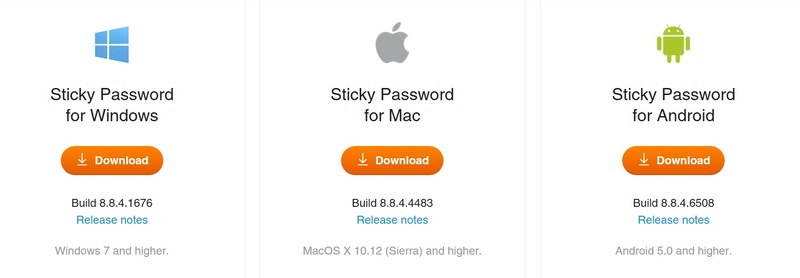
Step 1: Download the software via the link below > Click Download
Download Sticky Password

Sticky Password
Download the software

Step 2: Install the software as usual

Step 3: Click 'Create a new account' if you do not have a Sticky account

Sticky Password
Click 'Create a new account'

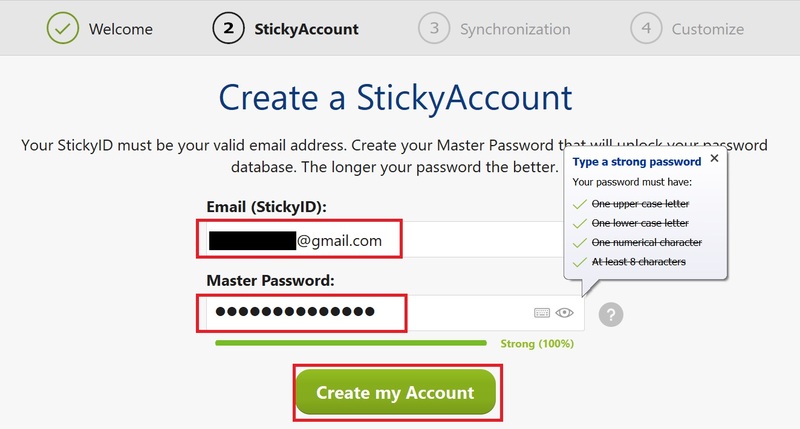
Step 4: Fill in email and password > Click 'Create My Account'
Sticky Password
Fill in email and password > Click 'Create My Account'

Step 5: Confirm the password again > Check the checkbox > Click 'Continue'
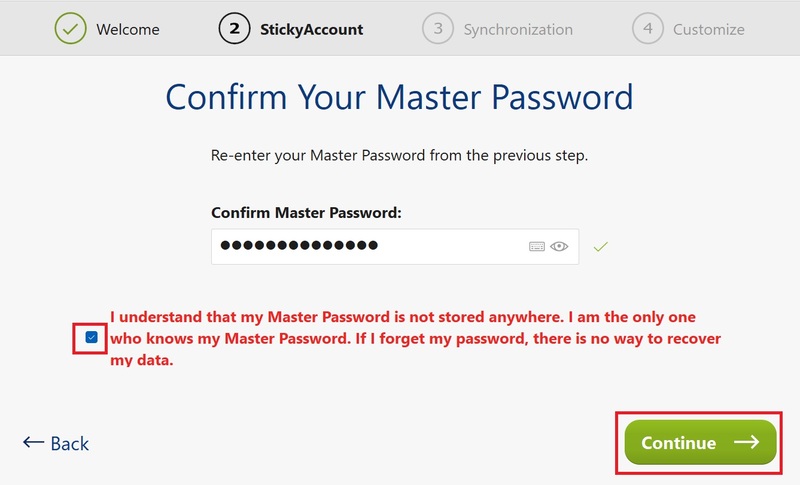
Sticky Password
Confirm password

Step 6: Continue clicking 'Continue'

Step 7: Click 'I have a license key'
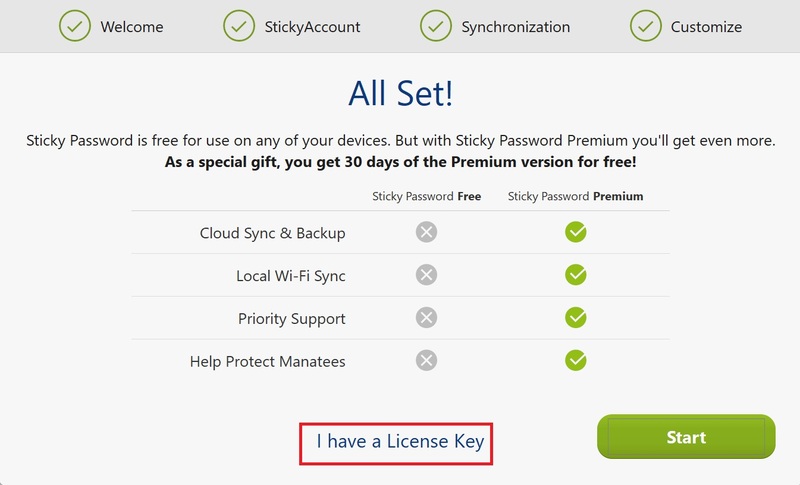
Sticky Password
Click 'I have a license key'

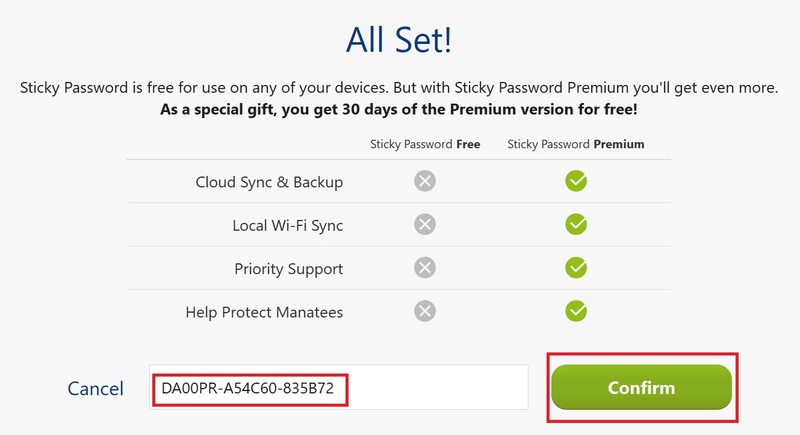
Step 8: Enter 1 of the following 2 keys in the blank box > Confirm

  • Key 1: DA00PR-E54C66-709E01
  • Key 2: DA00PR-A54C60-835B72
Sticky Password
Enter the following key in the blank box > Confirm

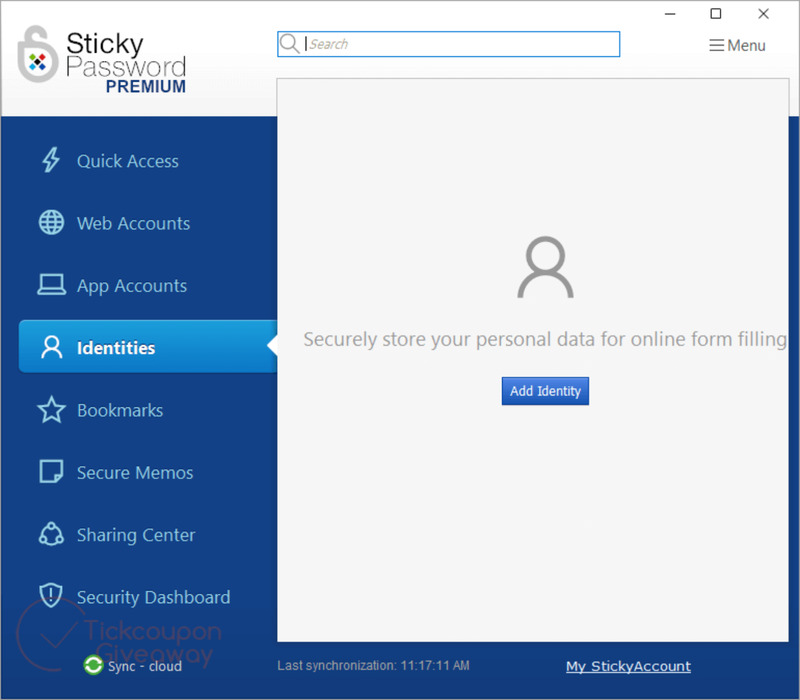
That's it, you now have 1 year of Premium Sticky Password software, completely free and fast. Now, you just need to press 'Launch Sticky Password' and start using it!
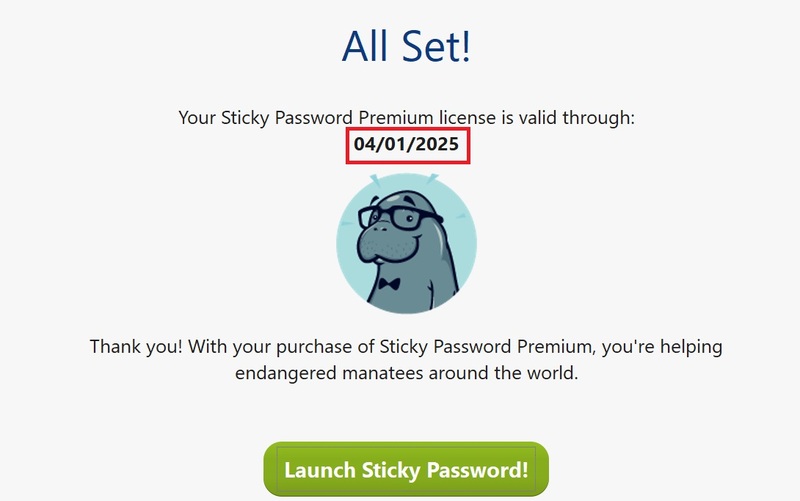
Sticky Password
How to get Sticky Password Premium license for 1 year for free

In addition, you can also install the application on your mobile device, log in with the account created above to enjoy Premium features.

Epilogue

How to get copyright Sticky Password Premium 1 year free has been shared in detail by AnonyViet in this article. You just need to follow the instructions and enter the activation code to own the premium license of this software. This is a great opportunity for you to experience the outstanding features of Sticky Password Premium, a secure and convenient password manager.


The article scored: 5/5 – (100 votes)

Tags: applicationfreemanagementPasswordPremiumSticky
Previous Post

How to get 10k phone card game Red Dragon Zalo

Next Post

How to create a QuillBot Premium account completely free

AnonyViet

AnonyViet

Related Posts

Instructions for looking up prescriptions on VNeID instead of paper medical books
Software

Instructions for looking up prescriptions on VNeID instead of paper medical books

April 26, 2026
Compare Poco X8 Pro and Poco X7 Pro: A new step for the “king” of mid-range performance
Software

Compare Poco X8 Pro and Poco X7 Pro: A new step for the “king” of mid-range performance

April 24, 2026
Top 5 apps to view good days 2026 for free on iOS and Android
Software

Top 5 apps to view good days 2026 for free on iOS and Android

April 23, 2026
Top 5+ utilities to install for Gmail to speed up work processing
Software

Top 5+ utilities to install for Gmail to speed up work processing

April 22, 2026
Decoding the problem of 4GB RAM and processing performance
Software

Decoding the problem of 4GB RAM and processing performance

April 21, 2026
4K Video Downloader Plus – Tool to download YouTube videos on macOS
Software

4K Video Downloader Plus – Tool to download YouTube videos on macOS

April 20, 2026
Next Post
How to create a QuillBot Premium account completely free

How to create a QuillBot Premium account completely free

0 0 votes
Article Rating
Subscribe
Login
Notify of
guest

guest

0 Comments
Oldest
Newest Most Voted
Inline Feedbacks
View all comments

Recent News

Tips for pinning the step counter to the iPhone screen to monitor your health

Tips for pinning the step counter to the iPhone screen to monitor your health

April 28, 2026
How to turn off password suggestions on iPhone: Prevent Safari from auto-filling passwords

How to turn off password suggestions on iPhone: Prevent Safari from auto-filling passwords

April 27, 2026
Instructions for looking up prescriptions on VNeID instead of paper medical books

Instructions for looking up prescriptions on VNeID instead of paper medical books

April 26, 2026
Tips to completely turn off CAPTCHA codes on iPhone and Mac are super simple

Tips to completely turn off CAPTCHA codes on iPhone and Mac are super simple

April 25, 2026
Tips for pinning the step counter to the iPhone screen to monitor your health

Tips for pinning the step counter to the iPhone screen to monitor your health

April 28, 2026
How to turn off password suggestions on iPhone: Prevent Safari from auto-filling passwords

How to turn off password suggestions on iPhone: Prevent Safari from auto-filling passwords

April 27, 2026
Instructions for looking up prescriptions on VNeID instead of paper medical books

Instructions for looking up prescriptions on VNeID instead of paper medical books

April 26, 2026
AnonyViet - English Version

AnonyViet

AnonyViet is a website share knowledge that you have never learned in school!

We are ready to welcome your comments, as well as your articles sent to AnonyViet.

Follow Us

Contact:

Email: anonyviet.com[@]gmail.com

Main Website: https://anonyviet.com

Recent News

Tips for pinning the step counter to the iPhone screen to monitor your health

Tips for pinning the step counter to the iPhone screen to monitor your health

April 28, 2026
How to turn off password suggestions on iPhone: Prevent Safari from auto-filling passwords

How to turn off password suggestions on iPhone: Prevent Safari from auto-filling passwords

April 27, 2026
No Result
View All Result
  • Home
  • News
  • Software
  • Knowledge
  • MMO
  • Tips
  • Security
  • Network
  • Office

wpDiscuz
0
0
Would love your thoughts, please comment.x
()
x
| Reply