• Home
  • News
  • Software
  • Knowledge
  • MMO
  • Tips
  • Security
  • Network
  • Office
AnonyViet - English Version
  • Home
  • News
  • Software
  • Knowledge
  • MMO
  • Tips
  • Security
  • Network
  • Office
No Result
View All Result
  • Home
  • News
  • Software
  • Knowledge
  • MMO
  • Tips
  • Security
  • Network
  • Office
No Result
View All Result
AnonyViet - English Version
No Result
View All Result

Instructions for installing the application “Are you dead yet” – Demumu

AnonyViet by AnonyViet
January 17, 2026
in Software
0

“Are you dead yet” application? (international name is Demumu) has quickly climbed to the top of the App Store rankings in many countries such as China, the US and Singapore. Without complicated features, this app taps into people’s fear of being forgotten in modern society. This is considered the optimal “peace announcement” solution for both the elderly and young people far from home.

Join the channel Telegram belong to AnonyViet 👉 Link 👈

Overview of the application “Are you dead yet?”

The appearance of this technology has created a wave of heated but also positive debate about the issue of safety for single people.

Origin and name are controversial

In the international market, this software is known as Demumu, but in China, it is popular with the name, which roughly translates to “Are you dead?”. Developed by Moonscape Technologies, a group of three young founders in Ha Nam, the application aims to protect people living alone.

Although the name is considered by many to be an omen of bad luck according to traditional beliefs, the founder affirms that this is a reminder for people to appreciate life. It is the boldness in naming that has created strong media appeal.
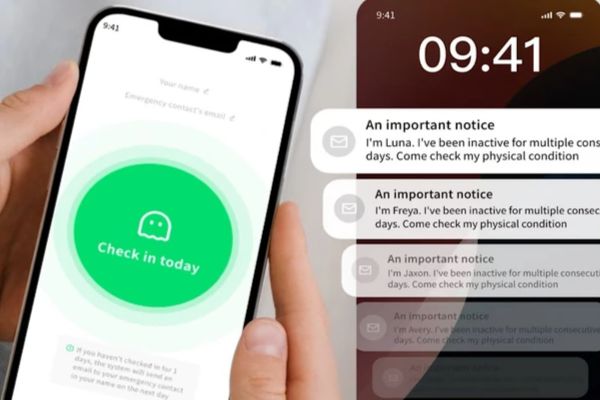
Overview of the application “Are you dead yet?”

Minimalist operating mechanism

Unlike complicated medical devices, the operation of the application is extremely simple. Users just need to open the app and tap a big blue button every day to confirm they are okay.

If the system does not receive an internal interaction signal two days in a row (or user-defined time period), an alert email will automatically be sent to the emergency contact previously set up. This is considered a gentle but practical “mental insurance” class.
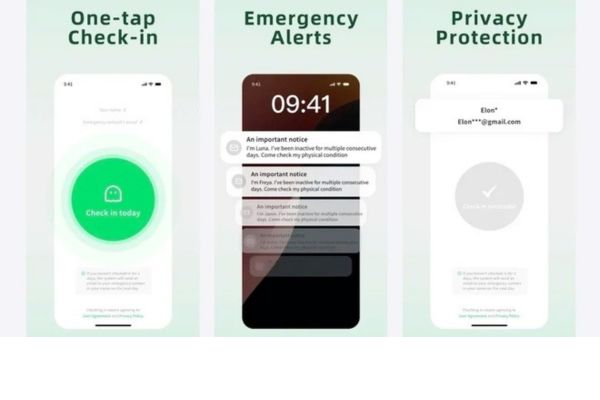
Demumu's minimalist operating mechanism
Demumu’s minimalist operating mechanism

The reason for creating a global fever

Not only stopping at the Chinese border, the attraction of this software has spread to many developed countries.

Solve the worries of modern society

The success of the You Die application does not accurately reflect the “pain point” of today’s society: isolation. With forecast data, the number of people living alone in China may increase 200 million In 2030, the need for personal safety is enormous. In markets such as Hong Kong, Singapore or the US, the application also reached the top downloads, showing that the fear of being “forgotten” when in trouble is a common global problem, regardless of borders.
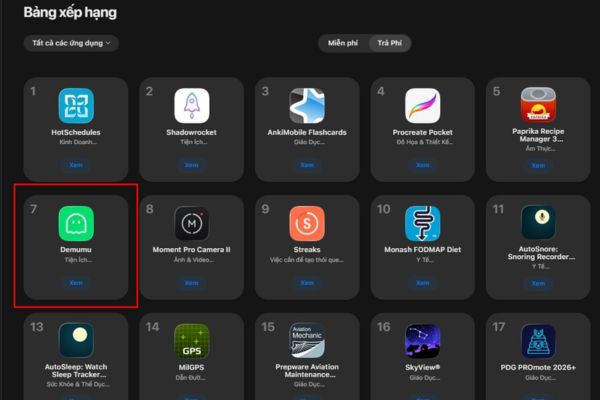
Demumu application reached the top downloads

Absolute respect for privacy

The biggest plus point that helps the application retain users is its commitment to security. Instead of continuously tracking GPS location or requiring sensitive access permissions such as cameras and microphones, the application chooses a passive monitoring mechanism.

The system only records opening the app. Contact information is also encrypted. This helps users feel comfortable, without feeling constrained or watched, while still ensuring that a distress signal is sent when needed.
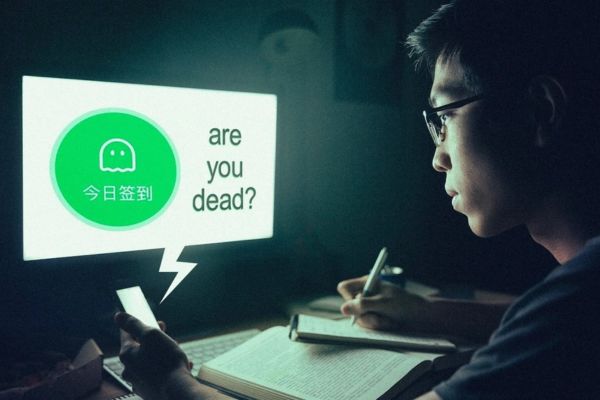
Absolute respect for privacy

Instructions for installing the Are you dead application?

To use this useful tool, users need to own a device in the Apple ecosystem and follow a few simple steps.

Currently, the best support application on iPhone and can sync notifications via MacBook.

Step 1: Go to the App Store, type the keyword “Are You Dead?” or “Demumu“.
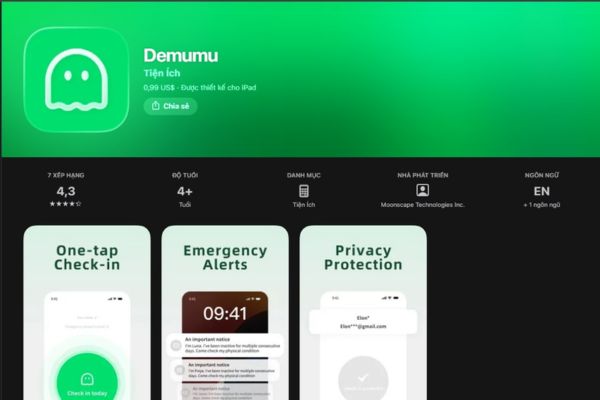
Instructions for installing the Are you dead application?

Step 2: Buy the app for approx 1 USD (or 8 yuan).
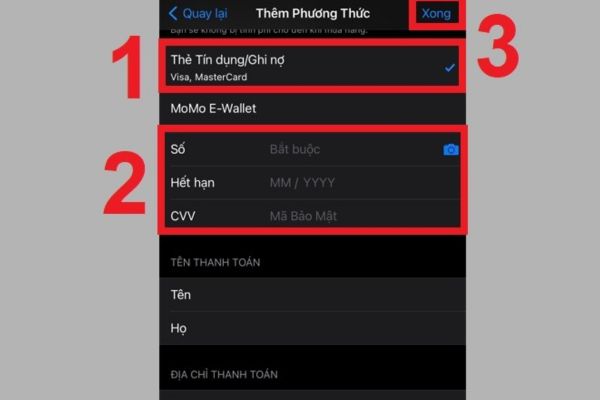
Buy the app for 1USD

Step 3: After downloading, users need to enter the email address of a trusted relative or friend as an emergency contact.

Step 4: Every day open the app and press the confirm button. If you forget, the system will send a reminder before activating the alarm process via email.

Conclusion

Overall, Are you dead app? (Demumu) has done a great job as a dedicated “gatekeeper” for those who choose an independent lifestyle. With low cost and simple usage, it is suitable for everyone from the elderly to busy office workers. Consider installing today to get an extra layer of protection for yourself!


Tags: applicationDeadDemumuinstallingInstructions
Previous Post

How to add or remove columns in File Explorer Windows 11

Next Post

How to use CMD environment variables in Windows

AnonyViet

AnonyViet

Related Posts

Instructions on how to create head-grabbing photos – New trend causing TikTok storm
Software

Instructions on how to create head-grabbing photos – New trend causing TikTok storm

January 18, 2026
Top 7+ best AI storyboard creation tools, worth trying
Software

Top 7+ best AI storyboard creation tools, worth trying

January 11, 2026
Share IObit Uninstaller 15 PRO license key for free 2026
Software

Share IObit Uninstaller 15 PRO license key for free 2026

January 9, 2026
Instructions for receiving 400k Tet 2026 support money via VNeID
Software

Instructions for receiving 400k Tet 2026 support money via VNeID

January 4, 2026
How to create Korean-style Polaroid photo frames on Samsung
Software

How to create Korean-style Polaroid photo frames on Samsung

December 27, 2025
How to fake GPS on iPhone: “Create fake location” to every location
Software

How to fake GPS on iPhone: “Create fake location” to every location

December 25, 2025
Next Post
How to use CMD environment variables in Windows

How to use CMD environment variables in Windows

0 0 votes
Article Rating
Subscribe
Login
Notify of
guest

guest

0 Comments
Oldest
Newest Most Voted
Inline Feedbacks
View all comments

Recent News

How to use automatic verification bot to register for ChatGPT K12, Spotify Student,…

How to use automatic verification bot to register for ChatGPT K12, Spotify Student,…

January 18, 2026
Instructions on how to create head-grabbing photos – New trend causing TikTok storm

Instructions on how to create head-grabbing photos – New trend causing TikTok storm

January 18, 2026
How to use CMD environment variables in Windows

How to use CMD environment variables in Windows

January 18, 2026
Instructions for installing the application “Are you dead yet” – Demumu

Instructions for installing the application “Are you dead yet” – Demumu

January 17, 2026
How to use automatic verification bot to register for ChatGPT K12, Spotify Student,…

How to use automatic verification bot to register for ChatGPT K12, Spotify Student,…

January 18, 2026
Instructions on how to create head-grabbing photos – New trend causing TikTok storm

Instructions on how to create head-grabbing photos – New trend causing TikTok storm

January 18, 2026
How to use CMD environment variables in Windows

How to use CMD environment variables in Windows

January 18, 2026
AnonyViet - English Version

AnonyViet

AnonyViet is a website share knowledge that you have never learned in school!

We are ready to welcome your comments, as well as your articles sent to AnonyViet.

Follow Us

Contact:

Email: anonyviet.com[@]gmail.com

Main Website: https://anonyviet.com

Recent News

How to use automatic verification bot to register for ChatGPT K12, Spotify Student,…

How to use automatic verification bot to register for ChatGPT K12, Spotify Student,…

January 18, 2026
Instructions on how to create head-grabbing photos – New trend causing TikTok storm

Instructions on how to create head-grabbing photos – New trend causing TikTok storm

January 18, 2026
  • Home
  • Home 2
  • Home 3
  • Home 4
  • Home 5
  • Home 6
  • Next Dest Page
  • Sample Page

https://sun52.network

No Result
View All Result
  • Home
  • News
  • Software
  • Knowledge
  • MMO
  • Tips
  • Security
  • Network
  • Office

https://sun52.network

wpDiscuz
0
0
Would love your thoughts, please comment.x
()
x
| Reply