If you are a Tiktoker, then I think at least once you have seen videos that show many different photos, with eye-catching effects. Those videos are called slideshows on TikTok. You can post this video on Facebook story, Instagram to get more views and followers. So, in this article, I will show you how to create slideshow videos on TikTok and iMyFone Filme Please.
| Join the channel Telegram of the AnonyViet 👉 Link 👈 |

How to create slideshow on TikTok
Step 1: Open the TikTok app on your phone and click the “+” button at the bottom of the screen to open the camera.
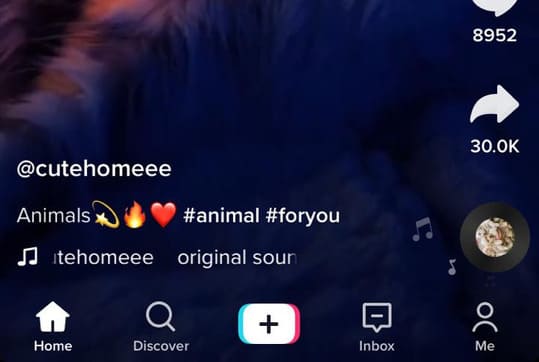
Step 2: Now, you have two ways to create slideshow. You can download existing images/videos or you can choose templates.
How to create Slideshow without templates
Step 1: Select button Upload at the bottom right of the screen to enter the gallery.
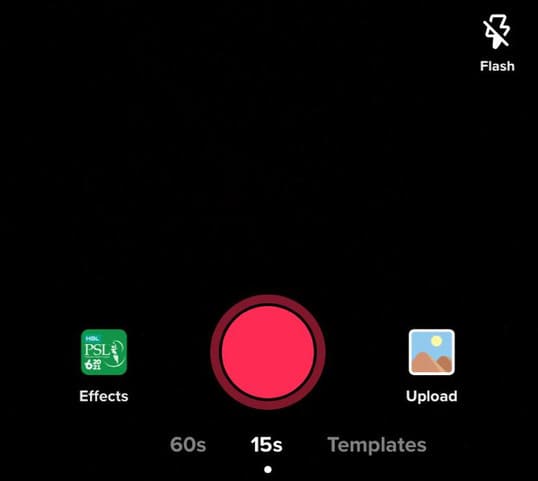
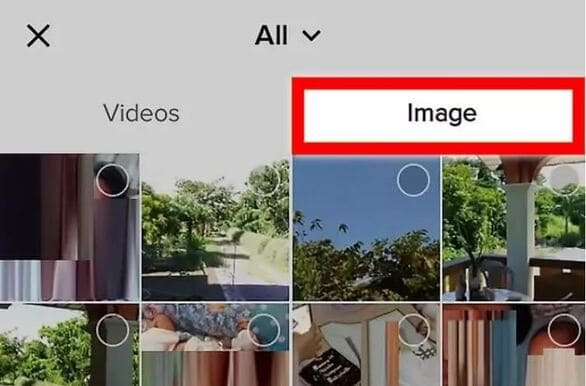
Step 2: You can tap the photo or video tab and select the photo/video you want to include in the slideshow. The order in which the photos are selected determines the order in which they appear in your video. Tiktok requires up to 12 photos per slideshow.
Step 3: Click next at the bottom of the screen and now you can customize your slideshow.
Step 4: By default, TikTok will add a song to your slideshow, but you can change that depending on your preferences. To change the music, click Sound at the bottom left of the screen. Moreover, you can adjust the music volume from the . button Volume.
Step 5: You can also add effects, text and stickers to your slideshow. These options are all at the bottom of the screen.
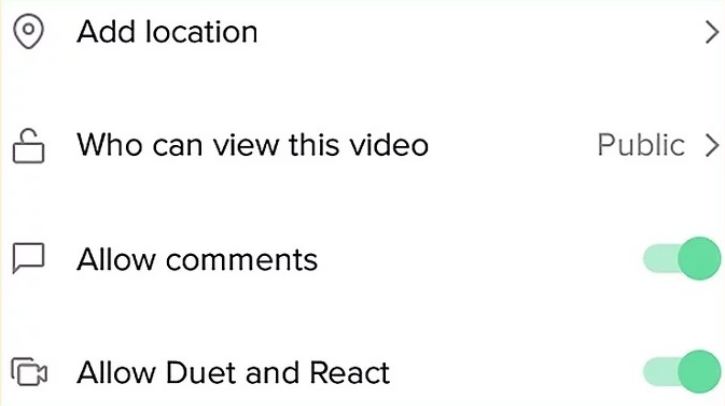
Step 6: Finally, if you’re happy with your slideshow, tap next. Now you can write description and post your slideshow video on Tiktok. You can also save the slideshow or share it on other social networks like Instagram and Whatsapp.
Create Slideshow with Template
Step 1: You click Templates at the bottom of the screen.
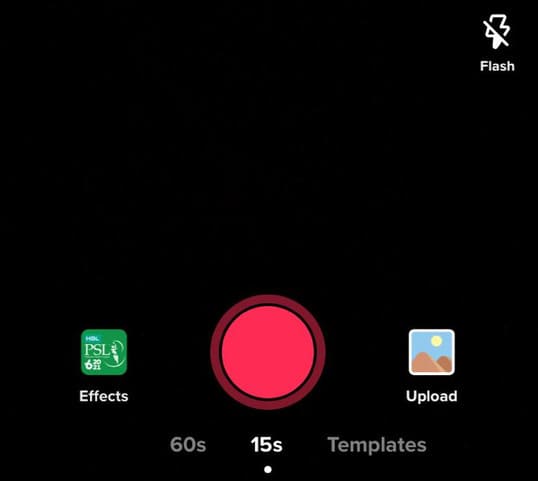
Step 2: You will have many different templates, choose the one you like best. Then click Select photos.
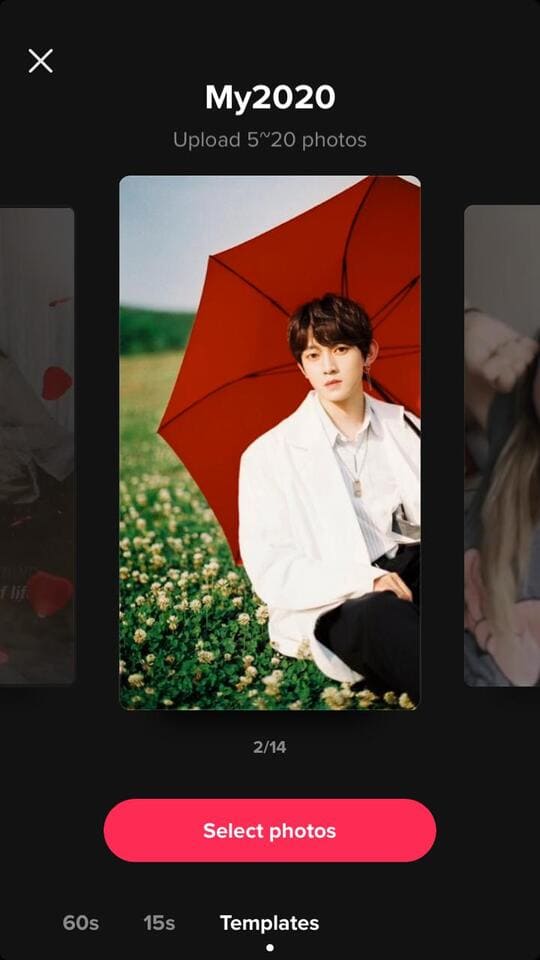
Step 3: Click OK. You can preview what your slideshow will look like.
Step 4: Click next and customize your slideshow. You can add songs, images, stickers and text to the slideshow.
Step 5: When done, click next. Now you can post the slideshow or share it on other social networking sites.
How to create a TikTok slideshow with iMyFone Filme
Another way to make videos TikTok slideshow pretty is to use video editing software iMyFone Filme. iMyFone Filme is one of the best software for video editing as it has great features and user-friendly interface. And yet, this software is great for beginners because it has advanced features that are easy to use so you can create beautiful videos.
This software is very convenient and has a quick editing mode allows you to edit videos quickly. You can create interesting videos and preview them between edits. Filme provides you with several editing tools like crop, rotate, adjust, pan and zoom. In addition, it has a library of templates that are updated regularly so you can create trending videos. Here’s how you can create a slideshow using Filme.
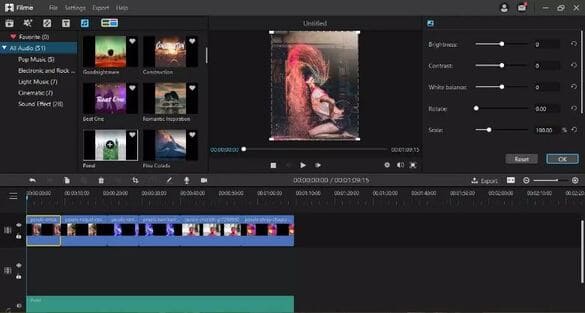
Step 1: After launching the program, you need to add a video or photo. Click option Import media and add your photo Media Library. Another way to add files is to drag and drop them into the software.
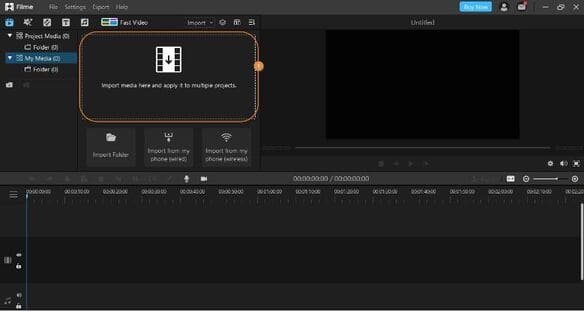
Step 2: Next drag your photo in Timeline. Here you can adjust the order and time of appearance for each photo. Move the slider to adjust the time for each video. Preview the slideshow to check if the video is what you want it to be.
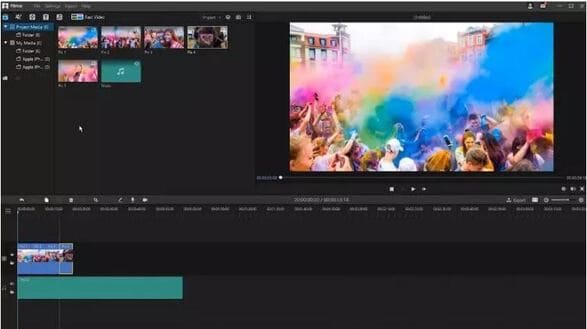
Step 3: Now you can customize your slideshow. Double-click the photo you want to edit and a window will appear. Here you can adjust the brightness, contrast, color and effects of the photo. You can also add filters, effectg sounds, text, stickers, transitions and other cool features into your slideshow.
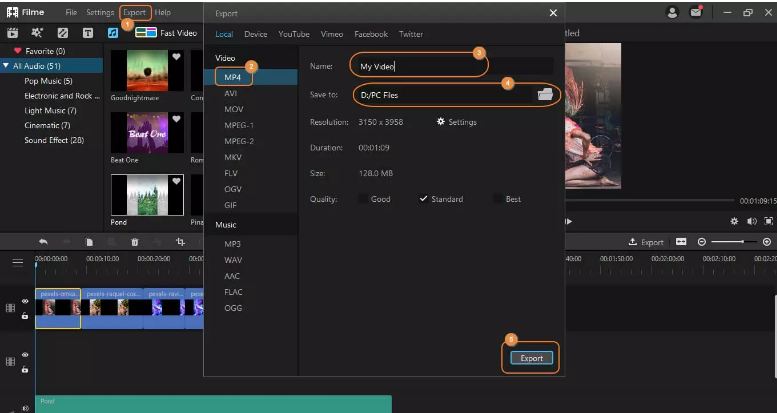
Step 4: Once done, you can now save the video. Select button Export at the top of the menu bar and click Export Videos. The file will be exported as an audio file. In Tab Music, select the MP3 option. You can rename the file, select the destination folder and click Export.
Tips for creating beautiful TikTok slideshow videos
With the above instructions, you can create a TikTok slideshow video to attract viewers. However, some of the following things while editing a video can help make your video perfect. Some things to keep in mind when creating a video slideshow:
- Select photos/videos in order. This makes video editing easier and faster.
- Music adds an extra punch to your video. Make sure to add a good piece of music or song to the video. You can select and pre-save a track and simply import it into your video.
- To create a video that viewers love, make sure it’s well-edited. The photo should be perfectly timed, the colors should be appealing and the text/sticker inserts should be in the right place.
- Try using software like iMyFone Filme for more outstanding video creation features. Tiktok also has options for video editing, but it won’t have all the features you want.
Conclusion
Users love to watch good slideshow videos. Creating the perfect slideshow can make your videos go viral and attract more viewers. You can always create videos using Tiktok’s built-in features, but you should also try other features using iMyFone Filme. With this amazing software, you can create unique videos that attract viewers.