If you're planning to buy a new desktop Mac, you'll almost certainly be drawn to the iMac. However, Apple also makes the iMac Pro, Mac mini, and Mac Pro. If you still don't understand the features and differences between the three types of iMac, iMac Mini and iMac Pro, please read this comparison article.
| Join the channel Telegram belong to AnonyViet 👉 Link 👈 |
iMac: Everything in one
The iMac is the sum of Apple's best. An iMAC will include a screen, CPU, keyboard, and mouse. iMac comes in 21 or 27 inch sizes, you can optionally configure the iMac depending on how much money you have in your wallet.
The cheapest iMAC is the 21-inch model ($1,099) that comes with a 4K (or 5K) Retina display, with a P3 wide color gamut. These impressive panels are one of the main attractions of the iMac. When you buy an iMac, you get everything you need to use it: a computer, a display, and things like a keyboard and mouse.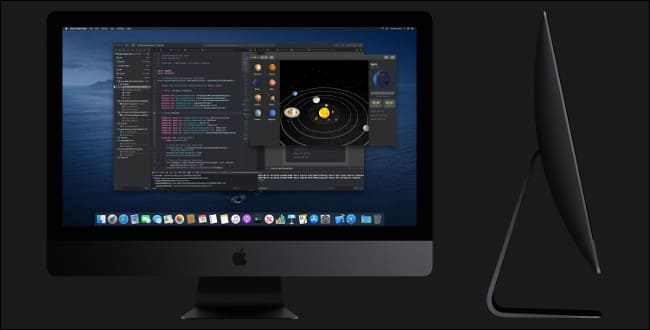
The 27-inch iMAC not only has a larger screen but also a higher configuration. This includes an 8 Core CPU (previously 6 Core), up to 64 GB RAM (previously 32 GB), up to 3 TB storage (previously 1 TB), and a more powerful GPU for rendering good big screen.
Therefore, iMac is Apple's best desktop computer. The iMac can be a home computer or a learning tool, a photo editor, the center of a home recording studio, or for video editing or 3D rendering.
When you hear about Apple, the prices are expensive, but in return you will have a great computer with all-in-one features and a 4K or 5K screen. If you want to save space when using a computer without needing many devices such as cases, screens, and messy wires, then iMAC is suitable for you.
iMac comes with a Magic Keyboard and Magic Mouse. You can upgrade the Magic Mouse to the Magic Trackpad, which will help use the iMAC like on a MACBOOK laptop with drag and touch gestures.
Mac mini: smaller and more convenient
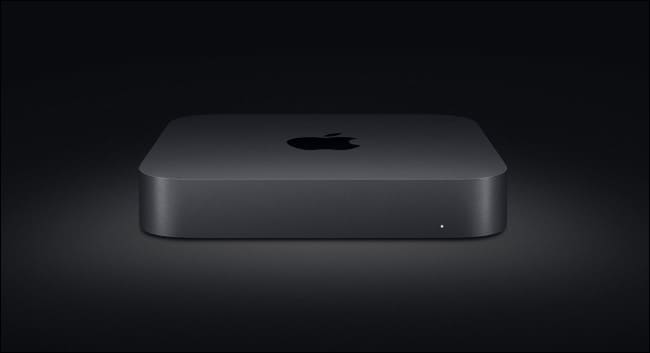
Mac mini is Apple's “pocket” desktop computer. Mac mini was once Apple's stepchild because it hadn't been upgraded since 2014. It wasn't upgraded until 2018, four years later. In March 2020, Apple launched its predecessor with trendy hardware updates (and it's really beautiful).
To understand the appeal of the Mac mini, you need to understand its intended use. First of all, it's a dedicated mini computer with a price tag of $799 (gulp, kidney pain). You won't have a screen, keyboard or mouse, it's always been like that since the first version back in 2005.
Mac mini provides users with a cheap and compact PC that can “use” Apple products. Since then, the Mac mini has gained a reputation as a home server solution and can become a home theater PC (HTPC). It's also a great choice for those who want to use MacOS or who already have a monitor and peripherals.
 Mac mini is also suitable for programmers who want to develop applications on iPhone and iPad, want to use Xcode and an Apple Developer account. Things that aren't available on Windows and the Mac mini are still cheaper than the MacBook Air.
Mac mini is also popular in other fields. Build and render videos or use distributed computing methods to share heavy resources across multiple machines. This helps speed up the process of building or rendering videos, and Mac mini will support users with those requirements.
Other applications include Xcode servers for mobile developers, controllers for professional lighting and sound processing at live shows, and powering digital signage and outdoor displays. To support this, Apple has equipped up to 4 dedicated Thunderbolt 3 ports.
The Mac mini just lacks a dedicated GPU, so it doesn't have powerful video editing capabilities. You can upgrade most hardware at checkout, like CPU, RAM, and hard drive.
Like the iMac, you can also upgrade the Mac mini's RAM yourself to save money.
Mac Pro: When there's nothing else to do
If you look at the iMAC Pro and think, I need more, then Mac Pro is your choice. After the first version in 2013, it was truly a disaster, at that time users bought Mac Pro just to…..store garbage. Learning from that experience, Apple revived the Mac Pro in 2019 to turn it into a cheese grater (laughs). But it must be recognized that it is a giant beast, both in terms of strength and body.
The new Mac Pro has the same design as the Power Mac G5, even the case and chassis are completely metal. If the starting price of $5,999 sounds a bit steep, remember that the full-options version of the Mac Pro costs more than $50,000 (gulp, second kidney pain).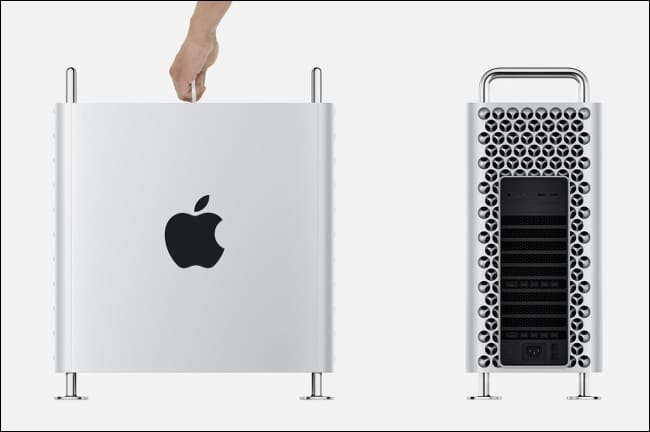
Like the iMac Pro, the Mac Pro only has a 28-core Intel Xeon processor (a $7,000 option). The device supports up to 1.5TB of DDR4 ECC memory, 32GB Vega II Radeon GPU, 8TB SSD. Apple also provides an additional Afterburner card worth $2,000, which helps increase the decoding speed of ProRes and ProRes RAW encoded videos from high end camera.
Mac Pro must be used with Pro Display XDR – $4,999, 32 inches, Thunderbolt 3, 6K resolution to be happy enough. Of course, you can also use any screen you like.
For most users, even the upgraded regular iMac will get the job done, including 4K video editing, RAW image processing, and 3D rendering.
Now have you made your choice?