
Grand Valley is a name that I’ve been extremely fond of lately whenever I need to find a peaceful little corner on the internet. Honestly, when I’m running a stressful deadline, opening a small tab to watch the scenery move helps relax my mind. Instead of uselessly surfing social networks, I choose to immerse myself in this virtual desert space. Let’s go together AnonyViet Explore what this website has to offer.
📢 Join the channel Telegram belong to AnonyViet
Update new articles, cool tools and IT tips fastest
Experience the relaxing space at Grand Valley
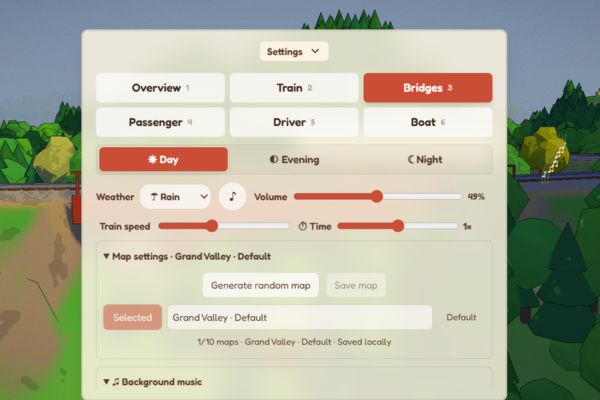
There are days when I come home exhausted from work and don’t want to play plowing games or watch noisy action movies. At times like that, I often open this website. The first feeling that catches your eye is an extremely meticulously designed miniature world. The point that I like the most is that you are not forced to look at the same boring angle forever. The camera system here allows you to change angles continuously, freely experiencing:
- Overview: This angle is viewed from above, facing down. You will see the entire vast valley, track the entire trajectory of the train and the entire surrounding landscape.
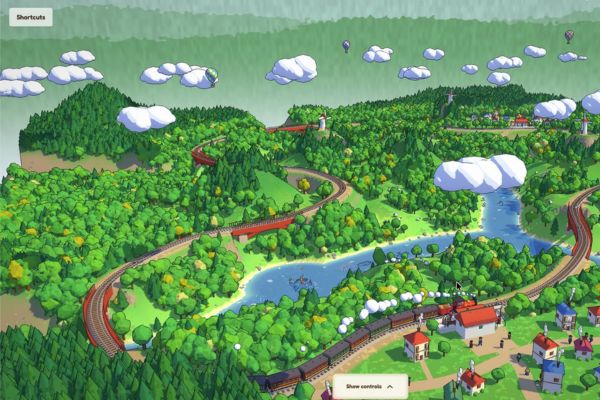
- Train: This mode will focus directly on the train. You just leisurely watch it run smoothly through beautiful roads and hills.
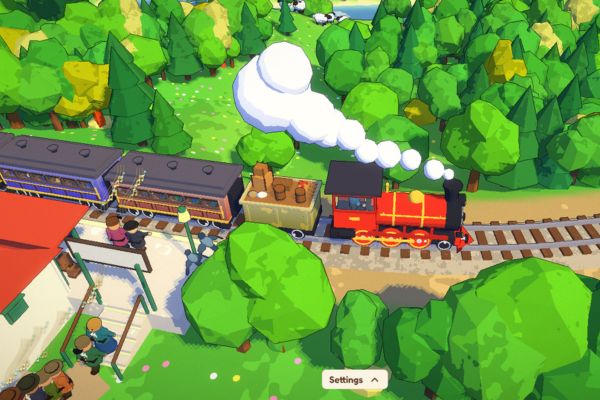
- Bridges: If you have a passion for watching great bridges crossing mountains and rivers, just click on this mode right away.
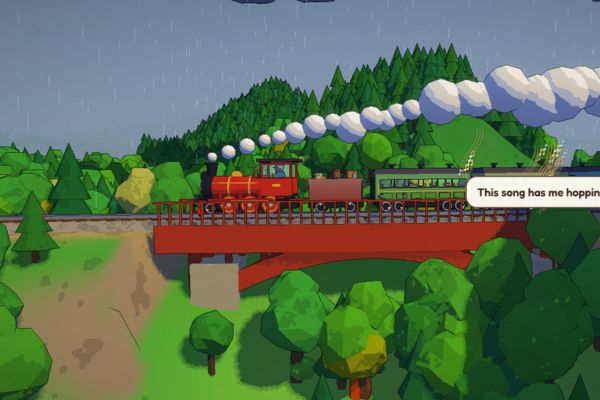
- Passenger: This mode includes role-playing. You will feel exactly like you are sitting on a real train, leisurely watching the scenery pass by the window.
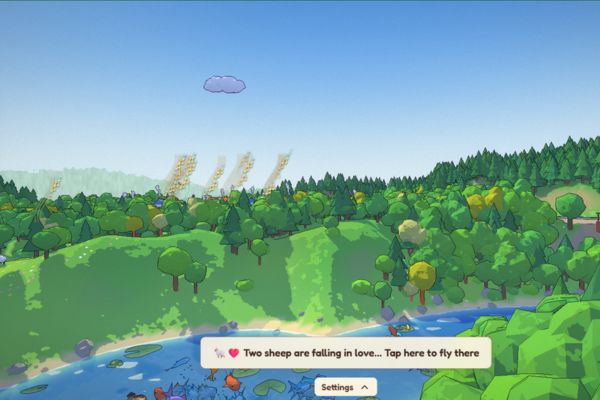
- Driver: If you’re a little more interested, choose this corner. You will be transformed into a train driver, looking straight ahead at the screeching track.
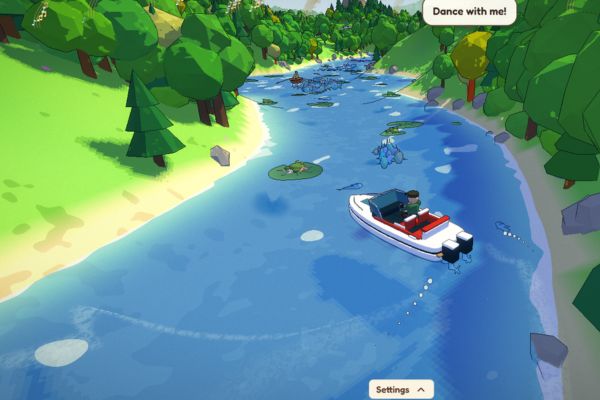
- Boat: This is the most special feature. It breaks the boundaries of passive viewing, allowing you to truly interact and personally control the boat weaving through this virtual world.
To experience the Boat feature, follow these steps:
Step 1: Access Grand Valley > Open Settings.
Step 2: Find and click the button Boat.
Step 3: At this point the perspective will shift to a small boat on the water.
Step 4: Use the four arrow keys on your computer keyboard to freely steer the boat left, right, forward or backward.
The feeling of driving a small boat through peaceful rivers is really exciting. Therefore, I often spend hours just exploring every corner of the map.
Note: To turn off the settings panel, just click on the text Settings One more time is okay.
Grand Valley Customization Guide
This website’s control panel gives you the power to change almost anything to create the perfect space. Here are the things you can tinker with:
- Adjust time and weather: If you like to see the scenery during the brilliant day (Day), the romantic sunset (Evening) or the quiet night (Night), just click to select and the scene will change immediately. Remember to adjust the weather to sunny and sunny for a happier mood.
- Extremely good lofi music player: The website has built-in soothing background music, for example some tracks by Alex Morgan that sound extremely suitable for the situation. Feel free to drag the Volume bar to adjust the volume, click Next through the song, or select Loop playlist to listen to the song over and over again. Best of all, there is a Stop after 15 minutes feature that automatically turns off the music, very convenient for those who have the habit of listening to music before sleeping.
- Game speed interference: The Train speed slider helps you decide whether the train runs fast or slow. The Time bar is used to fast forward time during the day.
- Customize graphics and performance: If your computer is a bit weak, remember to check the Optimize performance box to make the website run smoother. For those who are passionate about art, try changing the display style to Pixel art or Ink lines. Make sure the interface will take on a completely new and artistic look.
Conclusion
In short Grand Valley is a peaceful little corner that everyone should save on their browser. When you feel too tired, just open it, make a cup of tea and sit and watch everything go by. Thanks to that, your mood will improve a lot. Hope you will have truly relaxing moments with this website.
Frequently Asked Questions (Q&A)
1. How to drive your own boat on the web?
You just need to open the Settings panel, select the Boat button. Then use the four arrow keys on the keyboard to control the boat moving on the river as you like.
2. Does the website allow changing time of day?
Yes, you can completely choose time periods such as Day during the day, Evening in the evening or Night at night. The scene and lighting will change accordingly very beautifully.
3. Can I turn off the background music?
Okay, in the settings panel there is a Background music section. You just need to uncheck the Enable music box or press the Pause button and the sound will stop immediately.