12 months of Google AI Plus free is a great gift that Google is giving to users through the Internshala platform. Instead of having to spend a large amount of money every month, you can completely experience this great AI without spending a penny. The re-registration process is extremely simple and anyone can do it. Let’s go together AnonyViet Discover now how to do it!
📢 Join the channel Telegram belong to AnonyViet
Update new articles, cool tools and IT tips fastest
Why should you hunt for 12 months of Google AI Plus for free?
In fact, Google is having a huge incentive program in cooperation with the Internshala platform for students. This program lasts forever November 2027allowing users to upgrade their regular Google account to the most advanced version at absolutely no cost. Thanks to that, you will immediately own the memory 400GB (or up to 2TB depending on region) with superior AI language processing capabilities.
Below is a small comparison table for you to see the difference:
| Features | Regular Google account | Google AI Plus account |
| Storage capacity | 15GB free | Up to 400GB – 2TB |
| AI model | Gemini standard version | Gemini Ultra 1.0 is super smart |
| Application integration | Limit | Deep integration into Docs, Gmail, Sheets |
| Expense | 0 VND | Free for 12 months (Original price is quite high) |
Therefore, there is no reason why we should miss a great opportunity like this, right?
Prepare information before registering
To be able to successfully activate 12 months of Google AI Plus for free, you need to prepare some simulation information of a students studying in India. You can search online yourself or use the following sample information:
- Name: Aarav Sharma (or any name you like).
- Indian phone number: +91 98765 43210 (you just randomly type in a valid number sequence).
- City: New Delhi, Delhi, India.
- University: Indian Institute of Technology Delhi.
- School year: Start 2025 – End 2029.
Additionally, you need to be prepared a Google account (Gmail) has never upgraded any package and uses the MoMo e-wallet application on the phone as a temporary payment method.

Instructions for getting 12 months of Google AI Plus for free
Step 1: Access Internshala’s promotional link HERE.
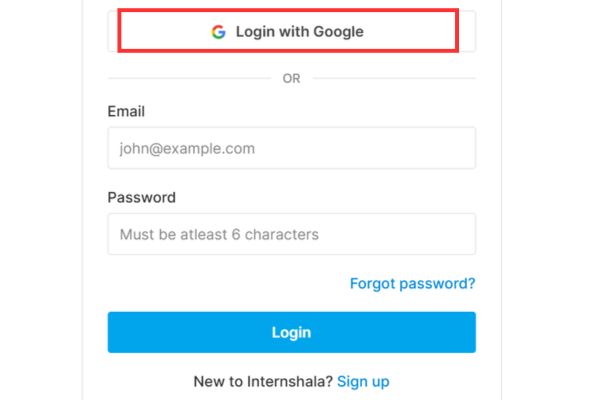
Step 2: At the main interface, click the button Login with Google and select the Gmail account you want to upgrade.
Step 3: The system will ask you to fill in personal information. Now, please enter the Indian student information that we have prepared above. Select your gender, language (English), major (B.Tech) and fill in the name of the university, for example: Indian Institute Of Technology Madras. School year from 2025 – 2029.
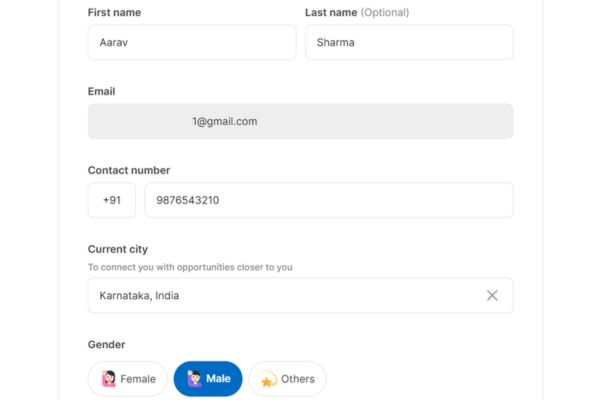
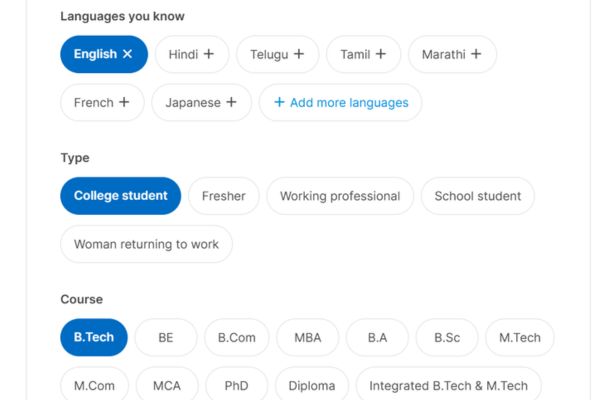
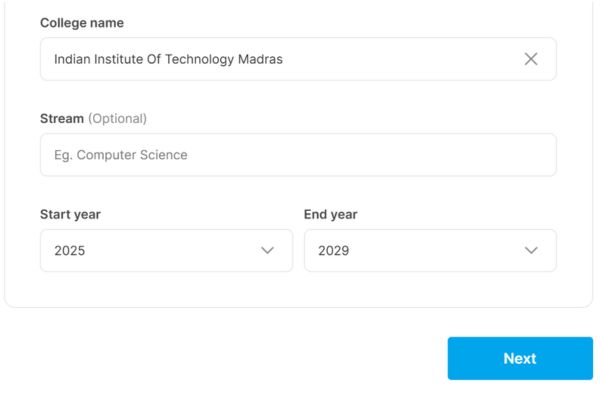
Step 4: Click Next to move to the career interests section. Just randomly select an item like “Sales”, then click Next.
Step 5: Select “Jobs” and “In-office” then press Find me opportunities.
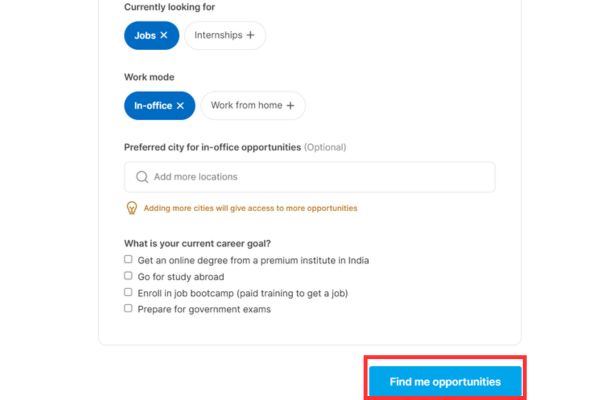
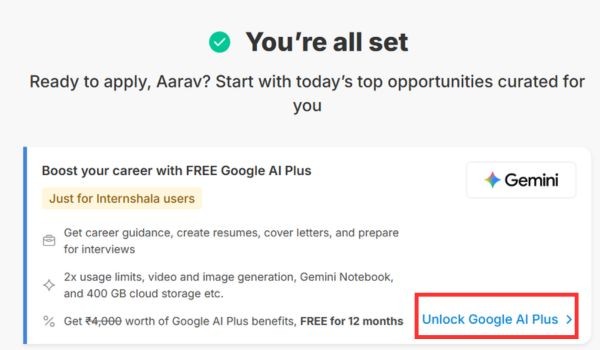
Step 6: Immediately, the screen will display a notification that you are ready to receive the Google AI Plus package. You click the button Unlock Google AI Plus.
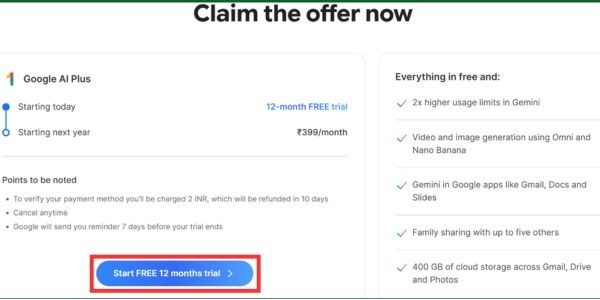
Step 7: Select next Claim now.

Step 8: Press Strat Free 12 months trial > Press Start trial > Select Agree.
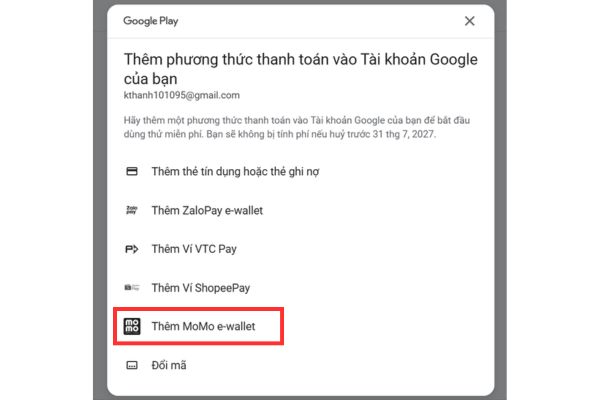
Step 9: The system asks to choose a payment method. Instead of using complicated Visa/Mastercard, choose Add MoMo e-Wallet.
Step 10: Open the MoMo application on your phone, scan the QR code displayed on the computer screen. Then, press “Link” and enter the OTP code for authentication.
Finally, press the button Register that’s it.

Tips for canceling renewals and removing cards to avoid money being deducted
This is the most important step! Many people often forget this step, leading to money being unfairly deducted after the trial expires. To ensure absolute safety, we will cancel the package immediately. Don’t worry, at this time, your free 12-month Google AI Plus package will still be valid until next year.
Step 1: Visit Gemini home page > Select gear icon > Select Manage embroidery packages.
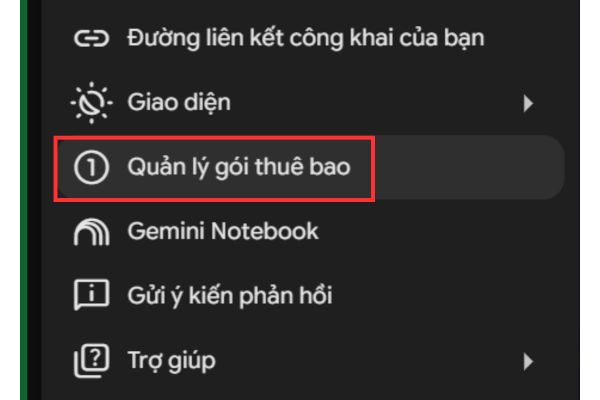
Step 2: Find the item Cancel membership package and click on it. Select Cancel.
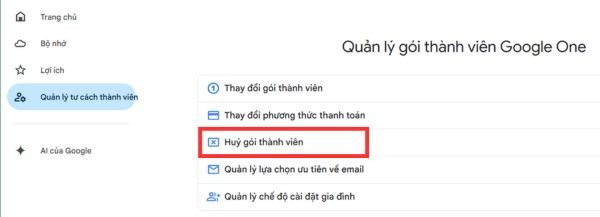
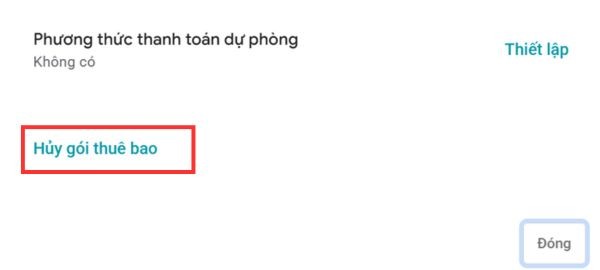
Step 3: Click next Manage > Select Cancel the embroidery package > Choose any reason > Continue > Press Cancel subscription package.
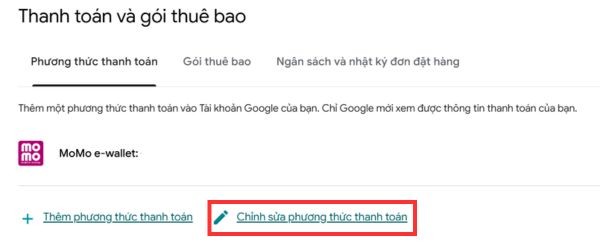
Step 4: Next, we need to completely remove MoMo wallet from Google Play. Also on that page, you switch to the tab Payment methodselect Edit payment methodfind MoMo wallet and click Delete.
Step 5: To be more careful, you can switch to tab Settingscroll to the bottom and select Close the payment profile. Enter your Gmail password to confirm and you’re done.
Step 6: Finally, open the MoMo app on your phone, go to section Linked serviceselect Google and press Unlink.
Conclusion
Hopefully through this article, you have been able to get it yourself 12 months of Google AI Plus free easily. Therefore, don’t forget to share this tip with your friends and relatives to enjoy the promotion. Applying AI to life will certainly bring many unexpected benefits. Wish you have wonderful experiences!
Frequently Asked Questions (Q&A)
1. If I cancel the package immediately after registering, will I lose my benefits?
Absolutely not. You will still be able to fully use the features and capacity of the premium package until this date next year.
2. Can I use another e-wallet besides MoMo?
Okay. You can use ZaloPay, ShopeePay or Visa/Mastercard, as long as that method is successfully linked to Google Play.
3. How long does this promotion last?
According to information on the website, this partnership promotion is expected to last until November 2027. However, you should act early to avoid Google changing its policy.