

How to create product review videos Using the Flow tool will save you tons of editing time. Therefore, even if you are not technically savvy, you can still own extremely natural POV videos. Let’s go together AnonyViet Start practicing now!
📢 Join the channel Telegram belong to AnonyViet
Update new articles, cool tools and IT tips fastest
The attraction of current POV review videos
You know, product review videos now appear everywhere, from surfing social networks to walking around e-commerce platforms. However, making a video that both feels authentic and is strong enough to retain viewers is not always simple.
Recently, one of the styles that is extremely popular with the online community is POV (Point of View – First-person perspective). Thanks to that, viewers will feel like they are directly holding, using and experiencing that item. This feeling of closeness greatly increases trustworthiness.
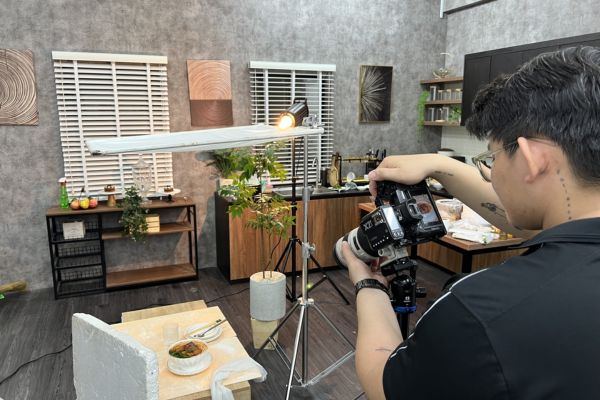
Compare traditional video making and using AI Flow
Before going into details, let’s try to look at the difference between plugging in the camera yourself and asking AI for help. Instead of having a setup headache, Flow brings unexpected convenience.
| Criteria | Traditional video recording | Use AI Flow |
| Device | Need a camera, a good phone, a light, a tripod | Just need a computer/phone with internet connection |
| Time | It took many hours to film and cut | It only takes a few minutes to create an order and wait for AI to process it |
| Background | Must clean up and set up complex backgrounds | Just need 1 clear product photo |
| Expense | Expensive to buy equipment and hire models | Maximum savings, using available AI tools |
Instructions on how to create product review videos using Flow
With the powerful support of Flow, everything becomes much faster and easier. You don’t need to prepare fancy machinery or spend hours cutting and assembling each frame. Instead, you just need to describe the right idea in your mind, and AI will automatically create vivid movies as desired. Below is a super simple way to create a product review video that anyone can do.
Step 1: First, you need to prepare an image of the hand holding the product you want to make a video about. If you don’t have one, please attach the product image and paste the following command ChatGPT:
Tạo hình ảnh theo góc nhìn thứ nhất (POV), mô phỏng cảnh một cô gái đang trực tiếp cầm chiếc túi xách này để review sản phẩm. Không xuất hiện khuôn mặt hay cơ thể nhân vật, chỉ hiển thị hai bàn tay đang nâng và giữ túi trước ống kính. Bối cảnh là một cửa hàng túi xách nữ cao cấp với không gian sang trọng, ánh sáng ấm áp, kệ trưng bày tinh tế và nhiều mẫu túi thời trang ở phía sau. Phong cách chân thực, giống ảnh chụp thực tế tại showroom, tập trung làm nổi bật sản phẩm.
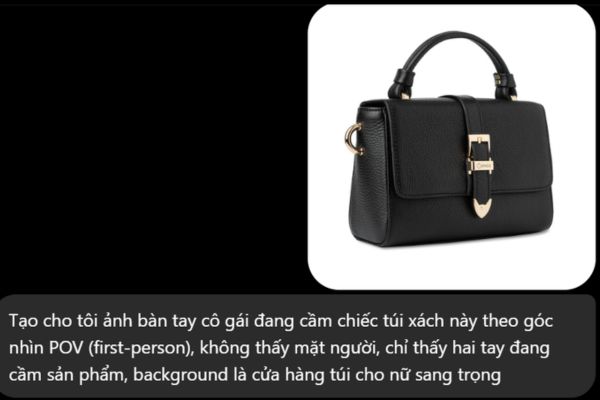
Remember to change the bag in the prompt to your actual product.
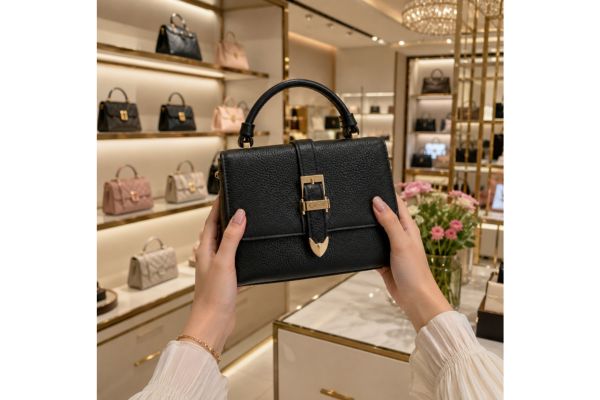
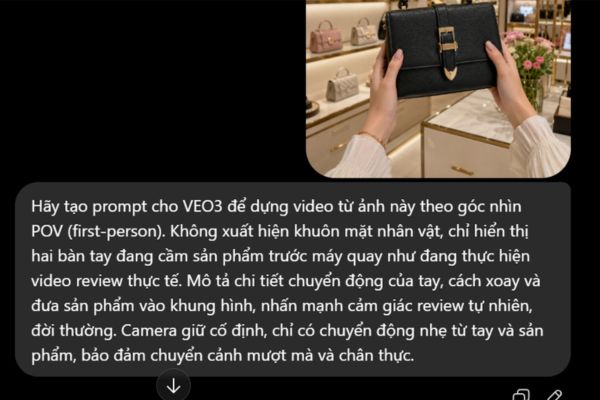
Step 2: Continue, upload the product image you just had to ChatGPT again, then enter the command below to ask the AI to write a prompt to deploy a POV advertising video on Flow:
Hãy tạo prompt cho VEO3 để dựng video từ ảnh này theo góc nhìn POV (first-person). Không xuất hiện khuôn mặt nhân vật, chỉ hiển thị hai bàn tay đang cầm sản phẩm trước máy quay như đang thực hiện video review thực tế. Mô tả chi tiết chuyển động của tay, cách xoay và đưa sản phẩm vào khung hình, nhấn mạnh cảm giác review tự nhiên, đời thường. Camera giữ cố định, chỉ có chuyển động nhẹ từ tay và sản phẩm, bảo đảm chuyển cảnh mượt mà và chân thực.
Wait a moment, you will see ChatGPT return a command describing the scene in extreme detail. Copy that command again.
Step 3: Now, you go straight to it Flow platform. Here, upload an image of a sample holding your product. Then right-click on the image and select Add to command.
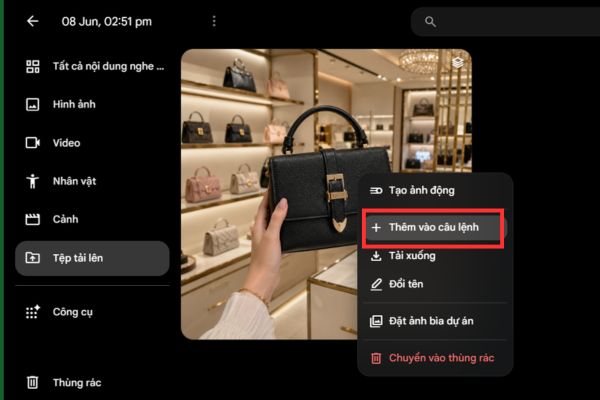
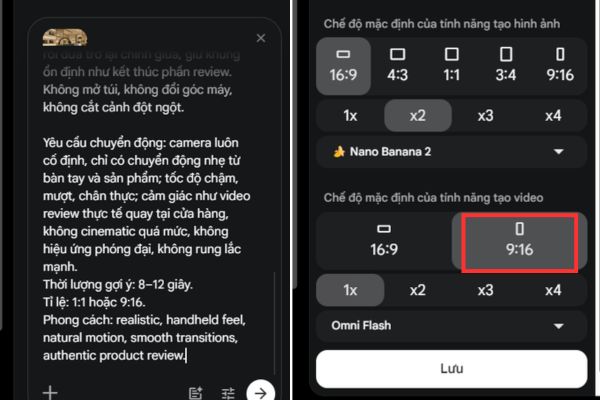
Next, paste the video creation prompt above into the sidebar box and set the parameters. You choose the frame size 9:16 (great for posting short videos), choose the number of videos you want to create.
Then click the arrow sign to start creating a video.
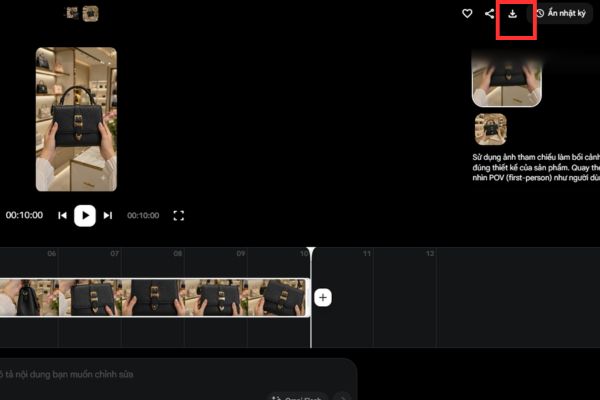
Step 4: Wait a moment for the POV video rendering process to be performed. As a result, we will get an extremely natural video of two hands holding the product. If you finish viewing and are not satisfied, you can absolutely click create again.
When you are satisfied with how to create this product review video, just click Download icon to download the video to your device and you’re done.
Conclusion
Hopefully through this article, you have a clear understanding How to create product review videos POV angle. Instead of wasting time filming, let AI help you optimize your work. Don’t forget to follow AnonyViet to update more great tips!
Frequently Asked Questions (Q&A)
1. Using Flow to create POV videos, do I need to turn my face?
No need. According to the instruction prompt, the video only shows two hands holding the product in front of the camera, creating an extremely natural and everyday first-person feel.
2. Which aspect ratio should I choose when creating videos on Flow?
You should set the size to 9:16. This is the standard and most optimal ratio for posting to short video platforms today.
3. What should I do if the created video is not satisfactory?
It’s very simple, if the results are not smooth, you just need to refine the command or press the recreate button on Flow until you get the footage you like and then download it.






