• Home
  • News
  • Software
  • Knowledge
  • MMO
  • Tips
  • Security
  • Network
  • Office
AnonyViet - English Version
  • Home
  • News
  • Software
  • Knowledge
  • MMO
  • Tips
  • Security
  • Network
  • Office
No Result
View All Result
  • Home
  • News
  • Software
  • Knowledge
  • MMO
  • Tips
  • Security
  • Network
  • Office
No Result
View All Result
AnonyViet - English Version
No Result
View All Result

How to post GIF photos on your personal facebook album – Share photo GIF

AnonyViet by AnonyViet
September 18, 2025
in Tips
0

GIF images are an animated image format (.gif). Instead of static photos (.jpg, .png), GIF images will have changing frames. Currently, Facebook only allows posting photos in the album, but some Facebook has animated. To post GIF photos on your personal Facebook album you need to have the procedure below.

Join the channel Telegram belong to Anonyviet 👉 Link 👈

GIF (Graphics Interchange Format) means “image exchange format”. This is a dynamic image format with less than 256 colors. Although GIF files do not contain audio data, they are often viewed online as a way to share video clips. Websites also often use GIF files to display cartoon objects such as buttons or titles.

To perform the GIF photo on your personal Facebook album, you need to find someone who has posted GIF photos. Your job is to copy all that GIF photos about your personal album. How to do it as follows:

Step 1: Take the id of other people’s gif photos

Visit the GIF photo album available from others. List of beautiful GIF photo albums:

Click on any GIF photo. Row behind Photo.php? Fbid = It is the ID of the image.

Post photos on your personal facebook album

For example: Here is the GIF photo link:

https://www.facebook.com/photo.php?fbid=492182704891087& set = picfp.100022980861142 & type = 3 & theater

==> The image’s id is 492182704891087

Step 2: Get your personal facebook ID

If you want to post GIF photos on Facebook, remember to log in to that Facebook. Visit your personal facebook page.

ID may be sequence or tUser.

For example: My facebook page is https://www.facebook.com/Huynhvnhiepggx

Then your personal facebook ID is: Huynhvnhiepggx

Step 3: Post your GIF on your personal facebook album

After getting:

  • ID of GIF image
  • Personal Facebook’s ID,

You copy the following structure:

https://www.facebook.com/ID_facebook_Chan? CTA_ACTION = Edit_photos & Snowlift_photo_ID =ID_GIF

If taking 2 examples in step 1 and step 2, the link to copy the image is:

https://www.facebook.com/Huynhvnhiepggx? CTA_ACTION = Edit_photos & Snowlift_photo_ID =492182704891087

Now copy this link to the browser. New window appears: “Remarkable editing”. In the window is the GIF photo you want to copy from other people’s Facebook. Press the button Save To download photos to your personal Facebook. At the same time, the dynamic gif will be in the item “Notable photo”.

How to post GIF photos on your personal facebook album – Share photo GIF

Turn back to your personal facebook to see your dynamic gif photo:

Facebook GIF photo notable

So you posted a photo of GIF on the Facebook album successfully. Surely many people will be surprised when they go to your Facebook and see a lot of animations.

Frequently asked questions

Can I post GIF directly on my Facebook album?

Currently, Facebook does not support posting GIF photos directly on the album. The method in the article shows how to copy GIF photos from other users.

What information do I need to copy GIF photos?

You need your GIF image to copy and your personal Facebook ID.

Where will the GIF photo be saved on Facebook?

GIF photos will be saved in the “Notable photo” section on your personal Facebook.

Previous Post

Instructions for self -study English with Google ai Studio

Next Post

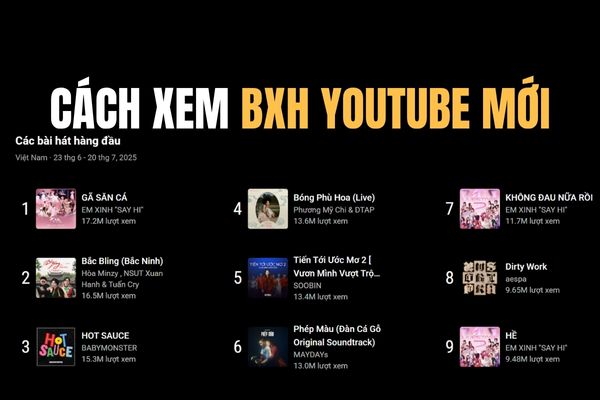
How to see the new YouTube chart, replacing the top trending has been “killed”

AnonyViet

AnonyViet

Related Posts

Instructions for creating Minecraft-style food photos
Tips

Instructions for creating Minecraft-style food photos

June 9, 2026
Get free Cambridge courses to prepare for IELTS, Starters, Movers
Tips

Get free Cambridge courses to prepare for IELTS, Starters, Movers

June 4, 2026
How to record reaction videos with Android phones, no app needed
Tips

How to record reaction videos with Android phones, no app needed

June 1, 2026
Instructions on how to get Google AI Pro 1 year for free for new accounts
Tips

Instructions on how to get Google AI Pro 1 year for free for new accounts

June 1, 2026
Top free AI tools to help write, test and optimize content
Tips

Top free AI tools to help write, test and optimize content

June 1, 2026
Instructions for receiving Lovable Pro 12 months for free
Tips

Instructions for receiving Lovable Pro 12 months for free

May 29, 2026
Next Post
How to see the new YouTube chart, replacing the top trending has been “killed”

How to see the new YouTube chart, replacing the top trending has been "killed"

0 0 votes
Article Rating
Subscribe
Login
Notify of
guest

guest

0 Comments
Oldest
Newest Most Voted
Inline Feedbacks
View all comments

Recent News

Cách làm mờ khuôn mặt trên iPhone, không cần tải app

Cách làm mờ khuôn mặt trên iPhone, không cần tải app

June 11, 2026
Website to check the World Cup 2026 match schedule intuitively, with automatic calendar synchronization

Website to check the World Cup 2026 match schedule intuitively, with automatic calendar synchronization

June 11, 2026
PDF editing application on Android worth 199k is free

PDF editing application on Android worth 199k is free

June 10, 2026
Instructions for creating Minecraft-style food photos

Instructions for creating Minecraft-style food photos

June 9, 2026
Cách làm mờ khuôn mặt trên iPhone, không cần tải app

Cách làm mờ khuôn mặt trên iPhone, không cần tải app

June 11, 2026
Website to check the World Cup 2026 match schedule intuitively, with automatic calendar synchronization

Website to check the World Cup 2026 match schedule intuitively, with automatic calendar synchronization

June 11, 2026
PDF editing application on Android worth 199k is free

PDF editing application on Android worth 199k is free

June 10, 2026
AnonyViet - English Version

AnonyViet

AnonyViet is a website share knowledge that you have never learned in school!

We are ready to welcome your comments, as well as your articles sent to AnonyViet.

Follow Us

Contact:

Email: anonyviet.com[@]gmail.com

Main Website: https://anonyviet.com

Recent News

Cách làm mờ khuôn mặt trên iPhone, không cần tải app

Cách làm mờ khuôn mặt trên iPhone, không cần tải app

June 11, 2026
Website to check the World Cup 2026 match schedule intuitively, with automatic calendar synchronization

Website to check the World Cup 2026 match schedule intuitively, with automatic calendar synchronization

June 11, 2026
  • Home
  • Home 2
  • Home 3
  • Home 4
  • Home 5
  • Home 6
  • Next Dest Page
  • Sample Page

6789 kv999

No Result
View All Result
  • Home
  • News
  • Software
  • Knowledge
  • MMO
  • Tips
  • Security
  • Network
  • Office

6789 kv999

wpDiscuz
0
0
Would love your thoughts, please comment.x
()
x
| Reply