• Home
  • News
  • Software
  • Knowledge
  • MMO
  • Tips
  • Security
  • Network
  • Office
AnonyViet - English Version
  • Home
  • News
  • Software
  • Knowledge
  • MMO
  • Tips
  • Security
  • Network
  • Office
No Result
View All Result
  • Home
  • News
  • Software
  • Knowledge
  • MMO
  • Tips
  • Security
  • Network
  • Office
No Result
View All Result
AnonyViet - English Version
No Result
View All Result

How to use the feature “Send to your devices” on Chrome

AnonyViet by AnonyViet
March 13, 2025
in Tips
0

Chrome 77 Launched with a number of new features to help experience the user better. Besides you designing themes for Chrome, now you can send the address of the tab operating to another device. This makes it easy for you to quickly access the web tab on many devices at the same time. This feature is called “send to your devices” or “Send to your devices” on Chrome.

Join the channel Telegram belong to Anonyviet 👉 Link 👈

How to use the feature “Send to your devices” on Chrome

Google finally launched a new tool to share the Chrome tabs between devices. Sharing tabs on many devices that have been tested on Chrome 76, and this feature is now used in Chrome 77 used in desktop and mobile computer versions. This feature helps you find the option to send to your new device when you right click on the site.

This feature will list all the Chrome browsers that you have logged in with your Google account on Windows, Mac, Linux, Chrome OS, Android and even iPhone and iPad. Select a device to send the Chrome tab to that device. Anonyviet will show you how to turn on and share tabs from desktops and mobile devices.

Before starting, you need Login to download Google About Google My on Chrome on devices you want to share tabs. You should also make sure Chrome is always updated on all of your devices.

Login to download Google About Google

Send tabs from computer to phone

Method 1: Click on the address bar

  1. In the Chrome window, click on the address bar of the page you want to share. Click on the computer icon in the bar and select the device to send. Here will display a list of Chrome installed devices that you have logged in. Just click on the device you want to send the Tab address you are watching. Send tabs from computer to phone
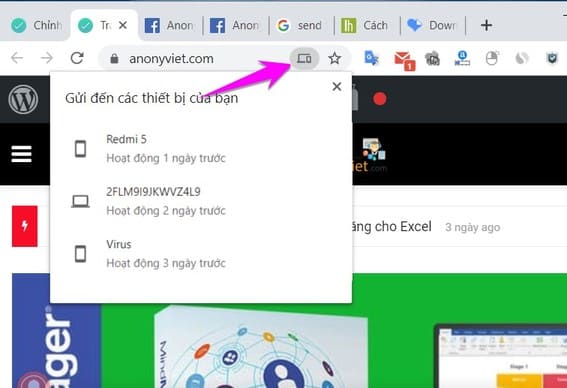
  2. A tough window up the notification of the page is being sent. After a while, you will receive notifications on your other device that you can press/click to open the page.

Send to your devices

Method 2: Right -click on the website

You can also right -click on the website and select “Send the link to your device” or “Send to Your Devices”.

How to use the feature “Send to your devices” on Chrome

Send tabs from phone to computer

Send tabs from the phone to the Send to Your Devices computer

  1. Open Chrome application on mobile phones
  2. Click on the icon with the three dots overlapping.
  3. Choose to share …
  4. In the sharing menu, click send to your devices
  5. Click to select the device you want to send.
  6. A notice will appear on another device after one or two minutes. Click/touch it to open the sharing page.
Previous Post

Instructions on how to create a page (channel) on Lotus MXH

Next Post

Life Skill Center vs. Overseas study counseling center – Which model is easier to start a business?

AnonyViet

AnonyViet

Related Posts

How to get 60 days of free web hosting without a card
Tips

How to get 60 days of free web hosting without a card

November 25, 2026
How to cancel Facebook Plus package to avoid automatic renewal
Tips

How to cancel Facebook Plus package to avoid automatic renewal

November 23, 2026
How to unlock iPhone Duo face on iOS 27.3 Beta 2
Tips

How to unlock iPhone Duo face on iOS 27.3 Beta 2

November 23, 2026
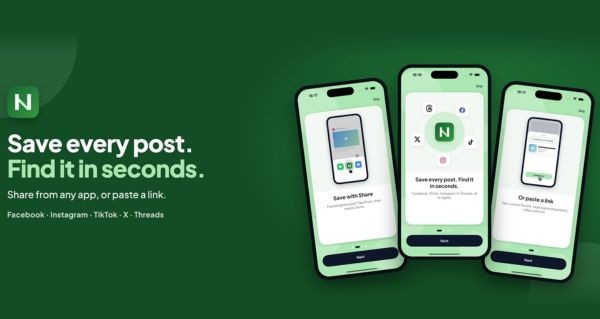
Naykia: App saves posts across multiple platforms, keeping the post intact even if the original post is deleted
Tips

Naykia: App saves posts across multiple platforms, keeping the post intact even if the original post is deleted

November 22, 2026
Free CNSF certification exam guide from Red Team Leaders
Tips

Free CNSF certification exam guide from Red Team Leaders

November 21, 2026
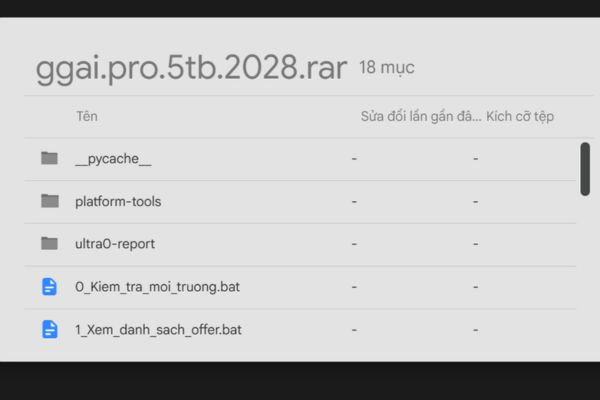
Instructions for registering Google AI Pro for 2 years for free until 2028
Tips

Instructions for registering Google AI Pro for 2 years for free until 2028

November 21, 2026
Next Post
Life Skill Center vs. Overseas study counseling center – Which model is easier to start a business?

Life Skill Center vs. Overseas study counseling center - Which model is easier to start a business?

0 0 votes
Article Rating
Subscribe
Login
Notify of
guest

guest

0 Comments
Oldest
Newest Most Voted

Recent News

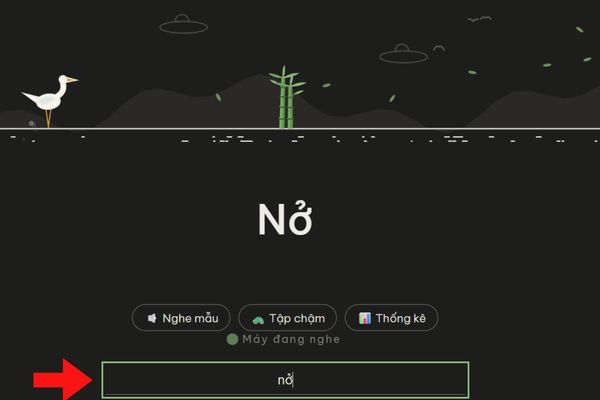
Co Con Suet Tre: Game to practice Vietnamese, English, Chinese pronunciation by voice

Co Con Suet Tre: Game to practice Vietnamese, English, Chinese pronunciation by voice

November 27, 2026
The truth about POCO X8s – What are the limitations behind the Snapdragon 7 Gen 4 chip that you need to know?

The truth about POCO X8s – What are the limitations behind the Snapdragon 7 Gen 4 chip that you need to know?

November 27, 2026
How to book train tickets using VNeID is extremely easy, you should know

How to book train tickets using VNeID is extremely easy, you should know

November 26, 2026
Vietnam static residential proxy: How to choose and use the service

Vietnam static residential proxy: How to choose and use the service

November 26, 2026
Co Con Suet Tre: Game to practice Vietnamese, English, Chinese pronunciation by voice

Co Con Suet Tre: Game to practice Vietnamese, English, Chinese pronunciation by voice

November 27, 2026
The truth about POCO X8s – What are the limitations behind the Snapdragon 7 Gen 4 chip that you need to know?

The truth about POCO X8s – What are the limitations behind the Snapdragon 7 Gen 4 chip that you need to know?

November 27, 2026
How to book train tickets using VNeID is extremely easy, you should know

How to book train tickets using VNeID is extremely easy, you should know

November 26, 2026
AnonyViet - English Version

AnonyViet

AnonyViet is a website share knowledge that you have never learned in school!

We are ready to welcome your comments, as well as your articles sent to AnonyViet.

Follow Us

Contact:

Email: anonyviet.com[@]gmail.com

Main Website: https://anonyviet.com

Recent News

Co Con Suet Tre: Game to practice Vietnamese, English, Chinese pronunciation by voice

Co Con Suet Tre: Game to practice Vietnamese, English, Chinese pronunciation by voice

November 27, 2026
The truth about POCO X8s – What are the limitations behind the Snapdragon 7 Gen 4 chip that you need to know?

The truth about POCO X8s – What are the limitations behind the Snapdragon 7 Gen 4 chip that you need to know?

November 27, 2026
  • Home
  • Home 2
  • Home 3
  • Home 4
  • Home 5
  • Home 6
  • Next Dest Page
  • Sample Page

say88 tỷ lệ kèo nhà cái kèo nhà cái 5 febet

No Result
View All Result
  • Home
  • News
  • Software
  • Knowledge
  • MMO
  • Tips
  • Security
  • Network
  • Office

say88 tỷ lệ kèo nhà cái kèo nhà cái 5 febet

wpDiscuz
0
0
Would love your thoughts, please comment.x
()
x
| Reply