• Home
  • News
  • Software
  • Knowledge
  • MMO
  • Tips
  • Security
  • Network
  • Office
AnonyViet - English Version
  • Home
  • News
  • Software
  • Knowledge
  • MMO
  • Tips
  • Security
  • Network
  • Office
No Result
View All Result
  • Home
  • News
  • Software
  • Knowledge
  • MMO
  • Tips
  • Security
  • Network
  • Office
No Result
View All Result
AnonyViet - English Version
No Result
View All Result

How to activate Dark Mode for Messenger using Emoji?

AnonyViet by AnonyViet
October 3, 2023
in Tips
0

After a long wait, Facebook officially released Dark Mode for Messenger. If you often use Messenger to chat late at night with friends, it must be very painful for your eyes. Because the bright color mode will affect vision if seen at night. Therefore, Dark Mode will make your eyes more comfortable if you often look at the phone screen.

Join the channel Telegram belong to AnonyViet ???? Link ????

Currently, Dark Mode is being tested in some countries. But Vietnam is not among the first countries to use Dark Mode. However, with the little trick below, you can manually open Dark Mode for Messenger.

How to activate Dark Mode for Messenger

First, you need to upgrade Facebook Messenger to the latest version for your phone. Go ahead, chat with someone on your Friend List. Proceed to select an emoticon (Emoji) with a picture? (moon). Or copy this icon ==>? and send it to your friends.

There will be a notification immediately Try it in the settings

How to activate Dark Mode for Messenger using Emoji?

You choose next Dark mode to activate Dark Mode for Messenger. At this time, the entire background color of Facebook Messenger will change to black, the text will be white.

Dark mode

Now try Trolling your friends with a Dark Mode photo of insomnia:

There are no problems.

If you feel unfamiliar with Dark Mode, you Dark Mode can be turned off in Settings. At this point Messenger will return to normal state. AnonyViet recommends Use Dark Mode for Messenger at night Comfort your eyes and avoid blue light.

The article scored: 5/5 – (100 votes)

Previous Post

How to use Messenger right on Facebook without installing additional applications

Next Post

Turn architectural sketch images into 3D color images

AnonyViet

AnonyViet

Related Posts

How to get 60 days of free web hosting without a card
Tips

How to get 60 days of free web hosting without a card

November 25, 2026
How to cancel Facebook Plus package to avoid automatic renewal
Tips

How to cancel Facebook Plus package to avoid automatic renewal

November 23, 2026
How to unlock iPhone Duo face on iOS 27.3 Beta 2
Tips

How to unlock iPhone Duo face on iOS 27.3 Beta 2

November 23, 2026
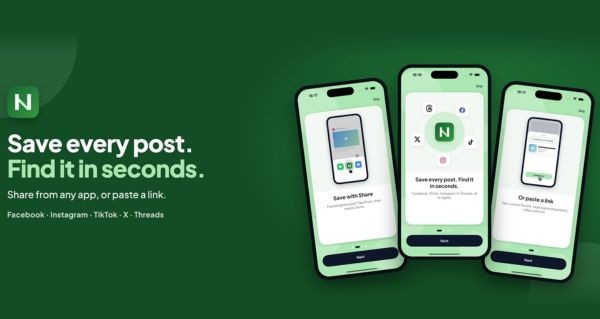
Naykia: App saves posts across multiple platforms, keeping the post intact even if the original post is deleted
Tips

Naykia: App saves posts across multiple platforms, keeping the post intact even if the original post is deleted

November 22, 2026
Free CNSF certification exam guide from Red Team Leaders
Tips

Free CNSF certification exam guide from Red Team Leaders

November 21, 2026
Instructions for registering Google AI Pro for 2 years for free until 2028
Tips

Instructions for registering Google AI Pro for 2 years for free until 2028

November 21, 2026
Next Post
Turn architectural sketch images into 3D color images

Turn architectural sketch images into 3D color images

0 0 votes
Article Rating
Subscribe
Login
Notify of
guest

guest

0 Comments
Oldest
Newest Most Voted

Recent News

How to get 60 days of free web hosting without a card

How to get 60 days of free web hosting without a card

November 25, 2026
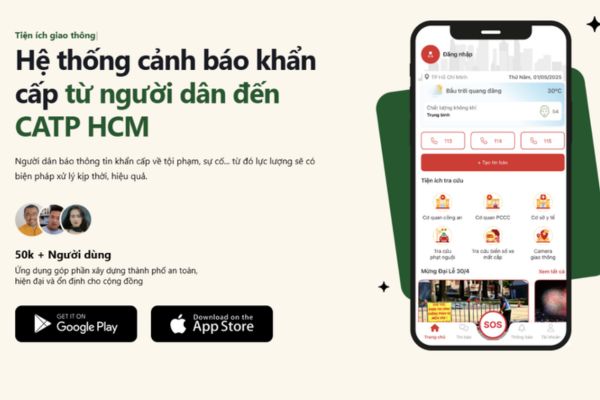
Instructions on how to report to the police via SOS Security and order

Instructions on how to report to the police via SOS Security and order

November 24, 2026
How to cancel Facebook Plus package to avoid automatic renewal

How to cancel Facebook Plus package to avoid automatic renewal

November 23, 2026
SSHWATCH: Dashboard to see realtime VPS attacks using Honeypot

SSHWATCH: Dashboard to see realtime VPS attacks using Honeypot

November 23, 2026
How to get 60 days of free web hosting without a card

How to get 60 days of free web hosting without a card

November 25, 2026
Instructions on how to report to the police via SOS Security and order

Instructions on how to report to the police via SOS Security and order

November 24, 2026
How to cancel Facebook Plus package to avoid automatic renewal

How to cancel Facebook Plus package to avoid automatic renewal

November 23, 2026
AnonyViet - English Version

AnonyViet

AnonyViet is a website share knowledge that you have never learned in school!

We are ready to welcome your comments, as well as your articles sent to AnonyViet.

Follow Us

Contact:

Email: anonyviet.com[@]gmail.com

Main Website: https://anonyviet.com

Recent News

How to get 60 days of free web hosting without a card

How to get 60 days of free web hosting without a card

November 25, 2026
Instructions on how to report to the police via SOS Security and order

Instructions on how to report to the police via SOS Security and order

November 24, 2026
  • Home
  • Home 2
  • Home 3
  • Home 4
  • Home 5
  • Home 6
  • Next Dest Page
  • Sample Page

say88 tỷ lệ kèo nhà cái kèo nhà cái 5 febet

No Result
View All Result
  • Home
  • News
  • Software
  • Knowledge
  • MMO
  • Tips
  • Security
  • Network
  • Office

say88 tỷ lệ kèo nhà cái kèo nhà cái 5 febet

wpDiscuz
0
0
Would love your thoughts, please comment.x
()
x
| Reply