In the field of computer networking, the IP address is an extremely important factor. It helps devices in the network to communicate with each other and share resources. In which, IP address 192.168.1.1 is one of the most important IP addresses. This article will explain the importance of this IP address in computer networking.
| Join the channel Telegram belong to AnonyViet ???? Link ???? |
192.168.1.1.vn
What is the IP address 192.168.1.1?
IP address 192.168.1.1 is an IP address of the internal IP address type, used to identify a device in a LAN. This is the IP address that is commonly used on network devices, such as routers, modems or access points. This address is used to manage these devices, set configuration parameters, and provide network connectivity to other devices on the network.
How to access IP address 192.168.1.1
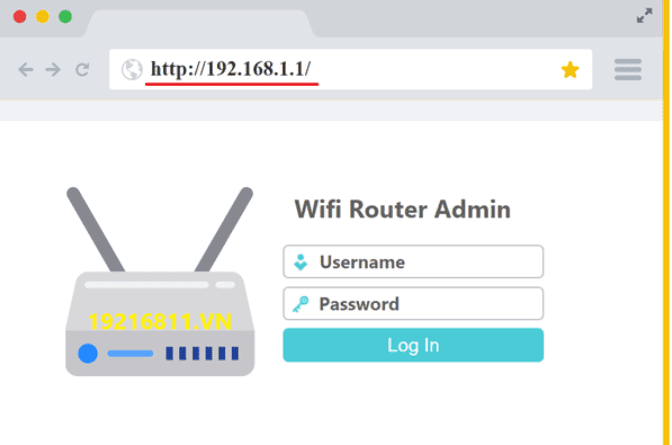
To access the 192.168.1.1 IP address, you need to open a web browser and enter this http://192.168.1.1 address in the browser’s address bar or can be accessed here 192.168.1.1 to access the admin page. After entering this address, the browser will open a login page and ask you to enter your username and password to access the network device. Typically, network devices will have a default username and password. You can find this information in your device’s documentation or on the manufacturer’s website.
The role of IP address 192.168.1.1 in computer networks
IP address 192.168.1.1 plays a very important role in computer networks. It helps to manage and configure network devices such as routers, modems or access points. By accessing this IP address, the network administrator can set up network configuration parameters, such as IP address, WiFi password, WiFi network name, routing, firewall and other settings. In addition, the IP address 192.168.1.1 also allows users to check the connection status of devices in the network, see which devices are connected to the network, and manage those devices.
In addition, the IP address 192.168.1.1 is also the default IP address of many popular routers on the market. This IP address is used to access the router’s management interface and set up configuration parameters for the network, such as opening ports, blocking IP addresses, creating guest networks, and DHCP settings. Thereby, users can customize and optimize their network connection to ensure the best speed and stability.
How to keep IP address 192.168.1.1
However, since the 192.168.1.1 IP address has access to the network configuration, it also poses many security risks. Keeping this IP address secure is important to prevent hackers from attacking and taking control of your network.
To keep the 192.168.1.1 IP address secure, users should take basic security measures such as:
- Change default username and password: Using default usernames and passwords leaves network devices vulnerable to attacks. Users should change the default username and password to enhance the security of their network devices.
- Turn off the UPnP feature: UPnP is a feature that allows devices in the network to automatically configure the network connection port. However, this feature also contains many security risks. Users should turn off the UPnP feature on the router to avoid attacks from outside the network.
- Update device firmware: Firmware is software that runs on a network device to control the device’s functions. Updating network device firmware fixes known security flaws and improves network device functionality.
- Disable remote routing: The remote routing feature allows users to access network devices remotely, but it also increases the risk of remote attacks. Users should disable remote routing to protect their network equipment.
- Use security software: Users should use security software to reduce the risk of malware and attacks from outside networks.
Conclude
The IP address 192.168.1.1 is one of the important IP addresses in the network, allowing users to access the router’s management interface to set up configuration parameters for the network. However, to ensure the safety of their network, users should take basic security measures such as changing their username and password, turning off the UPnP feature, updating the device firmware, turning off the feature. remote routing and use of security software. As a result, users can optimize their network connection and keep their network safe. Find out more about other IPs at: https://19216811.vn/