

Top 4 newest and best web browsers 2023 is a topic that many people are interested in. A web browser is a piece of software that allows users to access websites on the internet, view multimedia content, download files, and perform other activities. In 2023, there will be many new web browsers launched or updated to new versions, giving users a better experience in terms of speed, security, features, and interface.
| Join the channel Telegram belong to AnonyViet 👉 Link 👈 |
Are you ready to say goodbye to familiar web browsers like ChromeSafari or Edge and explore the new experiences these browsers bring?
Top 4 newest and best web browsers in 2023
Arc – New interface for users
Arc is a new web browser built on the Chromium platform, which can replace Chrome. Arc has a completely new user interface, with a sidebar containing addresses, navigation buttons, tabs, bookmarks, and spaces to categorize different browsing needs.
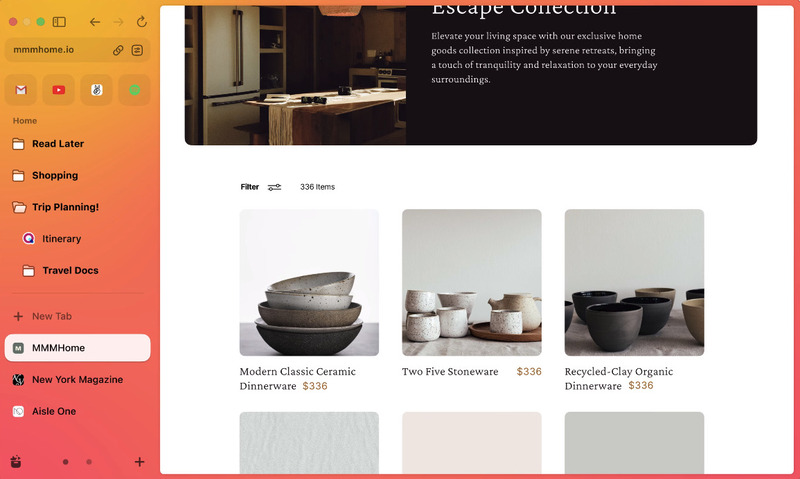
Arc also has many features that support organization and productivity, such as Spotlight-search to do most tasks in Arc, mini-web note-taking or sharing tools, website customization with Arc Boosts, split mode screen for tab.
- Supported platforms: Mac, iPhone
- Arc download link: here
Sidekick – For ADHD users
Sidekick is a new web browser designed for people with ADHD (Attention Deficit Hyperactivity Disorder), to minimize distractions when browsing the web, with features such as:
- There are features like Focus Mode, Distraction Blocking, Task Management, Ad Blocking, etc.
- Built on the Chromium platform, website response speed is 3 times faster than Chrome.
- There are other features like Apps sidebar, multiple login sessions, split screen mode, comprehensive search in tabs, applications, documents, etc.
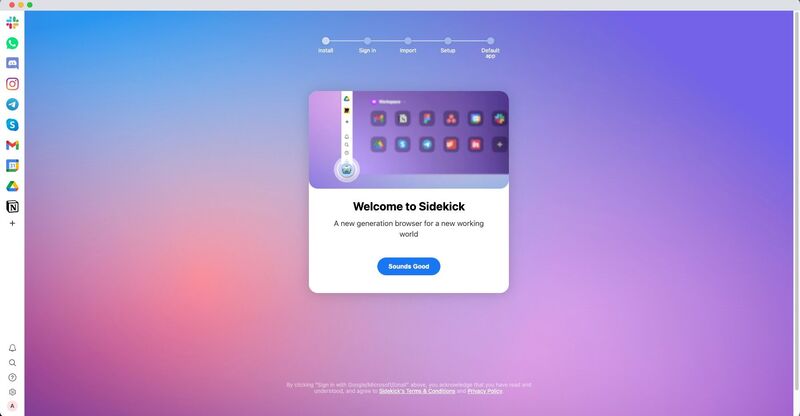
Sidekick is currently available for Windows, Mac and Linux. The basic version of Sidekick is free, but to use full features, you have to pay $8/month.
- Supported platforms: Windows, Mac, Linux
- Sidekick download link: here
SigmaOS – Optimize your workspace
SigmaOS is a new web browser with a beautiful design (winning runner-up for Best Design at Product Hunt) with many features to enhance your productivity, thanks to features such as:
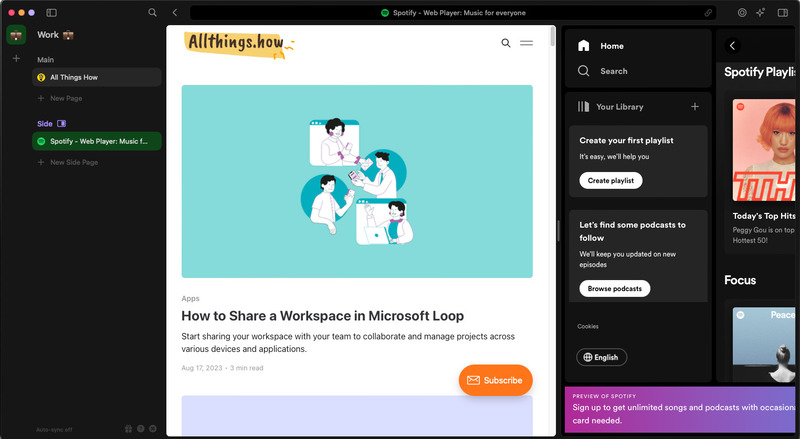
- Tabs appear vertically in a sidebar, and you can organize them in different workspaces. Switch between tabs in the workspace with ease, and when you finish a tab, you can mark 'Done' to close it.
- There's Focus mode to reduce any distractions and Split Screen mode to double your efficiency. Split Screen mode is one of the best features, with separate sections for Main Page and Sub Page to add different websites easily.
- Any of your tabs across workspaces as well as history and new web search can be searched with Lazy Search.
- With the launch of Airis (full browser artificial intelligence), SigmaOS has surpassed many other browsers. Airis can help you with summaries, explanations, and tasks you have for it.
The basic version of the browser is free, offering 3 workspaces. To have unlimited workspace, synchronized workspace and sync across different devices, you must purchase the Personal Pro package for $8/month.
- Supported platforms: Mac
- Link to download SigmaOS: here
Opera One – New web browser from Opera
Opera is a familiar name in the world of web browsers, but with Opera One, the development team wanted to deliver a web browser that is fit for the future.
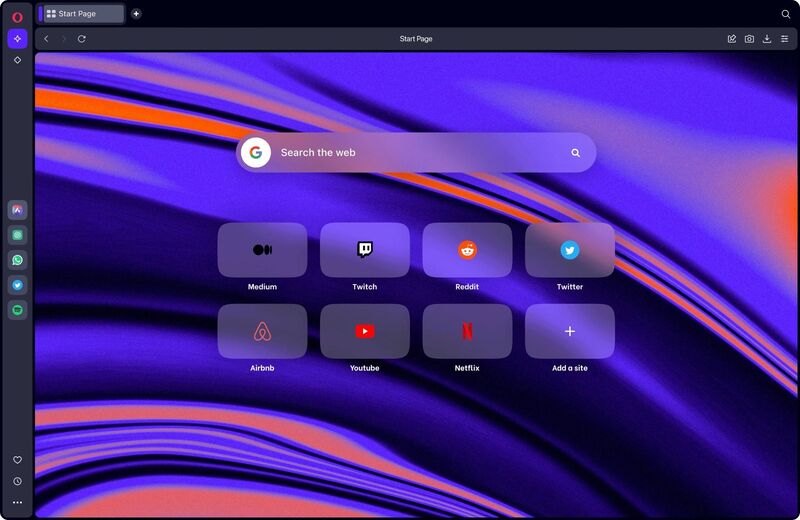
- Features a new design with tab clusters to help you organize your tabs more easily.
- Features a collapsible sidebar for quick access to workspaces, apps, and AI tools like ChatGPT, ChatSonic, and Opera's virtual assistant Aria. Switching between workspaces is quick, so you can go from work to personal browsing in a snap.
- Has built-in ad blocking and basic VPN (VPN Pro paid)
- Experience messaging apps like Whatsapp and music players like Spotify seamlessly and smoothly,
- Built on Chromium, processing speed is fast and importing data from other browsers is easy.
Supported platforms: Mac, Windows, Android, Apple
Opera One download link: here
Those are the newest and best web browsers in 2023 that you can test, maybe you will find a satisfactory browser, replacing Edge, Chrome,… that have been used for a long time.
Epilogue
And that is Top 4 newest and best web browsers 2023. These browsers all bring users great experiences when surfing the web, with advanced features such as dark mode, ad blocking, data synchronization, extension support and High security. Which browser do you like best? Share it in the comments below!










