I never thought I would hear the phrase “Windows 7” again, but a Lifehacker reader recently reminded me that there are still some people using Microsoft’s Windows 7 operating system. It’s not because they don’t want to upgrade, it’s because they can’t; maybe they did trial and error.
| Join the channel Telegram belong to AnonyViet 👉 Link 👈 |
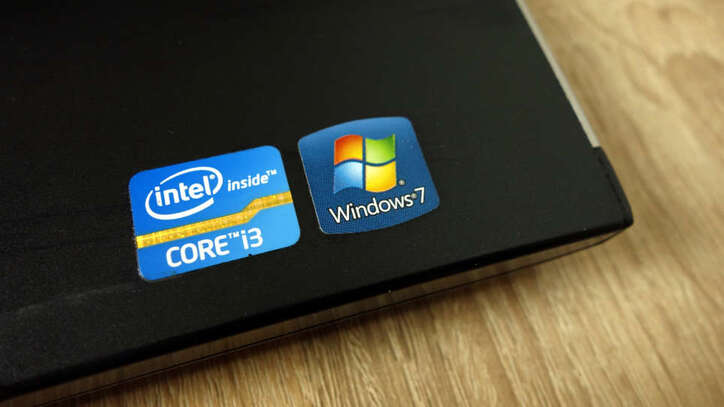
But will using Windows 7 be a security issue in the future? Let’s find out.
Disadvantages of Windows 7
Here’s Microsoft’s verbatim: regular users of Windows 7 will not receive any further updates to the operating system. You must update manually by visiting Microsoft’s archived websites. And these updates are extremely few.
What does that mean? Your PC is an ticking time bomb. Surely some future vulnerabilities will be found and exploited by those looking to take advantage of a “dead” operating system.
Is it a risk you should take? I don’t think so. But it won’t be your fault that you continue using Windows 7, because not everyone has the time, budget, or inclination to buy a whole new computer to continue performing basic tasks on the old one.
But before we get to the actual advice, here’s a quick and easy answer: Don’t worry about “WPS3” – in fact, WPA3, is a security standard for wireless networks. WPA2 you are using to encrypt your wireless network. You also don’t need to worry about someone using your wifi. Just make sure you’re using WPA2-AES, not WPA2-TKIP or WPA2-TKIP + AES, for the best possible wireless speeds.
But back to Windows 7. I have another hesitation in recommending that you continue using this operating system, which is that your browser will stop receiving security updates. That only increases your discomfort and the hacker’s comfort. You might have a year, two years – but one day, your web browser maker will stop updating it for Windows 7 machines. That’s definitely the time I recommend upgrading to Windows 10 – or doing some other trick.
Which operating system should I use to replace Windows 7?
Let’s talk about those tricks. Have you tried upgrading to Windows 7? Windows 10 recently? I recommend that you use USB to upgrade from Windows 7 to Windows 10.
If not, I’ll go the second route: Back up all the important stuff on your system, even if it means buying an external drive to do it – something you should have on hand and be using to regularly back up your data. Don’t create a full image of the drive, as that will cause some difficulties later, copy all your important files elsewhere, using Windows Explorer or any free backup tool.
Once you’ve done that, use that same installation media (your USB drive) to install Windows 10. You’ll erase all of the drive’s data during the installation process and install Windows 10 on a blank drive.
If successful, great. You can also activate it for free if you use your old Windows 7 key. However, if it doesn’t work, don’t worry.
Since you are not working much on your system, you can also try installing Linux, which will give you security updates and an experience quite similar to your existing desktop. It’s a different operating system altogether, which means some things will be slightly different (and some popular apps might not work). However, it will be suitable for all the basic tasks you need.
I recommend you use it Linux Mintwhich is both easy to install and looks good, or another distro like Ubuntu. You will need to use your computer to create a Linux installation USB. Essentially, you’ll install Linux Mint the same way you installed Windows 10, and once it starts working, you’ll be able to open up your external drive (or favorite cloud service or whatever) and restore your data.

Again, this will take some getting used to – it’s not Windows, after all – but it will be a much safer prospect than sticking with Windows 7 for the next few years. If all of this sounds like too much complexity, you can always pick up a new cheap Windows Laptop or a cheaper Windows PC. That’s not an approach I like, because your PC has more uses than you think.
No matter what, make sure you back up your data. And really, believe me, you shouldn’t stick with Windows 7 for too long. You can also start your security career with CEHv10 on an old laptop running Linux.
Frequently asked questions
Windows 7 is no longer supported. Do I need to replace it immediately?
It is not necessary to replace immediately. However, continuing to use Windows 7 poses a high security risk due to the lack of security updates. You should consider upgrading as soon as possible.
What operating system can I upgrade to to replace Windows 7?
You can upgrade to Windows 10 or install a Linux distribution like Linux Mint. Both offer regular security updates and are relatively easy to use.
If I don’t want to upgrade, are there other ways to minimize security risks while still using Windows 7?
There is no way to completely eliminate risk. However, you should perform regular data backups and limit internet access on Windows 7 computers as much as possible.