How to increase wifi signal with old phone is an extremely useful trick that few people expect. Instead of leaving your old smartphone gathering dust in a drawer, you can completely turn it into a savior for the weak network corners of your home. Thanks to that, the experience of surfing the web or watching movies will become much smoother. Let’s go together AnonyViet Discover the details of this great tip!
📢 Join the channel Telegram belong to AnonyViet
Update new articles, cool tools and IT tips fastest
Why should you know how to increase wifi signal with an old phone?
If you have a smartphone in your house Android If the old one is “covered on a mat”, don’t throw it away or sell it for scrap. Normally, we often use old devices as webcams, music players or smart home remote controls. However, there is still an extremely cool tip that few people pay attention to: use it to “save focus” for weak signal areas in the house.
Surely all of us have experienced the feeling of frustration when the router is placed in the living room and the network runs smoothly, but every time we step upstairs or go into the bedroom, the signal drops dramatically. At this time, messages take forever to load, videos are recorded with lag, greatly affecting the usage experience. Therefore, applying the method of activating wifi signal with an old phone is an extremely great solution.
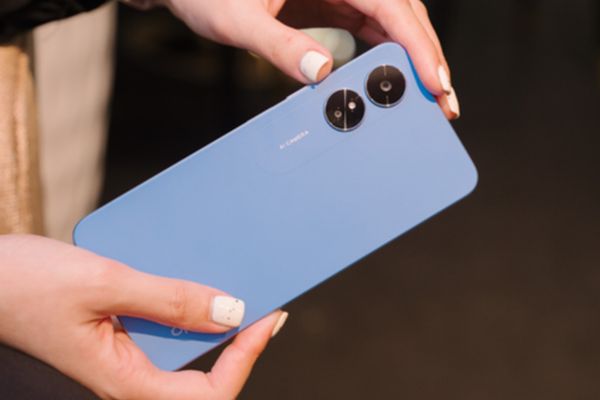
Mechanism of turning a smartphone into a transmitter station
The nice thing about the Android operating system is that in addition to catching wifi to use as usual, the device also has the ability to replay that same wifi network as an access point (hotspot). Instead of buying a new device, you just need to place the phone in an intermediate location, between the main router and the room with weak signal.
In essence, this machine will act as a toll booth. It receives the original wifi signal from the router, then creates a completely new wifi network to expand coverage. Although this method cannot increase the speed of the original network package, in return it helps your internet connection become much more stable in “dead corners” of the house.
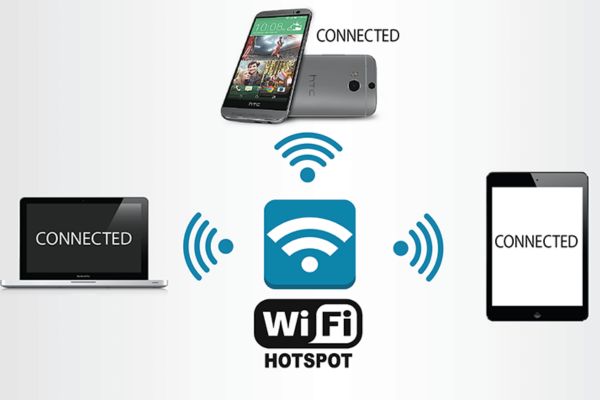
Instructions on how to increase wifi signal with an old phone
Setup is actually so easy, almost anyone can do it themselves in just a few minutes. Depending on the phone brand you are using, the names of the settings items will be slightly different.
For Google Pixel series devices
Step 1: From the home screen, you access the section Settings of the machine.
Step 2: Find and select the item Network & Internet.
Step 3: Click next to the section Hotspots & Tethering.
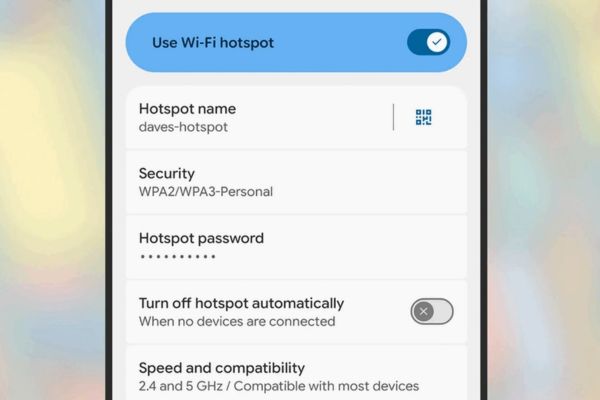
Step 4: Finally, turn on the Wi-Fi hotspot switch. At this point, the device will create a new network, you can reset the name and password to your liking.
For Samsung Galaxy series devices
Step 1: You open the application Settings on Samsung phones.
Step 2: Click on the item Connections.
Step 3: Select section Mobile Hotspot and Tethering.
Step 4: Flip the toggle on the line Mobile Hotspot. Similarly, you can click directly on this item to change the network name and password to make it easier to remember.
Important notes when setting up
In order for the way to activate wifi signal with your old phone to work smoothly and without interruption, you need to remember a few tips below:
- Remember to turn off the “automatically turn off hotspot when there is no connected device” feature. Thanks to that, your mini transmitter station is always ready to serve.
- If your device supports it, turn on both 2.4GHz and 5GHz bands to make it easier for other devices to be compatible and receive better signal.
- Playing hotspot continuously will burn the battery extremely quickly. Therefore, you must always charge this phone.
- To make sure your device only uses wifi as an internet source and doesn’t skimp on 4G data, it’s best to completely remove the SIM card or turn off mobile data completely.
In my personal opinion, this is an extremely “economical” and highly practical tip. Setting up is not complicated, anyone can do it. However, if you are a gamer who needs low ping to climb ranks, or work that requires continuous heavy file downloads, then investing in a good signal booster is still a good idea. If you just want to surf the web and read news before going to bed, then using your old phone to activate wifi signal is absolutely a great solution worth trying.
Conclusion
In short, How to increase wifi signal with old phone is an extremely worth-trying technology hack at home. Although it cannot completely replace professional equipment, it solves basic network needs in tight corners very well. Instead of wasting old items, you now have a 0-dollar network solution.
Frequently Asked Questions (Q&A)
1. Is it okay to use my phone as a continuous wifi hotspot?
Because the hotspot feature consumes battery very quickly, you will have to constantly charge the device. In the long run, this can wear out the battery or cause the device to heat up, so this method should only be used for temporary needs or in small spaces.
2. Is the network speed when playing via phone as strong as the original network?
Are not. The speed will be significantly reduced (for example, the original 300 Mbps network may drop to about 60 Mbps or lower when away), but this level is still completely enough for you to watch videos and basic web surfing.
3. Do I need to install a 4G SIM to broadcast wifi this way?
Unnecessary. You should remove the SIM or completely turn off mobile data (data) to ensure that the device only receives wifi signals from the router and transmits them back, avoiding accidentally wasting your 3G/4G fee.