SIM is locked due to lack of standardization This is a fairly common situation today as telecommunications regulations are increasingly tightened. This not only disrupts communication but also affects your daily work. However, the fix is extremely simple if you understand the process. Let’s go together AnonyViet Learn in detail how to quickly reopen your phone number!
📢 Join the channel Telegram belong to AnonyViet
Update new articles, cool tools and IT tips fastest
What is a locked SIM due to non-standardization?
To put it simply, standardizing subscriber information means the network compares your personal data (such as full name, date of birth, CCCD number) to see if it matches 100% with the National Population Database.
According to Circular 08/2026/TT-BKHCN (applied from June 15, 2026), the game rules have changed significantly. Specifically, if you change to a new phone and insert a SIM, you are required to scan facial biometrics within the maximum period of time. 2 hours clock. The highest purpose of applying this FIDO international standard technology is to protect yourself. Thanks to this, the situation of junk SIMs, identity fraud or fraudulent appropriation of assets online will be completely stopped.
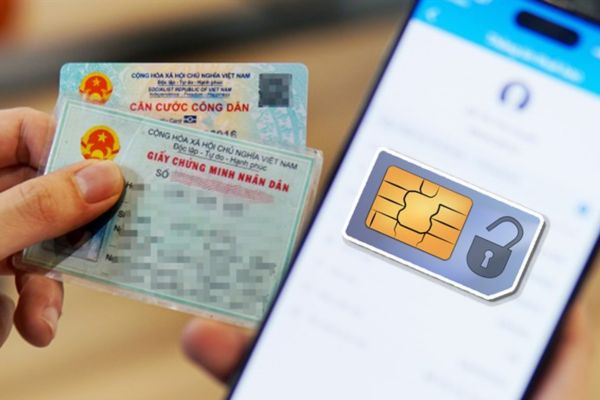
Signs that your subscription is in trouble
When encountering a situation where your SIM is locked due to lack of standardization, don’t panic but calmly check to see if your phone has any of the following symptoms. The system will warn at each level:
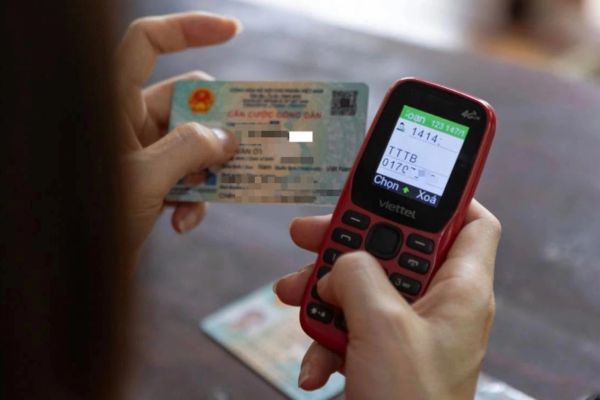
- Receiving messages continuously: TDuring the first 2 hours after changing your device, the network operator will continuously text you to remind you to authenticate.
- Stop calling and texting: You can no longer call or send SMS (one-way blocking). What’s worse is that the other person calling is also a subscriber (2-way blocking).
- SIM lock route: Do not scan face after more than 2 hours -> 1-way lock. After the next 30 days, still ignore -> Completely 2-way lock.
Comparison table of communication blocking levels from carriers
To make it easier for you to imagine the severity, take a look at the comparison table below:
| Criteria | One-way locking state | 2-way locking state |
| Time of application | More than 2 hours since inserting SIM to new device | After 30 days from one-way lockout |
| Call/Text | Cannot be done | Cannot be done |
| Receive incoming calls/SMS | Still received normally | Absolutely not received |
| Receive bank OTP code | Still received | Not received |
| Risk of losing numbers | Haven’t lost my number yet | Revoked after 5 days if not unlocked |
Instructions for self-handling when SIM is locked due to lack of standardization
Many people wonder if a locked SIM card due to non-standardization will cause the number to be lost. The answer is no, if you are in the one-way lock stage, you can completely reopen it at home via the app because at this time the device still receives the OTP code to log in.
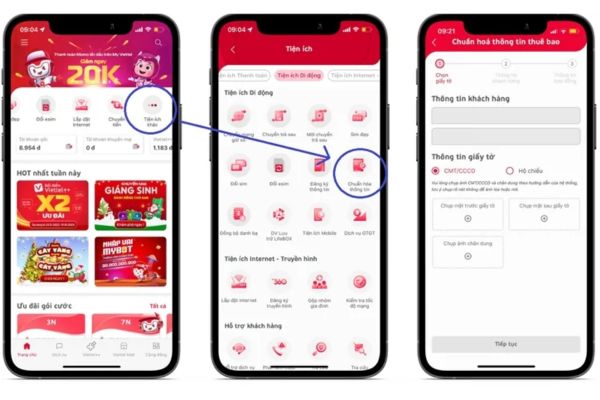
For Viettel network
Step 1: Load My Viettel app Go to your device, enter your locked phone number and get the OTP code to log in.
Step 2: Right on the main screen, find the item Utilitiesthen click Standardize information (or type in the search bar quickly).
Step 3: Fill out all required system documents, click Continue and follow the face scanning instructions and you’re done.
For VinaPhone network
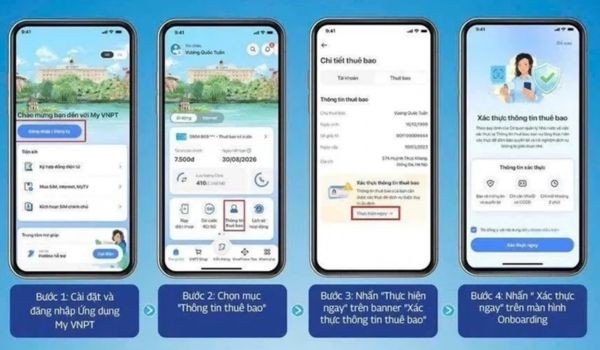
Step 1: Setting app My VNPTlog in with the OTP code sent to your phone number.
Step 2: Click to select section Subscriber information loudly on the screen.
Step 3: Find the line Verify subscriber information and click Do it now.
Step 4: Select Verify nowfill in the information and take photos as required to complete.
For MobiFone network
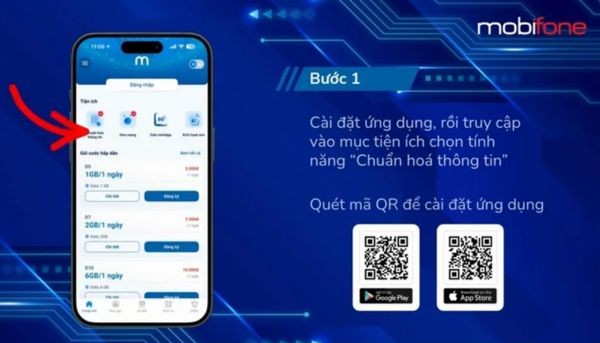
Step 1: Open app My MobiFone Go up, use the phone number and OTP code to go to the homepage.
Step 2: Browse for items Utilitiesthen select Standardize information.
Step 3: Update personal information, scan facial biometrics and click Confirm.
How to handle when having to go directly to the store to make transactions
To avoid the SIM being locked due to non-standardization, leading to permanent loss of number (when 2-way locked), or if you belong to the group of older people, foreigners, or business organizations, going straight to the store is mandatory.
Process at Viettel counter:
- Step 1: Bring your valid ID card/ID card.
- Step 2: Go to Viettel website to look up the nearest transaction point. With more than 30,000 locations nationwide, just go there and show your documents, the staff will scan your face and unlock it for you for free.
Process at MobiFone counter:
- Step 1: Bring your ID card/ID card and the locked physical SIM to the MobiFone store.
- Step 2: The staff will give you a form to fill out, then they will directly take photos, compare the data and restore the signal for you.
Process at VinaPhone counter:
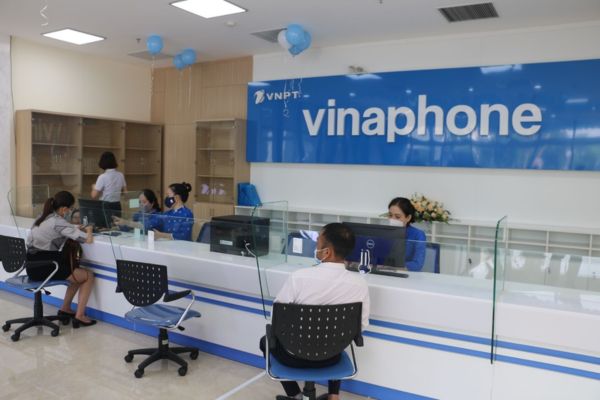
- Step 1: Prepare chip-mounted CCCD, run to fixed transaction points, mobile sales points or authorized agents of VNPT.
- Step 2: The teller will use a specialized machine to read the chip on the CCCD card, take a photo of your face to synchronize with the national system and reactivate the SIM immediately.
Small note: For foreigners or organizations that have never made an authentic video call, it is mandatory to bring a valid passport to the place to take photos in person. Fixing a SIM that is locked due to not being standardized doesn’t cost you any money at all, so be careful of crooks who call asking for an unlocking service fee.
Conclusion
Hopefully through this article, you have a clear understanding of how to handle this situation SIM is locked due to lack of standardization. Don’t miss the deadline and lead to unjust loss of numbers, proactively update information today. If you find it useful, don’t forget to share the article with your loved ones!
Frequently Asked Questions (Q&A)
1. If one-way locked, can I receive the bank OTP code?
Have. When one-way locked, you cannot call or text, but still receive incoming calls and messages containing OTP codes normally.
2. Will a SIM number that is locked in one direction be revoked for a long time?
No immediate recall. However, after 30 days of 1-way lock, the SIM will switch to 2-way lock. If 5 days later you still do not standardize, the network will officially recall the number to the warehouse.
3. Does it cost money to standardize the information yourself or go to the unlocking counter?
Completely free. All operations to standardize information and scan faces are 100% supported by carriers without charge. Be careful with fraudulent messages asking for service fees.