How to install Vietnamese for Minecraft game Not only does it make it easy for new players to approach, but it also brings a feeling of closeness. You will no longer have difficulty customizing complex settings in the settings. Let’s explore with AnonyViet this secret to Vietnameseizing very quickly.
📢 Join the channel Telegram belong to AnonyViet
Update new articles, cool tools and IT tips fastest
Why should you install Vietnamese for Minecraft game?
When playing Minecraftwe often have to come into contact with hundreds of types of blocks, tools and manufacturing materials. Reading and understanding the names and descriptions correctly will help you save time searching the wiki. Below is a small comparison table for you to see the difference when applying the Vietnamese language pack:
| Characteristic | English Interface (Default) | Vietnamese interface (After installation) |
| Friendliness | Difficult to reach children or new people | Very close and easy to understand |
| Customize settings | Easy to confuse technical specifications | Clear each item: Graphics, Sound, Control |
| Item name | Needs time to memorize (eg: Totem of Undying) | Visual display (e.g., Eternal Totem) |
| Plot/Instructions | Sometimes miss important information | Fully grasp the game content |
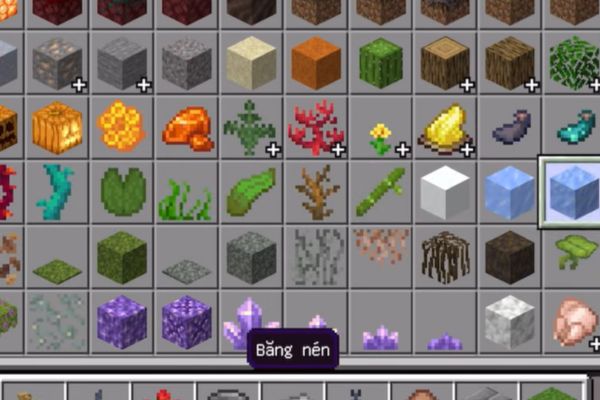
Learn how to install Vietnamese for Minecraft game
To perform Vietnameseization, we will use a specialized Resource Pack. Follow the steps below to ensure 100% success.
Step 1: Access the language pack download source
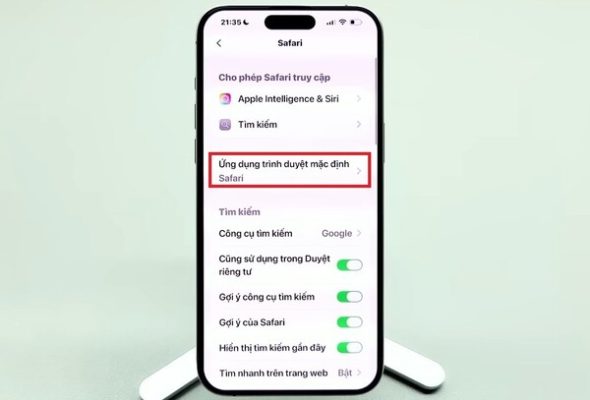
First, access the Safari browser on your phone. Then, access the link providing Vietnameseized files HERE.
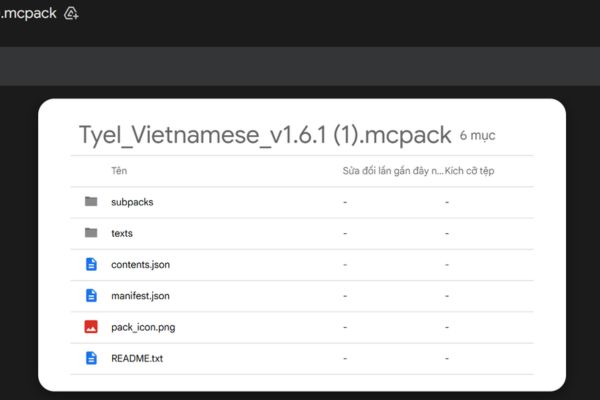
Step 2: Download the file to the device
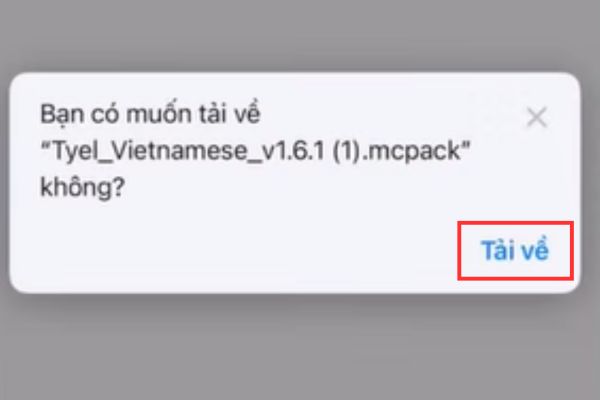
When the file has the format .mcpack appears, click on the download icon. The browser will ask if you want to download this file, select “Download“.
Step 3: Open the file with the Minecraft application
After downloading is complete, click on the downloaded file icon. At this point, the phone will automatically start the game and begin the process of importing the language pack. You will see the message “Successfully imported” at the top of the screen.
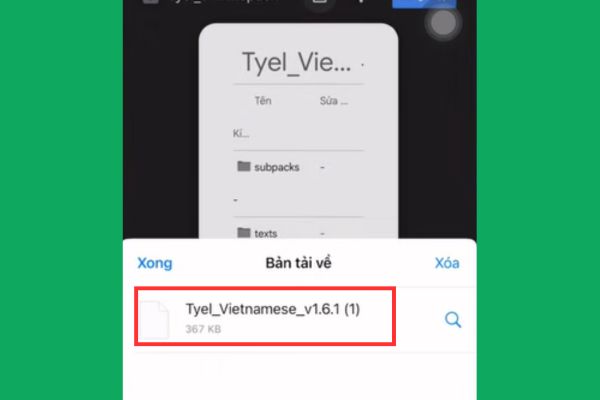
Step 4: Activate the Vietnamese package in settings
This is the most important step in how to install Vietnamese for Minecraft game. At the main screen of the game, do the following:
- Click on the item Settings.
- Scroll down and select Global Resources.
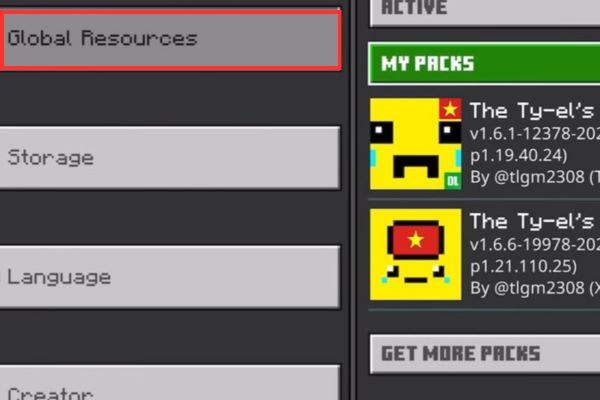
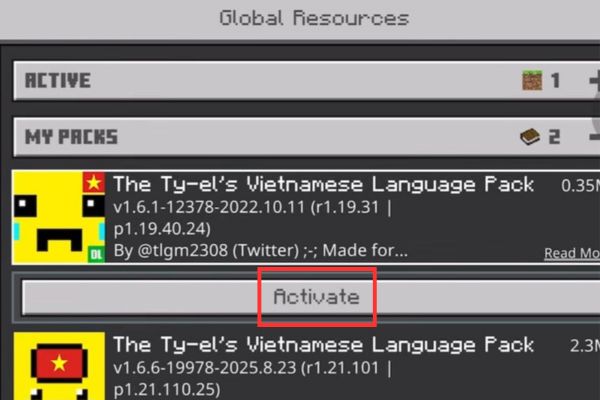
- Look at the section My Packsfind the Vietnamese language pack you just downloaded and click Activate (Activate).
Step 5: Wait for the game to reload resources
After pressing activate, press the back button (Back). The game will display the “Loading resource packs” loading screen.
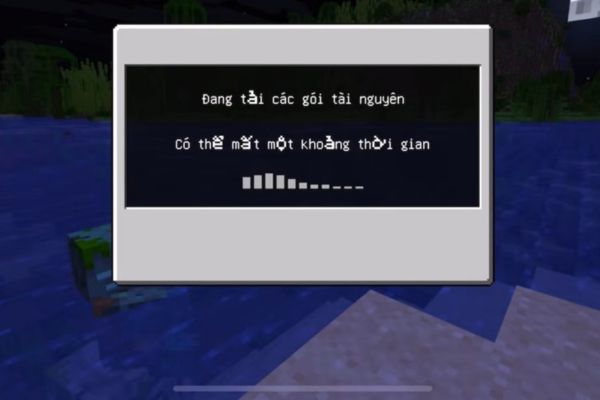
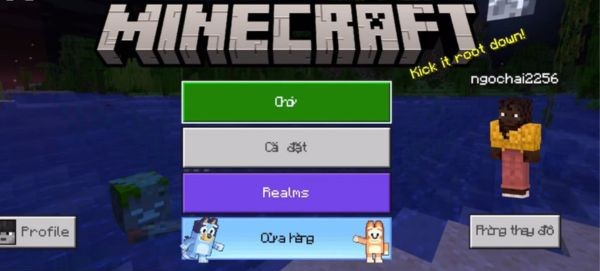
Do not turn off the computer at this time, wait a few seconds for the system to apply the changes. When completed, the entire interface from buttons to menus will change to Vietnamese.
How to fix sticky or hard-to-read font errors
Sometimes after applying the Vietnamese language installation method for Minecraft game, you will see that the letters do not display well or are stuck together. Don’t worry, language packs often come with different font options.
Step 1: Go back to the section Setting > Shared resources.
Step 2: In the Active section, in the Vietnamese package you are using, click on the image icon gears (Install package).
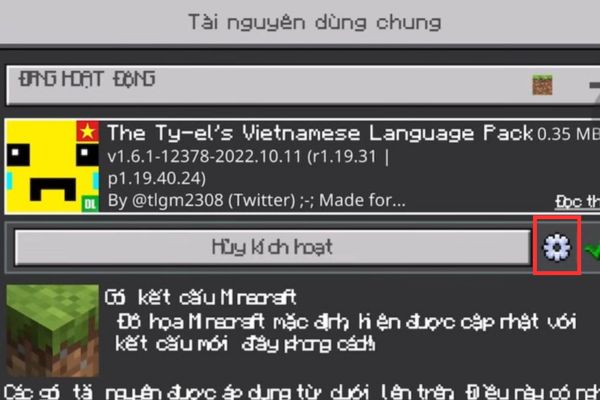
Step 3: Drag the slider to the left as shown.
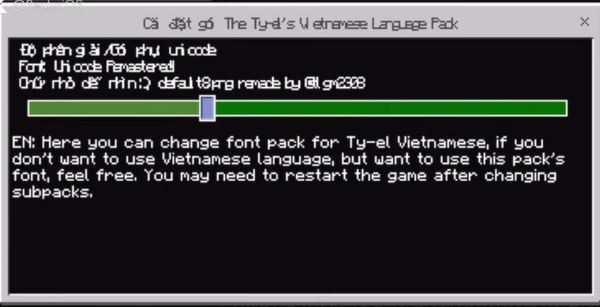
Step 4: Return to the main screen for the game to update again.
Conclusion
Implementation How to install Vietnamese for Minecraft game It’s not difficult if you follow the instructions correctly. This is a valuable upgrade that helps you master every feature in the game. Don’t forget to share this trick with your playing friends.
Frequently Asked Questions (Q&A)
1. Does installing Vietnamese make the game lag?
Absolutely not. The Vietnamese package is essentially just a file that changes the display text (Resource Pack), it does not interfere with the source code or processing performance of the game, so you can use it with peace of mind.
2. Can I install Vietnamese for Minecraft on my computer (PC) this way?
The above method is mainly for Bedrock version (phone, console, Win 10). For the Java version on PC, you need to download the language pack in .zip format and put it in the resourcepacks folder in the game installation folder.
3. Do I need to redownload the Vietnamese package every time the Minecraft game updates to a new version?
Usually, language packs will still work in minor updates. However, if Minecraft has a major update with many new items, you should download and install the latest version of mcpack to ensure the new content is fully translated and there are no font display errors.