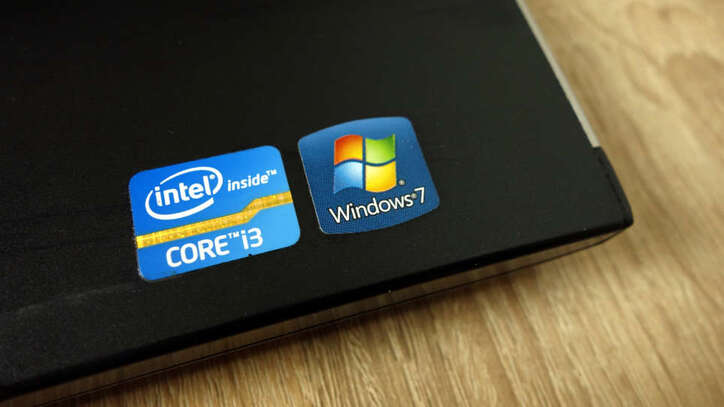
As mentioned in the article Why Linux is better than Windowsthe reason I still use Windows as my operating system is that it has the Adobe software suite. I don’t understand why, until now Adobe still hasn’t agreed to join hands with Linux, probably waiting for Microsoft Office to do it first :v. I use Windows in parallel as the operating system for daily graphic tasks (especially Adobe Illustrator), and Linux for writing code. The inconvenience is there, but thanks to that I can learn more deeply about the differences in the two operating systems.
| Join the channel Telegram belong to AnonyViet 👉 Link 👈 |
That’s enough beating around the bush. I understand everyone’s mood, so today, I will introduce to you the 5 best Adobe Illustrator replacement applications for Linux. Let’s go!
What is vector graphics software?
Simply put, the vector graphics application helps users design vector images using mathematical and geometric concepts. These applications provide all the necessary tools you need to design attractive illustrations on your computer.
Vector images are made into a Cartesian plane consisting of different points connected by lines and strokes to form different shapes. These images often have extensions such as SVG, PDF, AI and EPS.
The main advantage of using vector images over Raster images is that they can be easily scaled to any resolution without losing image quality. This means that even if you enlarge vector images, you will still get the same level of quality and sharpness in your designs.
Here are some browser-based Adobe Illustrator alternatives you can use. These websites are very useful when you want to quickly edit and create vector images without installing any software on the system.
But for those who want a stable application for vector design, here is a list of the best graphic design software you can use on Linux.
1. Inkscape
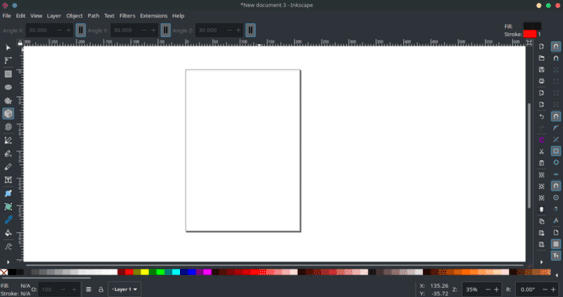
With many editing tools and features, Inkscape stands out as a great open source vector graphics software to replace Adobe Illustrator. The app’s user interface is very intuitive and simple. You will not face any problems while using and finding the tools.
Inkscape has support for several files such as SVG, PNG, OpenDocument Drawings, DXF, sk1, PDF, EPS and PostScripts. It also allows you to easily import designs created with other software. To customize the look and feel, you can also install add-ons to Inkscape.
Start with diverse canvas sizes. Inkscape gives you many templates to choose from, and you can set up your workspace with just one click. You can also implement the power of layering in your projects with Inkscape.
BPencil and pen tools, brushes, shape tools, color selector, gradient fill,… are some of the tools you can use on Inkscape.
You can download Inkscape on Linux using the terminal.
On Debian:
sudo apt-get install inkscape
On Arch:
pacman -S inkscape
2. Gravit
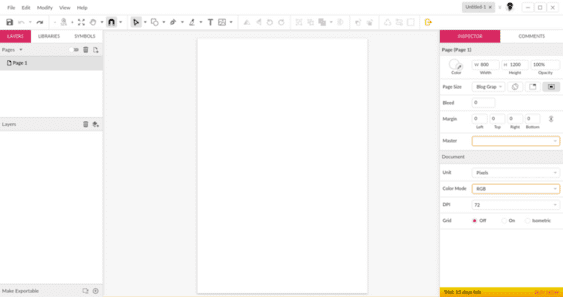
Gravit is the official design tool used by professional illustrators, graphic designers and UI/UX designers. It’s an all-in-one app for you if you’re serious about design and prototyping. I use Gravit instead of Adobe XD, and I find it quite good.
While you can use Gravit for free, they offer a premium version as a trial when you first create an account. You will have access to all Pro features for 15 days. The premium version of the app costs $50/year.
Gravit has a minimal user interface that ensures easy operation between tabs and layers. It comes with all the latest design tools you need while creating vector images.
The application allows you to create web designs, illustrations, social media banners, etc. You can also choose the canvas size from the rich collection available.
On Debian-based distributions, you can install Gravit using Snap Store or Flathub.
On Arch-based distributions:
yay -S gravit-designer-bin
Note that you will have to use the Yay package manager to download Gravit as Pacman does not support downloading packages from the Arch User Repository.
3. Vectr
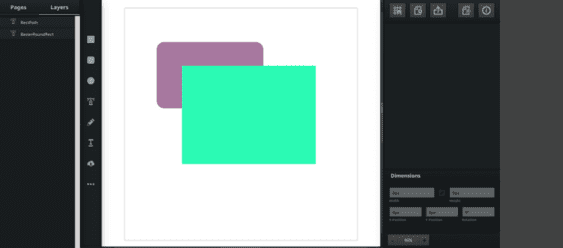
As the name suggests, Vectr is another great application for designing high-quality vector images on Linux systems. Although you can install Vectr on your computer for free, it is not an open source application.
You can design 2D graphics, posters, logos, banners and many other designs using this application. If you don’t want to install anything on your system, then you can also use Vectr on your internet browser.
Vectr supports quite limited file extensions. You can only export your files with PNG, JPG or SVG extensions.
You can share your designs on social networks directly from the app. It also provides you with filters and backgrounds that you can add to your project. Overall, Vectr is a great app for beginners.
You can install Vectr from Snap Store or terminal.
snap install vectr
Note that you need to install it snapd on your system to execute the above command.
4. LibreOffice Draw
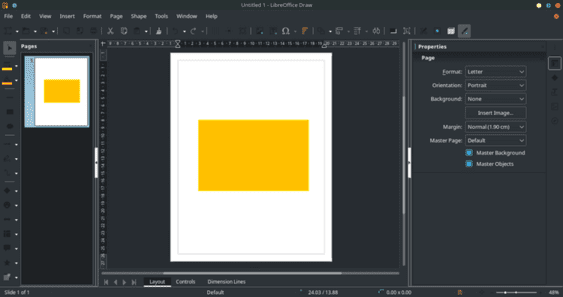
LibreOffice is a famous software suite that comes with many powerful tools related to office tasks. LibreOffice Draw is one of the tools that provides the necessary utilities for vector design.
Draw gives you complete control over your application’s toolbar. You can arrange tools according to your preferences. Additionally, the Style and Formatting box lets you set your favorite effects and filters with just one click.
In addition to vectors, you can use Draw to create graphic charts, network diagrams, and many other data visualizations. You can also use 3D objects in your projects.
To install Draw on your system, you will have to download the entire LibreOffice toolkit. You can easily install it from terminal using the following command.
On Debian:
sudo apt-get install libreoffice
On Arch:
pacman -S libreoffice
5. SK1
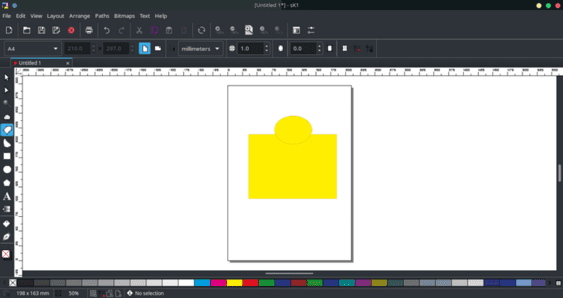
If you’re a vector designer who prioritizes color accuracy over fancy features, then SK1 might be the best app for you. SK1 comes with a powerful color management tool that helps you create the best designs by ensuring that colors are used properly.
SK1 is an open source application available for multiple platforms including Windows and Linux. Some notable features of this software are support for multi-page content, CMYK color separation, ICC color management, accurate printing and PDF export.
Frequently asked questions
Can I use Adobe Illustrator on Linux?
Currently, Adobe Illustrator does not have an official version for the Linux operating system. This article introduces free and effective alternative software.
Which Adobe Illustrator alternatives are mentioned in the article?
The article mentions Inkscape, Gravit, Vectr and LibreOffice Draw as good alternatives to Adobe Illustrator on Linux.
How can I download this replacement software?
The software in question can be installed via package managers such as apt (Debian), pacman (Arch), snap, or downloaded directly from the developer’s website. Detailed installation instructions are provided in the article.