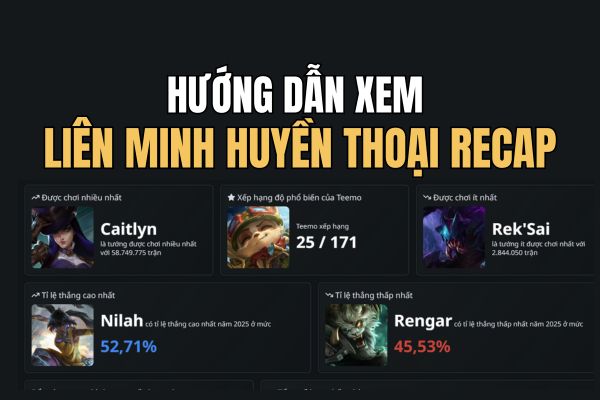
League of Legends recap. recap Helps players record their win rate, champions, and even interesting habits that they rarely pay attention to. If you want to know how long you’ve been “counting numbers” or which key you press the most, don’t miss the YearIn.LoL tool. This is the best way to preserve memories after a stressful season.
| Join the channel Telegram belong to AnonyViet 👉 Link 👈 |
Why should you watch League of Legends recap?
This tool not only lists dry numbers but also provides an interesting visual experience and in-depth analysis that client games often ignore.
Comprehensive data mining from all modes
Completely different from normal lookup sites that only focus on the win/loss ratio of Ranking, YearIn.LoL fully exploit Riot Games API. This system aggregates data from all game modes, including Single/Duo Ranking, ARAM, Arena, and entertaining alternate modes like AR URF.
Thanks to that, users can get the most comprehensive view of their activities, not missing any matches whether they are entertaining or intense competition.

Unique and funny indicators
The most attractive point of this tool lies in its ability to visualize “hidden” data. Players will be surprised with the index “Time to count the numbers on the board“. The system will calculate the total time you have to look at the gray screen waiting to respawn and convert it into minutes, hours or even days. This number reflects the actual level of sacrifice in combat or bad “game throwing” scenes.

Besides, the index “Number of key presses” is also very impressive. Based on the skill set of the champion played, the tool estimates the total number of times you pressed Q, W, E, R. It helps identify your playing style: are you someone who likes to constantly spam skills or is a calculating player who uses economical but effective moves.
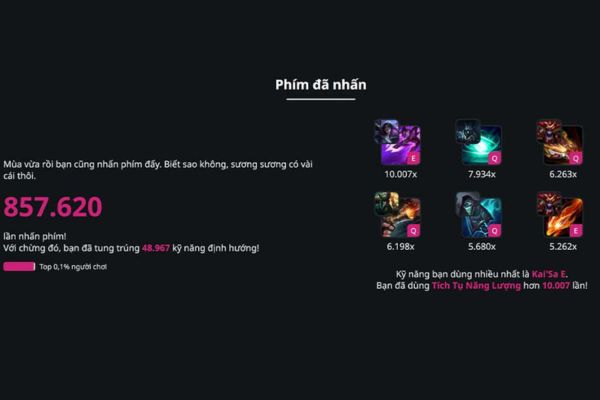
Match analysis and multisearch feature
Not only stopping at statistics, YearIn.LoL also helps gamers improve their skills through the Matchups Analysis feature. The system shows which champions you often win or lose against, thereby drawing experience for the next season’s pick/ban phase.
Also, features Multisearch Allows combining indexes from many different accounts, very convenient for those who own many sub-accounts (smurf) but want a consistent summary.

Instructions for watching League of Legends recaps
Checking and creating reports is very simple, users just need to follow these steps:
- Visit YearIn.LoL homepage
- In the search bar, enter correctly Player name + Tag (Riot ID).
- Choose the correct server area (Server). Note to players in Vietnam, the tag is usually VN2.
- Wait for the system to scan the data for about a minute. Time may be longer during the peak season at the end of the year due to heavy traffic.
Once completed, a welcome interface appears with beautiful charts and infographic cards in a modern style. Users can download these images according to each topic to share on social networks.

Conclusion
Hope this article has helped you know how to create copies League of Legends recap Most satisfactory and detailed. These statistics are not only entertaining but also help you review your skills to prepare for the new season. Don’t forget to download photos and immediately share your achievements with your teammates!